Compare commits
| Author | SHA1 | Date | |
|---|---|---|---|
 QMK Bot QMK Bot
|
1778858e24 | ||
|
|
19006c9753 | ||
|
Nico Cesar
|
2e08c72e95 | ||
|
Joshua Rubin
|
57f408cff5 | ||
|
Drashna Jaelre
|
c4d778a302 | ||
|
umi
|
82dcb17338 | ||
|
Pierre ChevalierandRyan
|
a8c230743a | ||
|
CroktopusandErovia
|
3c84157d83 | ||
|
floookayandRyan
|
4989af356e | ||
|
yinxianweiandRyan
|
a2fa12d631 | ||
|
NightlyBoards
|
412c6bf447 | ||
|
Alabahuy
|
9aa953ecb4 | ||
|
|
9fddb1b5fa | ||
|
Josh Johnson
|
07a817d3e5 | ||
|
moyi4681andJames Young
|
56beaf7d3f | ||
|
Sid CarterandKhader Syed
|
3f11f41ec7 | ||
|
Maarten DekkersandMaarten Dekkers
|
4e02253aaf | ||
|
Rossman360
|
2773082d9d | ||
|
Ryan
|
19b70b2737 | ||
|
Konstantin Đorđević
|
61b64bb82a | ||
|
Drashna Jaelre
|
f11437aef3 | ||
|
Hedgestock
|
fc13315300 | ||
|
Ryan
|
72d3270547 | ||
|
Gautham YerrojuandRyan
|
92d0a71af7 | ||
|
Nick Brassel
|
08b405e1e9 | ||
|
Riley Inman
|
13eda1b1a2 | ||
|
Ryan
|
e8d577c081 | ||
|
Jeong Arm
|
ceb3ef955e | ||
|
moyi4681
|
bc2ebef876 | ||
|
Gaëtan Ark
|
7bdfbde35d | ||
|
Drashna Jaelre
|
584d38b5f5 | ||
|
ladbahuy
|
9307762d76 | ||
|
umi
|
1b96038115 | ||
|
Joshua Rubin
|
78f0b5fb02 | ||
|
shela
|
64603ab647 | ||
|
|
ca946f6116 | ||
|
|
63fe92017c | ||
|
|
817de51c12 | ||
|
ladbahuy
|
6609197cde | ||
|
QMK Bot
|
421621fbf1 | ||
|
Fredrik Salomonsson
|
21610d245a | ||
|
|
bdfb1bc2b5 | ||
|
Ramon Imbao
|
76b21a4b90 | ||
|
Jonathan Rascher
|
027570a21b | ||
|
KgOfHedgehogs
|
bd72a577a2 | ||
|
Joel Challis
|
aec4125989 | ||
|
a_p_u_r_o
|
c272b2422b | ||
|
Callum OakleyandErovia
|
c50009d5d4 | ||
|
Danilo de Klerk
|
823165b9b7 | ||
|
|
9947f1051d | ||
|
ajp10304
|
c5e255a417 | ||
|
umi
|
bae3e03e5f | ||
|
|
facca23315 | ||
|
Abi ShalomandRyan
|
071e0c2029 | ||
|
Steve Purcell
|
2b55c419ea | ||
|
BrandonandRyan
|
83e1b9ab6e | ||
|
Oskar Holstensson
|
ca598c3df6 | ||
|
Rys Sommefeldt
|
4588c979bd | ||
|
Ramon Imbao
|
60ee8bddfc | ||
|
Guillaume GérardandRyan
|
5f9fb01020 | ||
|
ilikepi2andRyan
|
c4960b7579 | ||
|
James Young
|
d4917318cc | ||
|
|
047a7f4e33 | ||
|
|
c8ab8e0bab | ||
|
Matthew Tse
|
038a86a9b8 | ||
|
QMK Bot
|
9ae15e8c79 | ||
|
Dongfeng Yu
|
666cb44673 | ||
|
Sven Grunewaldt
|
03c790a0f2 | ||
|
Ryan
|
29b4f83a1f | ||
|
Erovia
|
e6bcc232ed | ||
|
Joakim Tufvegren
|
5eb4675fda | ||
|
KgOfHedgehogs
|
0fcefdc013 | ||
|
MelGeekandRyan
|
fe744eb1ad | ||
|
Brennan Vincent
|
85e20a5cf4 | ||
|
stanrc85
|
da5aed6bef | ||
|
Alabahuy
|
acb9cf12c4 | ||
|
siano
|
ade3bdf7e7 | ||
|
|
83bc0b9e80 | ||
|
yanekm
|
29ebb99b1f | ||
|
QMK Bot
|
355f075b57 | ||
|
Takeshi ISHII
|
c2ca57c8f4 | ||
|
Takeshi ISHIIandDanny
|
5c8b23ccff | ||
|
|
13a8d1681c | ||
|
Olli
|
b30d0361c5 | ||
|
kwlodarczy
|
063a74b660 | ||
|
moseschmiedel
|
3ff635b9a8 | ||
|
Ryan
|
2c98c4dd4e | ||
|
Ramon ImbaoandRyan
|
8c66c5aa9b | ||
|
Manna Harbour
|
b7dc2eb9ab |
No files matched your search
@@ -73,3 +73,6 @@ __pycache__
|
|||||||
|
|
||||||
# prerequisites for updating ChibiOS
|
# prerequisites for updating ChibiOS
|
||||||
/util/fmpp*
|
/util/fmpp*
|
||||||
|
|
||||||
|
# Allow to exist but don't include it in the repo
|
||||||
|
user_song_list.h
|
||||||
+10
-1
@@ -3,8 +3,14 @@ LAYOUTS_REPOS := $(patsubst %/,%,$(sort $(dir $(wildcard $(LAYOUTS_PATH)/*/))))
|
|||||||
|
|
||||||
define SEARCH_LAYOUTS_REPO
|
define SEARCH_LAYOUTS_REPO
|
||||||
LAYOUT_KEYMAP_PATH := $$(LAYOUTS_REPO)/$$(LAYOUT)/$$(KEYMAP)
|
LAYOUT_KEYMAP_PATH := $$(LAYOUTS_REPO)/$$(LAYOUT)/$$(KEYMAP)
|
||||||
|
LAYOUT_KEYMAP_JSON := $$(LAYOUT_KEYMAP_PATH)/keymap.json
|
||||||
LAYOUT_KEYMAP_C := $$(LAYOUT_KEYMAP_PATH)/keymap.c
|
LAYOUT_KEYMAP_C := $$(LAYOUT_KEYMAP_PATH)/keymap.c
|
||||||
ifneq ("$$(wildcard $$(LAYOUT_KEYMAP_C))","")
|
ifneq ("$$(wildcard $$(LAYOUT_KEYMAP_JSON))","")
|
||||||
|
-include $$(LAYOUT_KEYMAP_PATH)/rules.mk
|
||||||
|
KEYMAP_C := $(KEYBOARD_OUTPUT)/src/keymap.c
|
||||||
|
KEYMAP_JSON := $$(LAYOUT_KEYMAP_JSON)
|
||||||
|
KEYMAP_PATH := $$(LAYOUT_KEYMAP_PATH)
|
||||||
|
else ifneq ("$$(wildcard $$(LAYOUT_KEYMAP_C))","")
|
||||||
-include $$(LAYOUT_KEYMAP_PATH)/rules.mk
|
-include $$(LAYOUT_KEYMAP_PATH)/rules.mk
|
||||||
KEYMAP_C := $$(LAYOUT_KEYMAP_C)
|
KEYMAP_C := $$(LAYOUT_KEYMAP_C)
|
||||||
KEYMAP_PATH := $$(LAYOUT_KEYMAP_PATH)
|
KEYMAP_PATH := $$(LAYOUT_KEYMAP_PATH)
|
||||||
@@ -25,3 +31,6 @@ ifneq ($(FORCE_LAYOUT),)
|
|||||||
endif
|
endif
|
||||||
|
|
||||||
$(foreach LAYOUT,$(LAYOUTS),$(eval $(call SEARCH_LAYOUTS)))
|
$(foreach LAYOUT,$(LAYOUTS),$(eval $(call SEARCH_LAYOUTS)))
|
||||||
|
|
||||||
|
# Use rule from build_json.mk, but update prerequisite in case KEYMAP_JSON was updated
|
||||||
|
$(KEYBOARD_OUTPUT)/src/keymap.c: $(KEYMAP_JSON)
|
||||||
@@ -43,8 +43,6 @@ This is a C header file that is one of the first things included, and will persi
|
|||||||
* generally who/whatever brand produced the board
|
* generally who/whatever brand produced the board
|
||||||
* `#define PRODUCT Board`
|
* `#define PRODUCT Board`
|
||||||
* the name of the keyboard
|
* the name of the keyboard
|
||||||
* `#define DESCRIPTION a keyboard`
|
|
||||||
* a short description of what the keyboard is
|
|
||||||
* `#define MATRIX_ROWS 5`
|
* `#define MATRIX_ROWS 5`
|
||||||
* the number of rows in your keyboard's matrix
|
* the number of rows in your keyboard's matrix
|
||||||
* `#define MATRIX_COLS 15`
|
* `#define MATRIX_COLS 15`
|
||||||
@@ -250,7 +248,10 @@ There are a few different ways to set handedness for split keyboards (listed in
|
|||||||
* `#define SPLIT_HAND_PIN B7`
|
* `#define SPLIT_HAND_PIN B7`
|
||||||
* For using high/low pin to determine handedness, low = right hand, high = left hand. Replace `B7` with the pin you are using. This is optional, and if you leave `SPLIT_HAND_PIN` undefined, then you can still use the EE_HANDS method or MASTER_LEFT / MASTER_RIGHT defines like the stock Let's Split uses.
|
* For using high/low pin to determine handedness, low = right hand, high = left hand. Replace `B7` with the pin you are using. This is optional, and if you leave `SPLIT_HAND_PIN` undefined, then you can still use the EE_HANDS method or MASTER_LEFT / MASTER_RIGHT defines like the stock Let's Split uses.
|
||||||
|
|
||||||
* `#define EE_HANDS` (only works if `SPLIT_HAND_PIN` is not defined)
|
* `#define SPLIT_HAND_MATRIX_GRID <out_pin>,<in_pin>`
|
||||||
|
* The handedness is determined by using the intersection of the keyswitches in the key matrix, which does not exist. Normally, when this intersection is shorted (level low), it is considered left. If you define `#define SPLIT_HAND_MATRIX_GRID_LOW_IS_RIGHT`, it is determined to be right when the level is low.
|
||||||
|
|
||||||
|
* `#define EE_HANDS` (only works if `SPLIT_HAND_PIN` and `SPLIT_HAND_MATRIX_GRID` are not defined)
|
||||||
* Reads the handedness value stored in the EEPROM after `eeprom-lefthand.eep`/`eeprom-righthand.eep` has been flashed to their respective halves.
|
* Reads the handedness value stored in the EEPROM after `eeprom-lefthand.eep`/`eeprom-righthand.eep` has been flashed to their respective halves.
|
||||||
|
|
||||||
* `#define MASTER_RIGHT`
|
* `#define MASTER_RIGHT`
|
||||||
|
|||||||
@@ -319,7 +319,7 @@ This runs code every time that the layers get changed. This can be useful for l
|
|||||||
|
|
||||||
### Example `layer_state_set_*` Implementation
|
### Example `layer_state_set_*` Implementation
|
||||||
|
|
||||||
This example shows how to set the [RGB Underglow](feature_rgblight.md) lights based on the layer, using the Planck as an example
|
This example shows how to set the [RGB Underglow](feature_rgblight.md) lights based on the layer, using the Planck as an example.
|
||||||
|
|
||||||
```c
|
```c
|
||||||
layer_state_t layer_state_set_user(layer_state_t state) {
|
layer_state_t layer_state_set_user(layer_state_t state) {
|
||||||
@@ -343,6 +343,11 @@ layer_state_t layer_state_set_user(layer_state_t state) {
|
|||||||
return state;
|
return state;
|
||||||
}
|
}
|
||||||
```
|
```
|
||||||
|
|
||||||
|
Use the `IS_LAYER_ON_STATE(state, layer)` and `IS_LAYER_OFF_STATE(state, layer)` macros to check the status of a particular layer.
|
||||||
|
|
||||||
|
Outside of `layer_state_set_*` functions, you can use the `IS_LAYER_ON(layer)` and `IS_LAYER_OFF(layer)` macros to check global layer state.
|
||||||
|
|
||||||
### `layer_state_set_*` Function Documentation
|
### `layer_state_set_*` Function Documentation
|
||||||
|
|
||||||
* Keyboard/Revision: `layer_state_t layer_state_set_kb(layer_state_t state)`
|
* Keyboard/Revision: `layer_state_t layer_state_set_kb(layer_state_t state)`
|
||||||
|
|||||||
@@ -23,7 +23,7 @@ Zadig will automatically detect the bootloader device. You may sometimes need to
|
|||||||
|
|
||||||
!> If Zadig lists one or more devices with the `HidUsb` driver, your keyboard is probably not in bootloader mode. The arrow will be colored orange and you will be asked to confirm modifying a system driver. **Do not** proceed if this is the case!
|
!> If Zadig lists one or more devices with the `HidUsb` driver, your keyboard is probably not in bootloader mode. The arrow will be colored orange and you will be asked to confirm modifying a system driver. **Do not** proceed if this is the case!
|
||||||
|
|
||||||
If the arrow appears green, select the driver, and click **Install Driver**. The `libusb-win32` driver will usually work for AVR, and `WinUSB` for ARM, but if you still cannot flash the board, try installing a different driver from the list. For flashing a USBaspLoader device via command line with msys2, the `libusbk` driver is recommended, otherwise `libusb-win32` will work fine if you are using QMK Toolbox for flashing.
|
If the arrow appears green, select the driver, and click **Install Driver**. The `libusb-win32` driver will usually work for AVR, and `WinUSB` for ARM, but if you still cannot flash the board, try installing a different driver from the list. USBAspLoader devices must use the `libusbK` driver.
|
||||||
|
|
||||||

|

|
||||||
|
|
||||||
|
|||||||
@@ -67,7 +67,7 @@ El archivo `config.h` es donde configuras el hardware y el conjunto de caracter
|
|||||||
|
|
||||||
En la parte superior de `config.h` encontrarás ajustes relacionados con USB. Estos controlan la apariencia de tu teclado en el Sistema Operativo. Si no tienes una buena razón para cambiar debes dejar el `VENDOR_ID` como `0xFEED`. Para el `PRODUCT_ID` debes seleccionar un número que todavía no esté en uso.
|
En la parte superior de `config.h` encontrarás ajustes relacionados con USB. Estos controlan la apariencia de tu teclado en el Sistema Operativo. Si no tienes una buena razón para cambiar debes dejar el `VENDOR_ID` como `0xFEED`. Para el `PRODUCT_ID` debes seleccionar un número que todavía no esté en uso.
|
||||||
|
|
||||||
Cambia las líneas de `MANUFACTURER`, `PRODUCT`, y `DESCRIPTION` para reflejar con precisión tu teclado.
|
Cambia las líneas de `MANUFACTURER` y `PRODUCT` para reflejar con precisión tu teclado.
|
||||||
|
|
||||||
```c
|
```c
|
||||||
#define VENDOR_ID 0xFEED
|
#define VENDOR_ID 0xFEED
|
||||||
@@ -75,7 +75,6 @@ Cambia las líneas de `MANUFACTURER`, `PRODUCT`, y `DESCRIPTION` para reflejar c
|
|||||||
#define DEVICE_VER 0x0001
|
#define DEVICE_VER 0x0001
|
||||||
#define MANUFACTURER Tú
|
#define MANUFACTURER Tú
|
||||||
#define PRODUCT mi_teclado_fantastico
|
#define PRODUCT mi_teclado_fantastico
|
||||||
#define DESCRIPTION Un teclado personalizado
|
|
||||||
```
|
```
|
||||||
|
|
||||||
?> Windows y macOS mostrarán el `MANUFACTURER` y `PRODUCT` en la lista de dispositivos USB. `lsusb` en Linux toma estos de la lista mantenida por el [Repositorio de ID USB](http://www.linux-usb.org/usb-ids.html) por defecto. `lsusb -v` mostrará los valores reportados por el dispositivo, y también están presentes en los registros del núcleo después de conectarlo.
|
?> Windows y macOS mostrarán el `MANUFACTURER` y `PRODUCT` en la lista de dispositivos USB. `lsusb` en Linux toma estos de la lista mantenida por el [Repositorio de ID USB](http://www.linux-usb.org/usb-ids.html) por defecto. `lsusb -v` mostrará los valores reportados por el dispositivo, y también están presentes en los registros del núcleo después de conectarlo.
|
||||||
|
|||||||
+1
-1
@@ -53,7 +53,7 @@ SUBSYSTEMS=="usb", ATTRS{idVendor}=="1b4f", ATTRS{idProduct}=="9203", TAG+="uacc
|
|||||||
|
|
||||||
**Note:** With older (before 1.12) ModemManager, filtering only works when not in strict mode, the following commands can update that settings:
|
**Note:** With older (before 1.12) ModemManager, filtering only works when not in strict mode, the following commands can update that settings:
|
||||||
```console
|
```console
|
||||||
sudo sed -i 's/--filter-policy=strict/--filter-policy=default/' /lib/systemd/system/ModemManager.service
|
printf '[Service]\nExecStart=\nExecStart=/usr/sbin/ModemManager --filter-policy=default' | sudo tee /etc/systemd/system/ModemManager.service.d/policy.conf
|
||||||
sudo systemctl daemon-reload
|
sudo systemctl daemon-reload
|
||||||
sudo systemctl restart ModemManager
|
sudo systemctl restart ModemManager
|
||||||
```
|
```
|
||||||
|
|||||||
+109
-138
@@ -1,4 +1,4 @@
|
|||||||
# Backlighting
|
# Backlighting :id=backlighting
|
||||||
|
|
||||||
Many keyboards support backlit keys by way of individual LEDs placed through or underneath the keyswitches. This feature is distinct from both the [RGB underglow](feature_rgblight.md) and [RGB matrix](feature_rgb_matrix.md) features as it usually allows for only a single colour per switch, though you can obviously install multiple different single coloured LEDs on a keyboard.
|
Many keyboards support backlit keys by way of individual LEDs placed through or underneath the keyswitches. This feature is distinct from both the [RGB underglow](feature_rgblight.md) and [RGB matrix](feature_rgb_matrix.md) features as it usually allows for only a single colour per switch, though you can obviously install multiple different single coloured LEDs on a keyboard.
|
||||||
|
|
||||||
@@ -6,103 +6,106 @@ QMK is able to control the brightness of these LEDs by switching them on and off
|
|||||||
|
|
||||||
The MCU can only supply so much current to its GPIO pins. Instead of powering the backlight directly from the MCU, the backlight pin is connected to a transistor or MOSFET that switches the power to the LEDs.
|
The MCU can only supply so much current to its GPIO pins. Instead of powering the backlight directly from the MCU, the backlight pin is connected to a transistor or MOSFET that switches the power to the LEDs.
|
||||||
|
|
||||||
## Feature Configuration
|
|
||||||
|
|
||||||
Most keyboards have backlighting enabled by default if they support it, but if it is not working for you, check that your `rules.mk` includes the following:
|
Most keyboards have backlighting enabled by default if they support it, but if it is not working for you, check that your `rules.mk` includes the following:
|
||||||
|
|
||||||
```makefile
|
```makefile
|
||||||
BACKLIGHT_ENABLE = yes
|
BACKLIGHT_ENABLE = yes
|
||||||
```
|
```
|
||||||
|
|
||||||
## Keycodes
|
## Keycodes :id=keycodes
|
||||||
Once enabled the following keycodes below can be used to change the backlight level.
|
|
||||||
|
|
||||||
|Key |Description |
|
Once enabled, the following keycodes below can be used to change the backlight level.
|
||||||
|---------|------------------------------------------|
|
|
||||||
|`BL_TOGG`|Turn the backlight on or off |
|
|
||||||
|`BL_STEP`|Cycle through backlight levels |
|
|
||||||
|`BL_ON` |Set the backlight to max brightness |
|
|
||||||
|`BL_OFF` |Turn the backlight off |
|
|
||||||
|`BL_INC` |Increase the backlight level |
|
|
||||||
|`BL_DEC` |Decrease the backlight level |
|
|
||||||
|`BL_BRTG`|Toggle backlight breathing |
|
|
||||||
|
|
||||||
## Backlight Functions
|
|Key |Description |
|
||||||
|
|---------|-----------------------------------|
|
||||||
|
|`BL_TOGG`|Turn the backlight on or off |
|
||||||
|
|`BL_STEP`|Cycle through backlight levels |
|
||||||
|
|`BL_ON` |Set the backlight to max brightness|
|
||||||
|
|`BL_OFF` |Turn the backlight off |
|
||||||
|
|`BL_INC` |Increase the backlight level |
|
||||||
|
|`BL_DEC` |Decrease the backlight level |
|
||||||
|
|`BL_BRTG`|Toggle backlight breathing |
|
||||||
|
|
||||||
|Function |Description |
|
## Functions :id=functions
|
||||||
|----------|-----------------------------------------------------------|
|
|
||||||
|`backlight_toggle()` |Turn the backlight on or off |
|
|
||||||
|`backlight_enable()` |Turn the backlight on |
|
|
||||||
|`backlight_disable()` |Turn the backlight off |
|
|
||||||
|`backlight_step()` |Cycle through backlight levels |
|
|
||||||
|`backlight_increase()` |Increase the backlight level |
|
|
||||||
|`backlight_decrease()` |Decrease the backlight level |
|
|
||||||
|`backlight_level(x)` |Sets the backlight level to specified level |
|
|
||||||
|`get_backlight_level()` |Return the current backlight level |
|
|
||||||
|`is_backlight_enabled()`|Return whether the backlight is currently on |
|
|
||||||
|
|
||||||
### Backlight Breathing Functions
|
These functions can be used to change the backlighting in custom code:
|
||||||
|
|
||||||
|Function |Description |
|
|Function |Description |
|
||||||
|----------|---------------------------------------------------|
|
|------------------------|--------------------------------------------|
|
||||||
|`breathing_toggle()` |Turn the backlight breathing on or off |
|
|`backlight_toggle()` |Turn the backlight on or off |
|
||||||
|`breathing_enable()` |Turns on backlight breathing |
|
|`backlight_enable()` |Turn the backlight on |
|
||||||
|`breathing_disable()` |Turns off backlight breathing |
|
|`backlight_disable()` |Turn the backlight off |
|
||||||
|
|`backlight_step()` |Cycle through backlight levels |
|
||||||
|
|`backlight_increase()` |Increase the backlight level |
|
||||||
|
|`backlight_decrease()` |Decrease the backlight level |
|
||||||
|
|`backlight_level(x)` |Sets the backlight level to specified level |
|
||||||
|
|`get_backlight_level()` |Return the current backlight level |
|
||||||
|
|`is_backlight_enabled()`|Return whether the backlight is currently on|
|
||||||
|
|
||||||
## Driver Configuration
|
If backlight breathing is enabled (see below), the following functions are also available:
|
||||||
|
|
||||||
|
|Function |Description |
|
||||||
|
|---------------------|--------------------------------------|
|
||||||
|
|`breathing_toggle()` |Turn the backlight breathing on or off|
|
||||||
|
|`breathing_enable()` |Turns on backlight breathing |
|
||||||
|
|`breathing_disable()`|Turns off backlight breathing |
|
||||||
|
|
||||||
|
## Configuration :id=configuration
|
||||||
|
|
||||||
To select which driver to use, configure your `rules.mk` with the following:
|
To select which driver to use, configure your `rules.mk` with the following:
|
||||||
|
|
||||||
```makefile
|
```makefile
|
||||||
BACKLIGHT_DRIVER = software # Valid driver values are 'pwm,software,no'
|
BACKLIGHT_DRIVER = software
|
||||||
```
|
```
|
||||||
|
|
||||||
See below for help on individual drivers.
|
Valid driver values are `pwm`, `software`, `custom` or `no`. See below for help on individual drivers.
|
||||||
|
|
||||||
## Common Driver Configuration
|
To configure the backlighting, `#define` these in your `config.h`:
|
||||||
|
|
||||||
To change the behavior of the backlighting, `#define` these in your `config.h`:
|
|Define |Default |Description |
|
||||||
|
|---------------------|-------------|-------------------------------------------------------------------------------------|
|
||||||
|
|`BACKLIGHT_PIN` |*Not defined*|The pin that controls the LED(s) |
|
||||||
|
|`BACKLIGHT_LEVELS` |`3` |The number of brightness levels (maximum 31 excluding off) |
|
||||||
|
|`BACKLIGHT_CAPS_LOCK`|*Not defined*|Enable Caps Lock indicator using backlight (for keyboards without dedicated LED) |
|
||||||
|
|`BACKLIGHT_BREATHING`|*Not defined*|Enable backlight breathing, if supported |
|
||||||
|
|`BREATHING_PERIOD` |`6` |The length of one backlight "breath" in seconds |
|
||||||
|
|`BACKLIGHT_ON_STATE` |`1` |The state of the backlight pin when the backlight is "on" - `1` for high, `0` for low|
|
||||||
|
|
||||||
|Define |Default |Description |
|
Unless you are designing your own keyboard, you generally should not need to change the `BACKLIGHT_PIN` or `BACKLIGHT_ON_STATE`.
|
||||||
|---------------------|-------------|--------------------------------------------------------------------------------------|
|
|
||||||
|`BACKLIGHT_LEVELS` |`3` |The number of brightness levels (maximum 31 excluding off) |
|
|
||||||
|`BACKLIGHT_CAPS_LOCK`|*Not defined*|Enable Caps Lock indicator using backlight (for keyboards without dedicated LED) |
|
|
||||||
|`BACKLIGHT_BREATHING`|*Not defined*|Enable backlight breathing, if supported |
|
|
||||||
|`BREATHING_PERIOD` |`6` |The length of one backlight "breath" in seconds |
|
|
||||||
|`BACKLIGHT_ON_STATE` |`0` |The state of the backlight pin when the backlight is "on" - `1` for high, `0` for low |
|
|
||||||
|
|
||||||
### Backlight On State
|
### Backlight On State :id=backlight-on-state
|
||||||
|
|
||||||
Most backlight circuits are driven by an N-channel MOSFET or NPN transistor. This means that to turn the transistor *on* and light the LEDs, you must drive the backlight pin, connected to the gate or base, *high*.
|
Most backlight circuits are driven by an N-channel MOSFET or NPN transistor. This means that to turn the transistor *on* and light the LEDs, you must drive the backlight pin, connected to the gate or base, *high*.
|
||||||
Sometimes, however, a P-channel MOSFET, or a PNP transistor is used. In this case, when the transistor is on, the pin is driven *low* instead.
|
Sometimes, however, a P-channel MOSFET, or a PNP transistor is used. In this case, when the transistor is on, the pin is driven *low* instead.
|
||||||
|
|
||||||
This functionality is configured at the keyboard level with the `BACKLIGHT_ON_STATE` define.
|
This functionality is configured at the keyboard level with the `BACKLIGHT_ON_STATE` define.
|
||||||
|
|
||||||
## AVR driver
|
### AVR Driver :id=avr-driver
|
||||||
|
|
||||||
|
The `pwm` driver is configured by default, however the equivalent setting within `rules.mk` would be:
|
||||||
|
|
||||||
On AVR boards, the default driver currently sniffs the configuration to pick the best scenario. The driver is configured by default, however the equivalent setting within rules.mk would be:
|
|
||||||
```makefile
|
```makefile
|
||||||
BACKLIGHT_DRIVER = pwm
|
BACKLIGHT_DRIVER = pwm
|
||||||
```
|
```
|
||||||
|
|
||||||
### Caveats
|
#### Caveats :id=avr-caveats
|
||||||
|
|
||||||
Hardware PWM is supported according to the following table:
|
On AVR boards, QMK automatically decides which driver to use according to the following table:
|
||||||
|
|
||||||
|Backlight Pin|AT90USB64/128|ATmega16/32U4|ATmega16/32U2|ATmega32A|ATmega328/P|
|
|Backlight Pin|AT90USB64/128|ATmega16/32U4|ATmega16/32U2|ATmega32A|ATmega328/P|
|
||||||
|-------------|-------------|-------------|-------------|---------|----------|
|
|-------------|-------------|-------------|-------------|---------|-----------|
|
||||||
|`B1` | | | | |Timer 1 |
|
|`B1` | | | | |Timer 1 |
|
||||||
|`B2` | | | | |Timer 1 |
|
|`B2` | | | | |Timer 1 |
|
||||||
|`B5` |Timer 1 |Timer 1 | | | |
|
|`B5` |Timer 1 |Timer 1 | | | |
|
||||||
|`B6` |Timer 1 |Timer 1 | | | |
|
|`B6` |Timer 1 |Timer 1 | | | |
|
||||||
|`B7` |Timer 1 |Timer 1 |Timer 1 | | |
|
|`B7` |Timer 1 |Timer 1 |Timer 1 | | |
|
||||||
|`C4` |Timer 3 | | | | |
|
|`C4` |Timer 3 | | | | |
|
||||||
|`C5` |Timer 3 | |Timer 1 | | |
|
|`C5` |Timer 3 | |Timer 1 | | |
|
||||||
|`C6` |Timer 3 |Timer 3 |Timer 1 | | |
|
|`C6` |Timer 3 |Timer 3 |Timer 1 | | |
|
||||||
|`D4` | | | |Timer 1 | |
|
|`D4` | | | |Timer 1 | |
|
||||||
|`D5` | | | |Timer 1 | |
|
|`D5` | | | |Timer 1 | |
|
||||||
|
|
||||||
All other pins will use software PWM. If the [Audio](feature_audio.md) feature is disabled or only using one timer, the backlight PWM can be triggered by a hardware timer:
|
All other pins will use timer-assisted software PWM:
|
||||||
|
|
||||||
|Audio Pin|Audio Timer|Software PWM Timer|
|
|Audio Pin|Audio Timer|Software PWM Timer|
|
||||||
|---------|-----------|------------------|
|
|---------|-----------|------------------|
|
||||||
@@ -113,44 +116,9 @@ All other pins will use software PWM. If the [Audio](feature_audio.md) feature i
|
|||||||
|`B6` |Timer 1 |Timer 3 |
|
|`B6` |Timer 1 |Timer 3 |
|
||||||
|`B7` |Timer 1 |Timer 3 |
|
|`B7` |Timer 1 |Timer 3 |
|
||||||
|
|
||||||
When both timers are in use for Audio, the backlight PWM will not use a hardware timer, but will instead be triggered during the matrix scan. In this case, breathing is not supported, and the backlight might flicker, because the PWM computation may not be called with enough timing precision.
|
When both timers are in use for Audio, the backlight PWM cannot use a hardware timer, and will instead be triggered during the matrix scan. In this case, breathing is not supported, and the backlight might flicker, because the PWM computation may not be called with enough timing precision.
|
||||||
|
|
||||||
### AVR Configuration
|
#### Hardware PWM Implementation :id=hardware-pwm-implementation
|
||||||
|
|
||||||
To change the behavior of the backlighting, `#define` these in your `config.h`:
|
|
||||||
|
|
||||||
|Define |Default |Description |
|
|
||||||
|---------------------|-------------|-------------------------------------------------------------------------------------------------------------|
|
|
||||||
|`BACKLIGHT_PIN` |`B7` |The pin that controls the LEDs. Unless you are designing your own keyboard, you shouldn't need to change this|
|
|
||||||
|`BACKLIGHT_PINS` |*Not defined*|experimental: see below for more information |
|
|
||||||
|`BACKLIGHT_LEVELS` |`3` |The number of brightness levels (maximum 31 excluding off) |
|
|
||||||
|`BACKLIGHT_CAPS_LOCK`|*Not defined*|Enable Caps Lock indicator using backlight (for keyboards without dedicated LED) |
|
|
||||||
|`BACKLIGHT_BREATHING`|*Not defined*|Enable backlight breathing, if supported |
|
|
||||||
|`BREATHING_PERIOD` |`6` |The length of one backlight "breath" in seconds |
|
|
||||||
|`BACKLIGHT_ON_STATE` |`1` |The state of the backlight pin when the backlight is "on" - `1` for high, `0` for low |
|
|
||||||
|
|
||||||
### Backlight On State
|
|
||||||
|
|
||||||
Most backlight circuits are driven by an N-channel MOSFET or NPN transistor. This means that to turn the transistor *on* and light the LEDs, you must drive the backlight pin, connected to the gate or base, *high*.
|
|
||||||
Sometimes, however, a P-channel MOSFET, or a PNP transistor is used. In this case, when the transistor is on, the pin is driven *low* instead.
|
|
||||||
|
|
||||||
This functionality is configured at the keyboard level with the `BACKLIGHT_ON_STATE` define.
|
|
||||||
|
|
||||||
### Multiple backlight pins
|
|
||||||
|
|
||||||
Most keyboards have only one backlight pin which control all backlight LEDs (especially if the backlight is connected to an hardware PWM pin).
|
|
||||||
In software PWM, it is possible to define multiple backlight pins. All those pins will be turned on and off at the same time during the PWM duty cycle.
|
|
||||||
This feature allows to set for instance the Caps Lock LED (or any other controllable LED) brightness at the same level as the other LEDs of the backlight. This is useful if you have mapped LCTRL in place of Caps Lock and you need the Caps Lock LED to be part of the backlight instead of being activated when Caps Lock is on.
|
|
||||||
|
|
||||||
To activate multiple backlight pins, you need to add something like this to your user `config.h`:
|
|
||||||
|
|
||||||
```c
|
|
||||||
#define BACKLIGHT_LED_COUNT 2
|
|
||||||
#undef BACKLIGHT_PIN
|
|
||||||
#define BACKLIGHT_PINS { F5, B2 }
|
|
||||||
```
|
|
||||||
|
|
||||||
### Hardware PWM Implementation
|
|
||||||
|
|
||||||
When using the supported pins for backlighting, QMK will use a hardware timer configured to output a PWM signal. This timer will count up to `ICRx` (by default `0xFFFF`) before resetting to 0.
|
When using the supported pins for backlighting, QMK will use a hardware timer configured to output a PWM signal. This timer will count up to `ICRx` (by default `0xFFFF`) before resetting to 0.
|
||||||
The desired brightness is calculated and stored in the `OCRxx` register. When the counter reaches this value, the backlight pin will go low, and is pulled high again when the counter resets.
|
The desired brightness is calculated and stored in the `OCRxx` register. When the counter reaches this value, the backlight pin will go low, and is pulled high again when the counter resets.
|
||||||
@@ -159,7 +127,7 @@ In this way `OCRxx` essentially controls the duty cycle of the LEDs, and thus th
|
|||||||
The breathing effect is achieved by registering an interrupt handler for `TIMER1_OVF_vect` that is called whenever the counter resets, roughly 244 times per second.
|
The breathing effect is achieved by registering an interrupt handler for `TIMER1_OVF_vect` that is called whenever the counter resets, roughly 244 times per second.
|
||||||
In this handler, the value of an incrementing counter is mapped onto a precomputed brightness curve. To turn off breathing, the interrupt handler is simply disabled, and the brightness reset to the level stored in EEPROM.
|
In this handler, the value of an incrementing counter is mapped onto a precomputed brightness curve. To turn off breathing, the interrupt handler is simply disabled, and the brightness reset to the level stored in EEPROM.
|
||||||
|
|
||||||
### Timer Assisted PWM Implementation
|
#### Timer Assisted PWM Implementation :id=timer-assisted-implementation
|
||||||
|
|
||||||
When `BACKLIGHT_PIN` is not set to a hardware backlight pin, QMK will use a hardware timer configured to trigger software interrupts. This time will count up to `ICRx` (by default `0xFFFF`) before resetting to 0.
|
When `BACKLIGHT_PIN` is not set to a hardware backlight pin, QMK will use a hardware timer configured to trigger software interrupts. This time will count up to `ICRx` (by default `0xFFFF`) before resetting to 0.
|
||||||
When resetting to 0, the CPU will fire an OVF (overflow) interrupt that will turn the LEDs on, starting the duty cycle.
|
When resetting to 0, the CPU will fire an OVF (overflow) interrupt that will turn the LEDs on, starting the duty cycle.
|
||||||
@@ -168,81 +136,84 @@ In this way `OCRxx` essentially controls the duty cycle of the LEDs, and thus th
|
|||||||
|
|
||||||
The breathing effect is the same as in the hardware PWM implementation.
|
The breathing effect is the same as in the hardware PWM implementation.
|
||||||
|
|
||||||
## ARM Driver
|
### ARM Driver :id=arm-configuration
|
||||||
|
|
||||||
|
While still in its early stages, ARM backlight support aims to eventually have feature parity with AVR. The `pwm` driver is configured by default, however the equivalent setting within `rules.mk` would be:
|
||||||
|
|
||||||
While still in its early stages, ARM backlight support aims to eventually have feature parity with AVR. The driver is configured by default, however the equivalent setting within rules.mk would be:
|
|
||||||
```makefile
|
```makefile
|
||||||
BACKLIGHT_DRIVER = pwm
|
BACKLIGHT_DRIVER = pwm
|
||||||
```
|
```
|
||||||
|
|
||||||
### Caveats
|
#### ChibiOS Configuration :id=arm-configuration
|
||||||
|
|
||||||
|
The following `#define`s apply only to ARM-based keyboards:
|
||||||
|
|
||||||
|
|Define |Default|Description |
|
||||||
|
|-----------------------|-------|-----------------------------------|
|
||||||
|
|`BACKLIGHT_PWM_DRIVER` |`PWMD4`|The PWM driver to use |
|
||||||
|
|`BACKLIGHT_PWM_CHANNEL`|`3` |The PWM channel to use |
|
||||||
|
|`BACKLIGHT_PAL_MODE` |`2` |The pin alternative function to use|
|
||||||
|
|
||||||
|
See the ST datasheet for your particular MCU to determine these values. Unless you are designing your own keyboard, you generally should not need to change them.
|
||||||
|
|
||||||
|
#### Caveats :id=arm-caveats
|
||||||
|
|
||||||
Currently only hardware PWM is supported, not timer assisted, and does not provide automatic configuration.
|
Currently only hardware PWM is supported, not timer assisted, and does not provide automatic configuration.
|
||||||
|
|
||||||
?> Backlight support for STMF072 has had limited testing, YMMV. If unsure, set `BACKLIGHT_ENABLE = no` in your rules.mk.
|
?> Backlight support for STM32F072 has had limited testing, so YMMV. If unsure, set `BACKLIGHT_ENABLE = no` in your `rules.mk`.
|
||||||
|
|
||||||
### ARM Configuration
|
### Software PWM Driver :id=software-pwm-driver
|
||||||
|
|
||||||
To change the behavior of the backlighting, `#define` these in your `config.h`:
|
In this mode, PWM is "emulated" while running other keyboard tasks. It offers maximum hardware compatibility without extra platform configuration. The tradeoff is the backlight might jitter when the keyboard is busy. To enable, add this to your `rules.mk`:
|
||||||
|
|
||||||
|Define |Default |Description |
|
|
||||||
|------------------------|-------------|-------------------------------------------------------------------------------------------------------------|
|
|
||||||
|`BACKLIGHT_PIN` |`B7` |The pin that controls the LEDs. Unless you are designing your own keyboard, you shouldn't need to change this|
|
|
||||||
|`BACKLIGHT_PWM_DRIVER` |`PWMD4` |The PWM driver to use, see ST datasheets for pin to PWM timer mapping. Unless you are designing your own keyboard, you shouldn't need to change this|
|
|
||||||
|`BACKLIGHT_PWM_CHANNEL` |`3` |The PWM channel to use, see ST datasheets for pin to PWM channel mapping. Unless you are designing your own keyboard, you shouldn't need to change this|
|
|
||||||
|`BACKLIGHT_PAL_MODE` |`2` |The pin alternative function to use, see ST datasheets for pin AF mapping. Unless you are designing your own keyboard, you shouldn't need to change this|
|
|
||||||
|
|
||||||
## Software PWM Driver :id=software-pwm-driver
|
|
||||||
|
|
||||||
Emulation of PWM while running other keyboard tasks, it offers maximum hardware compatibility without extra platform configuration. The tradeoff is the backlight might jitter when the keyboard is busy. To enable, add this to your rules.mk:
|
|
||||||
```makefile
|
```makefile
|
||||||
BACKLIGHT_DRIVER = software
|
BACKLIGHT_DRIVER = software
|
||||||
```
|
```
|
||||||
|
|
||||||
### Software PWM Configuration
|
#### Multiple Backlight Pins :id=multiple-backlight-pins
|
||||||
|
|
||||||
To change the behavior of the backlighting, `#define` these in your `config.h`:
|
|
||||||
|
|
||||||
|Define |Default |Description |
|
|
||||||
|-----------------|-------------|-------------------------------------------------------------------------------------------------------------|
|
|
||||||
|`BACKLIGHT_PIN` |`B7` |The pin that controls the LEDs. Unless you are designing your own keyboard, you shouldn't need to change this|
|
|
||||||
|`BACKLIGHT_PINS` |*Not defined*|experimental: see below for more information |
|
|
||||||
|
|
||||||
### Multiple backlight pins
|
|
||||||
|
|
||||||
Most keyboards have only one backlight pin which control all backlight LEDs (especially if the backlight is connected to an hardware PWM pin).
|
Most keyboards have only one backlight pin which control all backlight LEDs (especially if the backlight is connected to an hardware PWM pin).
|
||||||
In software PWM, it is possible to define multiple backlight pins. All those pins will be turned on and off at the same time during the PWM duty cycle.
|
In software PWM, it is possible to define multiple backlight pins, which will be turned on and off at the same time during the PWM duty cycle.
|
||||||
This feature allows to set for instance the Caps Lock LED (or any other controllable LED) brightness at the same level as the other LEDs of the backlight. This is useful if you have mapped LCTRL in place of Caps Lock and you need the Caps Lock LED to be part of the backlight instead of being activated when Caps Lock is on.
|
|
||||||
|
|
||||||
To activate multiple backlight pins, you need to add something like this to your user `config.h`:
|
This feature allows to set, for instance, the Caps Lock LED's (or any other controllable LED) brightness at the same level as the other LEDs of the backlight. This is useful if you have mapped Control in place of Caps Lock and you need the Caps Lock LED to be part of the backlight instead of being activated when Caps Lock is on, as it is usually wired to a separate pin from the backlight.
|
||||||
|
|
||||||
|
To activate multiple backlight pins, add something like this to your `config.h`, instead of `BACKLIGHT_PIN`:
|
||||||
|
|
||||||
```c
|
```c
|
||||||
#undef BACKLIGHT_PIN
|
|
||||||
#define BACKLIGHT_PINS { F5, B2 }
|
#define BACKLIGHT_PINS { F5, B2 }
|
||||||
```
|
```
|
||||||
|
|
||||||
## Custom Driver
|
### Custom Driver :id=custom-driver
|
||||||
|
|
||||||
To enable, add this to your rules.mk:
|
If none of the above drivers apply to your board (for example, you are using a separate IC to control the backlight), you can implement a custom backlight driver using this simple API provided by QMK. To enable, add this to your `rules.mk`:
|
||||||
|
|
||||||
```makefile
|
```makefile
|
||||||
BACKLIGHT_DRIVER = custom
|
BACKLIGHT_DRIVER = custom
|
||||||
```
|
```
|
||||||
|
|
||||||
When implementing the custom driver API, the provided keyboard hooks are as follows:
|
Then implement any of these hooks:
|
||||||
|
|
||||||
```c
|
```c
|
||||||
void backlight_init_ports(void) {
|
void backlight_init_ports(void) {
|
||||||
// Optional - Run on startup
|
// Optional - runs on startup
|
||||||
// - usually you want to configure pins here
|
// Usually you want to configure pins here
|
||||||
}
|
}
|
||||||
void backlight_set(uint8_t level) {
|
void backlight_set(uint8_t level) {
|
||||||
// Optional - Run on level change
|
// Optional - runs on level change
|
||||||
// - usually you want to respond to the new value
|
// Usually you want to respond to the new value
|
||||||
}
|
}
|
||||||
|
|
||||||
void backlight_task(void) {
|
void backlight_task(void) {
|
||||||
// Optional - Run periodically
|
// Optional - runs periodically
|
||||||
// - long running actions here can cause performance issues
|
// Note that this is called in the main keyboard loop,
|
||||||
|
// so long running actions here can cause performance issues
|
||||||
}
|
}
|
||||||
```
|
```
|
||||||
|
|
||||||
|
## Example Schematic
|
||||||
|
|
||||||
|
In this typical example, the backlight LEDs are all connected in parallel towards an N-channel MOSFET. Its gate pin is wired to one of the microcontroller's GPIO pins through a 470Ω resistor to avoid ringing.
|
||||||
|
A pulldown resistor is also placed between the gate pin and ground to keep it at a defined state when it is not otherwise being driven by the MCU.
|
||||||
|
The values of these resistors are not critical - see [this Electronics StackExchange question](https://electronics.stackexchange.com/q/68748) for more information.
|
||||||
|
|
||||||
|

|
||||||
@@ -7,9 +7,17 @@ DIP switches are supported by adding this to your `rules.mk`:
|
|||||||
and this to your `config.h`:
|
and this to your `config.h`:
|
||||||
|
|
||||||
```c
|
```c
|
||||||
|
// Connects each switch in the dip switch to the GPIO pin of the MCU
|
||||||
#define DIP_SWITCH_PINS { B14, A15, A10, B9 }
|
#define DIP_SWITCH_PINS { B14, A15, A10, B9 }
|
||||||
```
|
```
|
||||||
|
|
||||||
|
or
|
||||||
|
|
||||||
|
```c
|
||||||
|
// Connect each switch in the DIP switch to an unused intersections in the key matrix.
|
||||||
|
#define DIP_SWITCH_MATRIX_GRID { {0,6}, {1,6}, {2,6} } // List of row and col pairs
|
||||||
|
```
|
||||||
|
|
||||||
## Callbacks
|
## Callbacks
|
||||||
|
|
||||||
The callback functions can be inserted into your `<keyboard>.c`:
|
The callback functions can be inserted into your `<keyboard>.c`:
|
||||||
@@ -87,4 +95,10 @@ void dip_switch_update_mask_user(uint32_t state) {
|
|||||||
|
|
||||||
## Hardware
|
## Hardware
|
||||||
|
|
||||||
|
### Connects each switch in the dip switch to the GPIO pin of the MCU
|
||||||
|
|
||||||
One side of the DIP switch should be wired directly to the pin on the MCU, and the other side to ground. It should not matter which side is connected to which, as it should be functionally the same.
|
One side of the DIP switch should be wired directly to the pin on the MCU, and the other side to ground. It should not matter which side is connected to which, as it should be functionally the same.
|
||||||
|
|
||||||
|
### Connect each switch in the DIP switch to an unused intersections in the key matrix.
|
||||||
|
|
||||||
|
As with the keyswitch, a diode and DIP switch connect the ROW line to the COL line.
|
||||||
@@ -18,7 +18,7 @@ That should be everything necessary.
|
|||||||
|
|
||||||
To start recording the macro, press either `DYN_REC_START1` or `DYN_REC_START2`.
|
To start recording the macro, press either `DYN_REC_START1` or `DYN_REC_START2`.
|
||||||
|
|
||||||
To finish the recording, press the `DYN_REC_STOP` layer button.
|
To finish the recording, press the `DYN_REC_STOP` layer button. You can also press `DYN_REC_START1` or `DYN_REC_START2` again to stop the recording.
|
||||||
|
|
||||||
To replay the macro, press either `DYN_MACRO_PLAY1` or `DYN_MACRO_PLAY2`.
|
To replay the macro, press either `DYN_MACRO_PLAY1` or `DYN_MACRO_PLAY2`.
|
||||||
|
|
||||||
|
|||||||
@@ -74,10 +74,9 @@ There are a number of functions (and variables) related to how you can use or ma
|
|||||||
| [`update_tri_layer(x, y, z)`](ref_functions.md#update_tri_layerx-y-z) | Checks if layers `x` and `y` are both on, and sets `z` based on that (on if both on, otherwise off). |
|
| [`update_tri_layer(x, y, z)`](ref_functions.md#update_tri_layerx-y-z) | Checks if layers `x` and `y` are both on, and sets `z` based on that (on if both on, otherwise off). |
|
||||||
| [`update_tri_layer_state(state, x, y, z)`](ref_functions.md#update_tri_layer_statestate-x-y-z) | Does the same as `update_tri_layer(x, y, z)`, but from `layer_state_set_*` functions. |
|
| [`update_tri_layer_state(state, x, y, z)`](ref_functions.md#update_tri_layer_statestate-x-y-z) | Does the same as `update_tri_layer(x, y, z)`, but from `layer_state_set_*` functions. |
|
||||||
|
|
||||||
|
In addition to the functions that you can call, there are a number of callback functions that get called every time the layer changes. This passes the layer state to the function, where it can be read or modified.
|
||||||
|
|
||||||
In additional to the functions that you can call, there are a number of callback functions that get called every time the layer changes. This passed the layer state to the function, which can be read or modified.
|
|Callback |Description |
|
||||||
|
|
||||||
|Callbacks |Description |
|
|
||||||
|-----------------------------------------------------|----------------------------------------------------------------------------------------|
|
|-----------------------------------------------------|----------------------------------------------------------------------------------------|
|
||||||
| `layer_state_set_kb(layer_state_t state)` | Callback for layer functions, for keyboard. |
|
| `layer_state_set_kb(layer_state_t state)` | Callback for layer functions, for keyboard. |
|
||||||
| `layer_state_set_user(layer_state_t state)` | Callback for layer functions, for users. |
|
| `layer_state_set_user(layer_state_t state)` | Callback for layer functions, for users. |
|
||||||
@@ -86,9 +85,9 @@ In additional to the functions that you can call, there are a number of callback
|
|||||||
|
|
||||||
?> For additional details on how you can use these callbacks, check out the [Layer Change Code](custom_quantum_functions.md#layer-change-code) document.
|
?> For additional details on how you can use these callbacks, check out the [Layer Change Code](custom_quantum_functions.md#layer-change-code) document.
|
||||||
|
|
||||||
|Check functions |Description |
|
It is also possible to check the state of a particular layer using the following functions and macros.
|
||||||
|-------------------------------------------|------------------------------------------------------------------------------|
|
|
||||||
| `layer_state_cmp(cmp_layer_state, layer)` | This checks the `cmp_layer_state` to see if the specific `layer` is enabled. This is meant for use with the layer callbacks. |
|
|
||||||
| `layer_state_is(layer)` | This checks the layer state to see if the specific `layer` is enabled. (calls `layer_state_cmp` for the global layer state). |
|
|
||||||
|
|
||||||
!> There is `IS_LAYER_ON(layer)` as well, however the `layer_state_cmp` function has some additional handling to ensure that on layer 0 that it returns the correct value. Otherwise, if you check to see if layer 0 is on, you may get an incorrect value returned.
|
|Function |Description |Aliases
|
||||||
|
|---------------------------------|-------------------------------------------------------------------------------------------------|-----------------------------------------------------------------------|
|
||||||
|
| `layer_state_is(layer)` | Checks if the specified `layer` is enabled globally. | `IS_LAYER_ON(layer)`, `IS_LAYER_OFF(layer)` |
|
||||||
|
| `layer_state_cmp(state, layer)` | Checks `state` to see if the specified `layer` is enabled. Intended for use in layer callbacks. | `IS_LAYER_ON_STATE(state, layer)`, `IS_LAYER_OFF_STATE(state, layer)` |
|
||||||
@@ -39,10 +39,11 @@ In your keymap you can use the following keycodes to map key presses to mouse ac
|
|||||||
|
|
||||||
## Configuring mouse keys
|
## Configuring mouse keys
|
||||||
|
|
||||||
Mouse keys supports two different modes to move the cursor:
|
Mouse keys supports three different modes to move the cursor:
|
||||||
|
|
||||||
* **Accelerated (default):** Holding movement keys accelerates the cursor until it reaches its maximum speed.
|
* **Accelerated (default):** Holding movement keys accelerates the cursor until it reaches its maximum speed.
|
||||||
* **Constant:** Holding movement keys moves the cursor at constant speeds.
|
* **Constant:** Holding movement keys moves the cursor at constant speeds.
|
||||||
|
* **Combined:** Holding movement keys accelerates the cursor until it reaches its maximum speed, but holding acceleration and movement keys simultaneously moves the cursor at constant speeds.
|
||||||
|
|
||||||
The same principle applies to scrolling.
|
The same principle applies to scrolling.
|
||||||
|
|
||||||
@@ -120,3 +121,22 @@ Use the following settings if you want to adjust cursor movement or scrolling:
|
|||||||
|`MK_W_INTERVAL_1` |120 |Time between scroll steps (`KC_ACL1`) |
|
|`MK_W_INTERVAL_1` |120 |Time between scroll steps (`KC_ACL1`) |
|
||||||
|`MK_W_OFFSET_2` |1 |Scroll steps per scroll action (`KC_ACL2`) |
|
|`MK_W_OFFSET_2` |1 |Scroll steps per scroll action (`KC_ACL2`) |
|
||||||
|`MK_W_INTERVAL_2` |20 |Time between scroll steps (`KC_ACL2`) |
|
|`MK_W_INTERVAL_2` |20 |Time between scroll steps (`KC_ACL2`) |
|
||||||
|
|
||||||
|
### Combined mode
|
||||||
|
|
||||||
|
This mode functions like **Accelerated** mode, however, you can hold `KC_ACL0`, `KC_ACL1` and `KC_ACL2`
|
||||||
|
to momentarily (while held) set the cursor and scroll speeds to constant speeds. When no acceleration
|
||||||
|
keys are held, this mode is identical to **Accelerated** mode, and can be modified using all of the
|
||||||
|
relevant settings.
|
||||||
|
|
||||||
|
* **KC_ACL0:** This acceleration sets your cursor to the slowest possible speed. This is useful for very
|
||||||
|
small and detailed movements of the cursor.
|
||||||
|
* **KC_ACL1:** This acceleration sets your cursor to half the maximum (user defined) speed.
|
||||||
|
* **KC_ACL2:** This acceleration sets your cursor to the maximum (computer defined) speed. This is
|
||||||
|
useful for moving the cursor large distances without much accuracy.
|
||||||
|
|
||||||
|
To use constant speed mode, you must at least define `MK_COMBINED` in your keymap’s `config.h` file:
|
||||||
|
|
||||||
|
```c
|
||||||
|
#define MK_COMBINED
|
||||||
|
```
|
||||||
@@ -247,6 +247,10 @@ void oled_write_raw_byte(const char data, uint16_t index);
|
|||||||
// Writes a PROGMEM string to the buffer at current cursor position
|
// Writes a PROGMEM string to the buffer at current cursor position
|
||||||
void oled_write_raw_P(const char *data, uint16_t size);
|
void oled_write_raw_P(const char *data, uint16_t size);
|
||||||
|
|
||||||
|
// Sets a specific pixel on or off
|
||||||
|
// Coordinates start at top-left and go right and down for positive x and y
|
||||||
|
void oled_write_pixel(uint8_t x, uint8_t y, bool on);
|
||||||
|
|
||||||
// Can be used to manually turn on the screen if it is off
|
// Can be used to manually turn on the screen if it is off
|
||||||
// Returns true if the screen was on or turns on
|
// Returns true if the screen was on or turns on
|
||||||
bool oled_on(void);
|
bool oled_on(void);
|
||||||
|
|||||||
@@ -294,3 +294,13 @@ To debug the mouse, add `debug_mouse = true` or enable via bootmagic.
|
|||||||
#define PS2_MOUSE_DEBUG_HID
|
#define PS2_MOUSE_DEBUG_HID
|
||||||
#define PS2_MOUSE_DEBUG_RAW
|
#define PS2_MOUSE_DEBUG_RAW
|
||||||
```
|
```
|
||||||
|
|
||||||
|
### Movement Hook :id=movement-hook
|
||||||
|
|
||||||
|
Process mouse movement in the keymap before it is sent to the host. Example
|
||||||
|
uses include filtering noise, adding acceleration, and automatically activating
|
||||||
|
a layer. To use, define the following function in your keymap:
|
||||||
|
|
||||||
|
```c
|
||||||
|
void ps2_mouse_moved_user(report_mouse_t *mouse_report);
|
||||||
|
```
|
||||||
@@ -90,6 +90,24 @@ You can configure the firmware to read a pin on the controller to determine hand
|
|||||||
|
|
||||||
This will read the specified pin. If it's high, then the controller assumes it is the left hand, and if it's low, it's assumed to be the right side.
|
This will read the specified pin. If it's high, then the controller assumes it is the left hand, and if it's low, it's assumed to be the right side.
|
||||||
|
|
||||||
|
#### Handedness by Matrix Pin
|
||||||
|
|
||||||
|
You can configure the firmware to read key matrix pins on the controller to determine handedness. To do this, add the following to your `config.h` file:
|
||||||
|
|
||||||
|
```c
|
||||||
|
#define SPLIT_HAND_MATRIX_GRID D0, F1
|
||||||
|
```
|
||||||
|
|
||||||
|
The first pin is the output pin and the second is the input pin.
|
||||||
|
|
||||||
|
Some keyboards have unused intersections in the key matrix. This setting uses one of these unused intersections to determine the handness.
|
||||||
|
|
||||||
|
Normally, when a diode is connected to an intersection, it is judged to be left. If you add the following definition, it will be judged to be right.
|
||||||
|
|
||||||
|
```c
|
||||||
|
#define SPLIT_HAND_MATRIX_GRID_LOW_IS_RIGHT
|
||||||
|
```
|
||||||
|
|
||||||
#### Handedness by EEPROM
|
#### Handedness by EEPROM
|
||||||
|
|
||||||
This method sets the keyboard's handedness by setting a flag in the persistent storage (`EEPROM`). This is checked when the controller first starts up, and determines what half the keyboard is, and how to orient the keyboard layout.
|
This method sets the keyboard's handedness by setting a flag in the persistent storage (`EEPROM`). This is checked when the controller first starts up, and determines what half the keyboard is, and how to orient the keyboard layout.
|
||||||
|
|||||||
@@ -58,7 +58,7 @@ On the display tab click 'Open stroke display'. With Plover disabled you should
|
|||||||
|
|
||||||
## Interfacing with the code :id=interfacing-with-the-code
|
## Interfacing with the code :id=interfacing-with-the-code
|
||||||
|
|
||||||
The steno code has three interceptible hooks. If you define these functions, they will be called at certain points in processing; if they return true, processing continues, otherwise it's assumed you handled things.
|
The steno code has three interceptable hooks. If you define these functions, they will be called at certain points in processing; if they return true, processing continues, otherwise it's assumed you handled things.
|
||||||
|
|
||||||
```c
|
```c
|
||||||
bool send_steno_chord_user(steno_mode_t mode, uint8_t chord[6]);
|
bool send_steno_chord_user(steno_mode_t mode, uint8_t chord[6]);
|
||||||
|
|||||||
@@ -67,7 +67,7 @@ The `config.h` file is where you configure the hardware and feature set for your
|
|||||||
|
|
||||||
At the top of the `config.h` you'll find USB related settings. These control how your keyboard appears to the Operating System. If you don't have a good reason to change you should leave the `VENDOR_ID` as `0xFEED`. For the `PRODUCT_ID` you should pick a number that is not yet in use.
|
At the top of the `config.h` you'll find USB related settings. These control how your keyboard appears to the Operating System. If you don't have a good reason to change you should leave the `VENDOR_ID` as `0xFEED`. For the `PRODUCT_ID` you should pick a number that is not yet in use.
|
||||||
|
|
||||||
Do change the `MANUFACTURER`, `PRODUCT`, and `DESCRIPTION` lines to accurately reflect your keyboard.
|
Do change the `MANUFACTURER` and `PRODUCT` lines to accurately reflect your keyboard.
|
||||||
|
|
||||||
```c
|
```c
|
||||||
#define VENDOR_ID 0xFEED
|
#define VENDOR_ID 0xFEED
|
||||||
@@ -75,7 +75,6 @@ Do change the `MANUFACTURER`, `PRODUCT`, and `DESCRIPTION` lines to accurately r
|
|||||||
#define DEVICE_VER 0x0001
|
#define DEVICE_VER 0x0001
|
||||||
#define MANUFACTURER You
|
#define MANUFACTURER You
|
||||||
#define PRODUCT my_awesome_keyboard
|
#define PRODUCT my_awesome_keyboard
|
||||||
#define DESCRIPTION A custom keyboard
|
|
||||||
```
|
```
|
||||||
|
|
||||||
?> Windows and macOS will display the `MANUFACTURER` and `PRODUCT` in the list of USB devices. `lsusb` on Linux instead takes these from the list maintained by the [USB ID Repository](http://www.linux-usb.org/usb-ids.html) by default. `lsusb -v` will show the values reported by the device, and they are also present in kernel logs after plugging it in.
|
?> Windows and macOS will display the `MANUFACTURER` and `PRODUCT` in the list of USB devices. `lsusb` on Linux instead takes these from the list maintained by the [USB ID Repository](http://www.linux-usb.org/usb-ids.html) by default. `lsusb -v` will show the values reported by the device, and they are also present in kernel logs after plugging it in.
|
||||||
|
|||||||
@@ -141,7 +141,9 @@ To do this manually:
|
|||||||
|
|
||||||
?> It's possible to use other bootloaders here in the same way, but __you need a bootloader__, otherwise you'll have to use ISP again to write new firmware to your keyboard.
|
?> It's possible to use other bootloaders here in the same way, but __you need a bootloader__, otherwise you'll have to use ISP again to write new firmware to your keyboard.
|
||||||
|
|
||||||
To do this the easy way, you can flash the board using the `:production` target when compiling. This compiles the firmware, then compiles the QMK DFU bootloader, and then creates a combined image. Once this is done, you'll see three files:
|
#### Create QMK DFU Bootloader and Production images
|
||||||
|
|
||||||
|
You can create the firmware, the QMK DFU Bootloader and the production firmware images for the board using the `:production` target when compiling. Once this is done, you'll see three files:
|
||||||
* `<keyboard>_<keymap>.hex`
|
* `<keyboard>_<keymap>.hex`
|
||||||
* `<keyboard>_<keymap>_bootloader.hex`
|
* `<keyboard>_<keymap>_bootloader.hex`
|
||||||
* `<keyboard>_<keymap>_production.hex`
|
* `<keyboard>_<keymap>_production.hex`
|
||||||
@@ -236,12 +238,12 @@ For Caterina on the `atmega32u4`, these are the fuse settings that you want:
|
|||||||
| Fuse | Setting|
|
| Fuse | Setting|
|
||||||
|----------|--------|
|
|----------|--------|
|
||||||
| Low | `0xFF` |
|
| Low | `0xFF` |
|
||||||
| High | `0xD9` |
|
| High | `0xD8` |
|
||||||
| Extended | `0xC3` |
|
| Extended | `0xCB` |
|
||||||
|
|
||||||
To set this add `-U lfuse:w:0xFF:m -U hfuse:w:0xD8:m -U efuse:w:0xC3:m` to your command. So the final command should look something like:
|
To set this add `-U lfuse:w:0xFF:m -U hfuse:w:0xD8:m -U efuse:w:0xCB:m` to your command. So the final command should look something like:
|
||||||
|
|
||||||
avrdude -c avrisp -P COM3 -p atmega32u4 -U flash:w:main.hex:i -U lfuse:w:0xFF:m -U hfuse:w:0xD8:m -U efuse:w:0xC3:m
|
avrdude -c avrisp -P COM3 -p atmega32u4 -U flash:w:main.hex:i -U lfuse:w:0xFF:m -U hfuse:w:0xD8:m -U efuse:w:0xCB:m
|
||||||
|
|
||||||
|
|
||||||
If you are using a different controller or want different configuration, you can use [this AVR Fuse Calculator](http://www.engbedded.com/fusecalc/) to find a better value for you.
|
If you are using a different controller or want different configuration, you can use [this AVR Fuse Calculator](http://www.engbedded.com/fusecalc/) to find a better value for you.
|
||||||
|
|||||||
@@ -0,0 +1,63 @@
|
|||||||
|
# コーディング規約 (C)
|
||||||
|
|
||||||
|
<!---
|
||||||
|
original document: 0.9.19:docs/coding_conventions_c.md
|
||||||
|
git diff 0.9.19 HEAD -- docs/coding_conventions_c.md | cat
|
||||||
|
-->
|
||||||
|
|
||||||
|
私たちのスタイルのほとんどはかなり理解しやすいですが、現時点では完全に一貫しているわけではありません。変更箇所周辺のコードのスタイルと一致させる必要がありますが、そのコードに一貫性が無い場合や不明瞭な場合は以下のガイドラインに従ってください:
|
||||||
|
|
||||||
|
* 4つのスペース (ソフトタブ) を使ってインデントします。
|
||||||
|
* 修正版 One True Brace Style を使います。
|
||||||
|
* 開き括弧: ブロックを開始する文と同じ行の最後
|
||||||
|
* 閉じ括弧: ブロックを開始した文と同じ字下げ
|
||||||
|
* Else If: 行の先頭に閉じ括弧を置き、次の開き括弧を同じ行の最後に置きます。
|
||||||
|
* 省略可能な括弧: 常に括弧を付け加えます。
|
||||||
|
* 良い: if (condition) { return false; }
|
||||||
|
* 悪い: if (condition) return false;
|
||||||
|
* C 形式のコメントの使用を推奨します: `/* */`
|
||||||
|
* コメントを機能を説明するストーリーと考えて下さい。
|
||||||
|
* 特定の決定がなされた理由を充分なコメントで説明してください。
|
||||||
|
* 分かり切ったコメントは書かないでください。
|
||||||
|
* 分かり切ったコメントであるか確信できない場合は、コメントを含めてください。
|
||||||
|
* 一般的に、行を折り返さないで、必要なだけ長くすることができます。行を折り返すことを選択した場合は、76列を超えて折り返さないでください。
|
||||||
|
* 古い形式のインクルードガード (`#ifndef THIS_FILE_H`、`#define THIS_FILE_H`、...、`#endif`) ではなく、ヘッダファイルの先頭で `#pragma once` を使います。
|
||||||
|
* プリプロセッサ if の両方の形式を受け付けます: `#ifdef DEFINED` と `#if defined(DEFINED)`
|
||||||
|
* どちらがいいかわからない場合は、`#if defined(DEFINED)` 形式を使ってください。
|
||||||
|
* 複数の条件 `#if` に移行する場合を除き、既存のコードを別のスタイルに変更しないでください。
|
||||||
|
* プリプロセッサディレクティブをインデントする方法(あるいはするかどうか)を決定する時は、以下の事に留意してください:
|
||||||
|
* 一貫性よりも読みやすさが重要です。
|
||||||
|
* ファイルの既存のスタイルに従ってください。ファイルのスタイルが混在している場合は、修正しようとしているセクションに適したスタイルに従ってください。
|
||||||
|
* インデントする時は、ハッシュを行の先頭に置き、`#` と `if` の間に空白を追加します。`#` の後ろに4つスペースを入れて開始します。
|
||||||
|
* 周りの C コードのインデントレベルに従うか、プリプロセッサのディレクティブに独自のインデントレベルを設定することができます。コードの意図を最もよく伝えるスタイルを選択してください。
|
||||||
|
|
||||||
|
わかりやすいように例を示します:
|
||||||
|
|
||||||
|
```c
|
||||||
|
/* Enums for foo */
|
||||||
|
enum foo_state {
|
||||||
|
FOO_BAR,
|
||||||
|
FOO_BAZ,
|
||||||
|
};
|
||||||
|
|
||||||
|
/* Returns a value */
|
||||||
|
int foo(void) {
|
||||||
|
if (some_condition) {
|
||||||
|
return FOO_BAR;
|
||||||
|
} else {
|
||||||
|
return -1;
|
||||||
|
}
|
||||||
|
}
|
||||||
|
```
|
||||||
|
|
||||||
|
# clang-format を使った自動整形
|
||||||
|
|
||||||
|
[Clang-format](https://clang.llvm.org/docs/ClangFormat.html) は LLVM の一部で、誰もが手動で整形するほど暇ではないため、コードを自動整形することができます。私たちは、上記のコーディング規約のほとんどを適用する設定ファイルを提供しています。空白と改行のみを変更するため、省略可能な括弧は自分で付け加えることを忘れないでください。
|
||||||
|
|
||||||
|
Windows で clang-format を入手するには [full LLVM インストーラ](http://llvm.org/builds/)を使い、Ubuntu では `sudo apt install clang-format` を使ってください。
|
||||||
|
|
||||||
|
コマンドラインから実行する場合、オプションとして `-style=file` を渡すと、QMK ルートディレクトリ内の .clang-format 設定ファイルを自動的に見つけます。
|
||||||
|
|
||||||
|
VSCode を使う場合は、標準の C/C++ プラグインが clang-format をサポートしますが、その他にも [独立した拡張機能](https://marketplace.visualstudio.com/items?itemName=LLVMExtensions.ClangFormat) があります。
|
||||||
|
|
||||||
|
幾つかのコード (LAYOUT マクロのような)が clang-format によって破壊されるため、これらのファイルで clang-format を実行しないか、整形したくないコードを `// clang-format off` と `// clang-format on` で囲みます。
|
||||||
@@ -0,0 +1,331 @@
|
|||||||
|
# コーディング規約 (Python)
|
||||||
|
|
||||||
|
<!---
|
||||||
|
original document: 0.9.19:docs/coding_conventions_python.md
|
||||||
|
git diff 0.9.19 HEAD -- docs/coding_conventions_python.md | cat
|
||||||
|
-->
|
||||||
|
|
||||||
|
私たちのスタイルの大部分は PEP8 に従いますが、神経質にならないように幾つかのローカルな変更を加えています。
|
||||||
|
|
||||||
|
* サポートされる全てのプラットフォームとの互換性のために、Python 3.6 を対象にしています。
|
||||||
|
* 4つのスペース (ソフトタブ) を使ってインデントします
|
||||||
|
* 充分なコメントを書くことを推奨します
|
||||||
|
* コメントを機能を説明するストーリーと考えて下さい
|
||||||
|
* 特定の決定がなされた理由を充分なコメントで説明してください。
|
||||||
|
* 分かり切ったコメントは書かないでください
|
||||||
|
* 分かり切ったコメントであるか確信できない場合は、コメントを含めてください。
|
||||||
|
* 全ての関数について、役に立つ docstring を必要とします。
|
||||||
|
* 一般的に、行を折り返さないで、必要なだけ長くすることができます。行を折り返すことを選択した場合は、76列を超えて折り返さないでください。
|
||||||
|
* 私たちの慣習の幾つかは、Python 使いでは無い人にコードベースをより身近にするために、python コミュニティに広まっているものとは競合しています。
|
||||||
|
|
||||||
|
# YAPF
|
||||||
|
|
||||||
|
コードを整形するために [yapf](https://github.com/google/yapf) を使うことができます。[setup.cfg](setup.cfg) で設定を提供しています。
|
||||||
|
|
||||||
|
# インポート
|
||||||
|
|
||||||
|
`import ...` や `from ... import ...` をいつ使うかについての厳密なルールはありません。理解しやすさと保守性が究極の目的です。
|
||||||
|
|
||||||
|
一般的に、コードを短く理解しやすくするためにモジュールから特定の関数とクラス名をインポートする方が望ましいです。これにより、名前が曖昧になることがあります。代わりにモジュールをインポートするようにします。互換性のあるモジュールをインポートする時を除いて、インポートする時は "as" キーワードを避けるべきです。
|
||||||
|
|
||||||
|
インポートは各モジュール1行にする必要があります。標準的な python ルールに従って、インポート文をシステム、サードパーティ、ローカルにグループ化します。
|
||||||
|
|
||||||
|
`from foo import *` を使わないでください。代わりにインポートしたいオブジェクトのリストを指定するか、モジュール全体をインポートします。
|
||||||
|
|
||||||
|
## インポートの例
|
||||||
|
|
||||||
|
良い:
|
||||||
|
|
||||||
|
```
|
||||||
|
from qmk import effects
|
||||||
|
|
||||||
|
effects.echo()
|
||||||
|
```
|
||||||
|
|
||||||
|
悪い:
|
||||||
|
|
||||||
|
```
|
||||||
|
from qmk.effects import echo
|
||||||
|
|
||||||
|
echo() # echoがどこから来たのかが不明瞭です
|
||||||
|
```
|
||||||
|
|
||||||
|
良い:
|
||||||
|
|
||||||
|
```
|
||||||
|
from qmk.keymap import compile_firmware
|
||||||
|
|
||||||
|
compile_firmware()
|
||||||
|
```
|
||||||
|
|
||||||
|
良いですが、上の方がより良いです:
|
||||||
|
|
||||||
|
```
|
||||||
|
import qmk.keymap
|
||||||
|
|
||||||
|
qmk.keymap.compile_firmware()
|
||||||
|
```
|
||||||
|
|
||||||
|
# 命令文
|
||||||
|
|
||||||
|
各行1文としてください。
|
||||||
|
|
||||||
|
可能な場合(例えば `if foo: bar`)でも、2つの文を1行にまとめないでください。
|
||||||
|
|
||||||
|
# 命名
|
||||||
|
|
||||||
|
`module_name`, `package_name`, `ClassName`, `method_name`, `ExceptionName`, `function_name`, `GLOBAL_CONSTANT_NAME`, `global_var_name`, `instance_var_name`, `function_parameter_name`, `local_var_name`.
|
||||||
|
|
||||||
|
関数名、変数名 およびファイル名は説明的でなければなりません; 略語を避けます。特に、プロジェクト外の読み手に曖昧あるいは馴染みのない略語を使わず、単語内の文字を削除して略さないでください。
|
||||||
|
|
||||||
|
常に .py のファイル名の拡張子を使います。ダッシュを使わないでください。
|
||||||
|
|
||||||
|
## 避けるべき名前
|
||||||
|
|
||||||
|
* カウンタあるいはイテレータ以外の1文字の名前。try/except 文では例外の識別子として `e` を使うことができます。
|
||||||
|
* パッケージ/モジュール名内のダッシュ (`-`)
|
||||||
|
* `__double_leading_and_trailing_underscore__` (2つのアンダースコアで始まる名前と終わる名前、Python で予約済み)
|
||||||
|
|
||||||
|
# Docstring
|
||||||
|
|
||||||
|
docstring の一貫性を維持するために、以下のガイドラインを設定しました。
|
||||||
|
|
||||||
|
* マークダウン(Markdown)形式の使用
|
||||||
|
* 常に少なくとも1つの改行を含む3つのダブルクォートの docstring を使ってください: `"""\n"""`
|
||||||
|
* 最初の行は、関数が行うことの短い (70文字未満) 説明です。
|
||||||
|
* docstring が更に必要な場合は、説明と残りの間に空白行を入れます。
|
||||||
|
* 開始の3つのダブルクォートと同じインデントレベルでインデント行を始めます
|
||||||
|
* 以下で説明する形式を使って全ての関数の引数について記述します
|
||||||
|
* Args:、Returns: および Raises: が存在する場合、それらは docstring の最後の3つの要素で、それぞれ空白行で区切られなければなりません。
|
||||||
|
|
||||||
|
## 簡単な docstring の例
|
||||||
|
|
||||||
|
```
|
||||||
|
def my_awesome_function():
|
||||||
|
"""1970 Jan 1 00:00 UTC からの秒数を返します。
|
||||||
|
"""
|
||||||
|
return int(time.time())
|
||||||
|
```
|
||||||
|
|
||||||
|
## 複雑な docstring の例
|
||||||
|
|
||||||
|
```
|
||||||
|
def my_awesome_function():
|
||||||
|
"""1970 Jan 1 00:00 UTC からの秒数を返します。
|
||||||
|
|
||||||
|
この関数は常に整数の秒数を返します。
|
||||||
|
"""
|
||||||
|
return int(time.time())
|
||||||
|
```
|
||||||
|
|
||||||
|
## 関数の引数の docstring の例
|
||||||
|
|
||||||
|
```
|
||||||
|
def my_awesome_function(start=None, offset=0):
|
||||||
|
"""1970 Jan 1 00:00 UTC からの秒数を返します。
|
||||||
|
|
||||||
|
この関数は常に整数の秒数を返します。
|
||||||
|
|
||||||
|
|
||||||
|
Args:
|
||||||
|
start
|
||||||
|
1970 Jan 1 00:00 UTC の代わりの開始時間
|
||||||
|
|
||||||
|
offset
|
||||||
|
最初の引数からこの秒数が引かれた答えを返します
|
||||||
|
|
||||||
|
Returns:
|
||||||
|
秒数を表す整数。
|
||||||
|
|
||||||
|
Raises:
|
||||||
|
ValueError
|
||||||
|
`start` あるいは `offset` が正の数ではない場合
|
||||||
|
"""
|
||||||
|
if start < 0 or offset < 0:
|
||||||
|
raise ValueError('start and offset must be positive numbers.')
|
||||||
|
|
||||||
|
if not start:
|
||||||
|
start = time.time()
|
||||||
|
|
||||||
|
return int(start - offset)
|
||||||
|
```
|
||||||
|
|
||||||
|
# 例外
|
||||||
|
|
||||||
|
例外は例外的な状況を処理するために使われます。フローの制御のために使われるべきではありません。これは Python の「許しを請う」という規範からの逸脱です。例外をキャッチする場合、異常な状況を処理する必要があります。
|
||||||
|
|
||||||
|
何らかの理由で全ての例外のキャッチを使う場合は、cli.log を使って例外とスタックトレースを記録する必要があります。
|
||||||
|
|
||||||
|
try/except ブロックをできるだけ短くします。多数の try 文が必要な場合は、コードを再構成する必要があるかもしれません。
|
||||||
|
|
||||||
|
# タプル
|
||||||
|
|
||||||
|
1項目のタプルを定義する場合、タプルを使用していることが明らかになるように、常に末尾のカンマを含めます。暗黙的な1項目のタプルのアンパックに頼らないでください。明確なリストを使う方が良いです。
|
||||||
|
|
||||||
|
これはよく使用される printf 形式の書式文字列を使う場合に、特に重要です。
|
||||||
|
|
||||||
|
# リストと辞書
|
||||||
|
|
||||||
|
シーケンス形式と末尾のカンマとを区別するように YAPF を設定しました。末尾のカンマが省略されると、YAPF はシーケンスを1つの行として整形します。末尾のカンマがある場合、YAPF はシーケンスを1行1項目で整形します。
|
||||||
|
|
||||||
|
一般的に1行が短い定義になるようにすべきです。読みやすさと保守性を向上させるために、後からではなく早めに複数の行を分割してください。
|
||||||
|
|
||||||
|
# 括弧
|
||||||
|
|
||||||
|
過度な括弧は避けますが、括弧を使ってコードを理解しやすくします。タプルを明示的に返すか、あるいは数式の一部である場合を除き、return 文で括弧を使わないでください。
|
||||||
|
|
||||||
|
# 書式文字列
|
||||||
|
|
||||||
|
一般的に printf 形式の書式文字列を用います。例:
|
||||||
|
|
||||||
|
```
|
||||||
|
name = 'World'
|
||||||
|
print('Hello, %s!' % (name,))
|
||||||
|
```
|
||||||
|
|
||||||
|
このスタイルはログモジュールで使われており、私たちはそれを広範囲で利用しており、一貫性を保つために他の場所でも採用しています。これは、私たちの気まぐれな読者の大部分である C プログラマにもおなじみのスタイルです。
|
||||||
|
|
||||||
|
付属の CLI モジュールは、パーセント (%) 演算子を使わずにこれらを使うことをサポートしています。詳細は、`cli.echo()` と様々な `cli.log` 関数 (例えば、`cli.log.info()`) を見てください。
|
||||||
|
|
||||||
|
# 内包表記とジェネレータ表記
|
||||||
|
|
||||||
|
内包表記とジェネレータの自由な使用を推奨しますが、あまりに複雑にしないでください。複雑になる場合は、理解しやすい for ループで代替します。
|
||||||
|
|
||||||
|
# ラムダ
|
||||||
|
|
||||||
|
使っても問題ありませんが、おそらく避けるべきです。内包表記とジェネレータを使えば、ラムダの必要性は以前ほど強くありません。
|
||||||
|
|
||||||
|
# 条件式
|
||||||
|
|
||||||
|
変数の割り当てでは問題ありませんが、そうでなければ避けるべきです。
|
||||||
|
|
||||||
|
条件式はコードに続く if 文です。例えば:
|
||||||
|
|
||||||
|
```
|
||||||
|
x = 1 if cond else 2
|
||||||
|
```
|
||||||
|
|
||||||
|
一般にこれらを関数の引数、シーケンス項目などとして使用することはお勧めできません。見落としやすくなります。
|
||||||
|
|
||||||
|
# デフォルト引数
|
||||||
|
|
||||||
|
推奨されていますが、値は不変オブジェクトでなければなりません。
|
||||||
|
|
||||||
|
デフォルト値に引数リストを指定する場合は、その場で変更できないオブジェクトを指定するように常に注意してください。可変オブジェクトを使うと変更は呼び出しの間で持続しますが、これは通常あなたの望むものではありませんそれがあなたのやろうとしていることであっても、他の人にとっては混乱するもので理解を妨げます。
|
||||||
|
|
||||||
|
悪い:
|
||||||
|
|
||||||
|
```
|
||||||
|
def my_func(foo={}):
|
||||||
|
pass
|
||||||
|
```
|
||||||
|
|
||||||
|
良い:
|
||||||
|
|
||||||
|
```
|
||||||
|
def my_func(foo=None):
|
||||||
|
if not foo:
|
||||||
|
foo = {}
|
||||||
|
```
|
||||||
|
|
||||||
|
# プロパティ
|
||||||
|
|
||||||
|
getter および setter 関数の代わりにプロパティを常に使います。
|
||||||
|
|
||||||
|
```
|
||||||
|
class Foo(object):
|
||||||
|
def __init__(self):
|
||||||
|
self._bar = None
|
||||||
|
|
||||||
|
@property
|
||||||
|
def bar(self):
|
||||||
|
return self._bar
|
||||||
|
|
||||||
|
@bar.setter
|
||||||
|
def bar(self, bar):
|
||||||
|
self._bar = bar
|
||||||
|
```
|
||||||
|
|
||||||
|
# True/False の評価
|
||||||
|
|
||||||
|
一般的に、if 文で等価性を調べるのではなく、暗黙的な True/False 評価を行うべきです。
|
||||||
|
|
||||||
|
悪い:
|
||||||
|
|
||||||
|
```
|
||||||
|
if foo == True:
|
||||||
|
pass
|
||||||
|
|
||||||
|
if bar == False:
|
||||||
|
pass
|
||||||
|
```
|
||||||
|
|
||||||
|
良い:
|
||||||
|
|
||||||
|
```
|
||||||
|
if foo:
|
||||||
|
pass
|
||||||
|
|
||||||
|
if not bar:
|
||||||
|
pass
|
||||||
|
```
|
||||||
|
|
||||||
|
# デコレータ
|
||||||
|
|
||||||
|
適切な時に使ってください。理解に役立つ時を除き、魔法の(ように見える技巧の)使いすぎは避けるようにしてください。
|
||||||
|
|
||||||
|
# スレッドとマルチプロセス
|
||||||
|
|
||||||
|
避けるべきです。これが必要な場合は、私たちがコードをマージする前に十分な理由を述べる必要があります。
|
||||||
|
|
||||||
|
# 強力な機能
|
||||||
|
|
||||||
|
Python は非常に柔軟な言語で、独自のメタクラス、バイトコードへのアクセス、実行中コンパイル、動的な継承、オブジェクトの親の変更、インポートハック、リフレクション、システム内部の変更など、多くの素晴らしい機能を提供します。
|
||||||
|
|
||||||
|
これらを使わないでください。
|
||||||
|
|
||||||
|
パフォーマンスは私たちにとって重要な関心ごとではなく、コードのわかりやすさに関心があります。私たちは、コードベースを1日か2日しかいじっていない人が利用できるようにしたいです。これらの機能は一般的に理解のしやすさを犠牲にするため、より高速あるいはよりコンパクトなコードよりも、容易に理解できるコードの方が望ましいです。
|
||||||
|
|
||||||
|
一部の標準ライブラリモジュールはこれらの手法を使っており、これらのモジュールを利用しても問題ありません。ただし、それらを使う時には、読みやすさと理解のしやすさを忘れないでください。
|
||||||
|
|
||||||
|
# 型アノテーション付きコード
|
||||||
|
|
||||||
|
今のところ型アノテーションシステムを使っていないため、コードにアノテーションをつけないようにしてください。将来的にはこれを再検討する可能性があります。
|
||||||
|
|
||||||
|
# 関数の長さ
|
||||||
|
|
||||||
|
小さくて焦点のあった関数にしてください。
|
||||||
|
|
||||||
|
長い関数が時には適切であることを理解しているので、関数の長さには厳密な制限はありません。関数が約40行を超える場合は、プログラムの構造を損なわずに分割できるかどうかを検討してください。
|
||||||
|
|
||||||
|
今のところ長い関数が完全に機能するとしても、数か月でそれを変更する人が新しい挙動を追加するかもしれません。これにより見つけにくいバグが発生するかもしれません。関数を短くかつシンプルにすることで、他の人がコードを読んで修正しやすくします。
|
||||||
|
|
||||||
|
幾つかのコードで作業をすると、長く複雑な関数を見つけるかもしれません。既存コードを変更することを怖がらないでください: もし、難しいことが判明したり、エラーがデバッグしづらいとわかったり、いくつかの異なるコンテキストで一部を使いたいような関数を扱っている場合、関数を小さくてより扱いやすい単位に分割することを検討してください。
|
||||||
|
|
||||||
|
# FIXME
|
||||||
|
|
||||||
|
FIXME をコードに残しても構いません。なぜでしょうか?このコードを文章化しないままにするよりも、少なくとも考え抜く必要がある(あるいは混乱している)コードの一部を文章化するように奨励する方が、このコードを文章化しないままにするよりも良いです。
|
||||||
|
|
||||||
|
全ての FIXME は以下のように書式化されるべきです:
|
||||||
|
|
||||||
|
```
|
||||||
|
FIXME(username): 何々機能が完了したらこのコードを再検討する。
|
||||||
|
```
|
||||||
|
|
||||||
|
...username はあなたの GitHub のユーザ名です。
|
||||||
|
|
||||||
|
# テスト
|
||||||
|
|
||||||
|
統合テストと単体テストの組み合わせを使ってコードが可能な限りバグが無いようにします。全てのテストは `lib/python/qmk/tests/` にあります。`qmk pytest` を使って全てのテストを実行することができます。
|
||||||
|
|
||||||
|
これを書いている時点では、テストは全く完全なものではありません。現在のテストを見て、テストされていない状況のための新しいテストケースを書くことは、コードベースに精通し、QMK に貢献するという両方の点で素晴らしい方法です。
|
||||||
|
|
||||||
|
## 統合テスト
|
||||||
|
|
||||||
|
統合テストは `lib/python/qmk/tests/test_cli_commands.py` にあります。ここで実際に CLI コマンドが実行され、全体的な動作が検証されます。[`subprocess`](https://docs.python.org/3.6/library/subprocess.html#module-subprocess) を使って各 CLI コマンドを起動し、正しく動作するかを判断するために出力とリターンコードの組み合わせを使います。
|
||||||
|
|
||||||
|
## ユニットテスト
|
||||||
|
|
||||||
|
`lib/python/qmk/tests/` 内の他の `test_*.py` ファイルはユニットテストを含みます。`lib/python/qmk/` 内の個々の関数のテストをここに書くことができます。一般的にこれらのファイルはモジュールに基づいて名前を付けられ、ドットはアンダースコアで置き換えられます。
|
||||||
|
|
||||||
|
これを書いている時点では、テストのためのモックを作っていません。これを変更する手伝いをしたい場合は、[issue を開く](https://github.com/qmk/qmk_firmware/issues/new?assignees=&labels=cli%2C+python&template=other_issues.md&title=) か [Discord の #cli に参加](https://discord.gg/heQPAgy)し、そこで会話を開始してください。
|
||||||
@@ -48,8 +48,6 @@ QMK での全ての利用可能な設定にはデフォルトがあります。
|
|||||||
* 一般的に、誰もしくはどのブランドがボードを作成したか
|
* 一般的に、誰もしくはどのブランドがボードを作成したか
|
||||||
* `#define PRODUCT Board`
|
* `#define PRODUCT Board`
|
||||||
* キーボードの名前
|
* キーボードの名前
|
||||||
* `#define DESCRIPTION a keyboard`
|
|
||||||
* キーボードの簡単な説明
|
|
||||||
* `#define MATRIX_ROWS 5`
|
* `#define MATRIX_ROWS 5`
|
||||||
* キーボードのマトリックスの行の数
|
* キーボードのマトリックスの行の数
|
||||||
* `#define MATRIX_COLS 15`
|
* `#define MATRIX_COLS 15`
|
||||||
|
|||||||
@@ -0,0 +1,47 @@
|
|||||||
|
# デバウンスアルゴリズム
|
||||||
|
|
||||||
|
<!---
|
||||||
|
original document: 0.9.19:docs/feature_debounce_type.md
|
||||||
|
git diff 0.9.19 HEAD -- docs/feature_debounce_type.md | cat
|
||||||
|
-->
|
||||||
|
|
||||||
|
QMK はデバウンス API を介して複数のデバウンスアルゴリズムをサポートします。
|
||||||
|
|
||||||
|
どのデバウンスメソッドが呼ばれるかのロジックは下記のとおりです。rules.mk で設定された様々な定義をチェックします。
|
||||||
|
|
||||||
|
```
|
||||||
|
DEBOUNCE_DIR:= $(QUANTUM_DIR)/debounce
|
||||||
|
DEBOUNCE_TYPE?= sym_g
|
||||||
|
ifneq ($(strip $(DEBOUNCE_TYPE)), custom)
|
||||||
|
QUANTUM_SRC += $(DEBOUNCE_DIR)/$(strip $(DEBOUNCE_TYPE)).c
|
||||||
|
endif
|
||||||
|
```
|
||||||
|
|
||||||
|
# デバウンスの選択
|
||||||
|
|
||||||
|
| DEBOUNCE_TYPE | 説明 | 他に必要なもの |
|
||||||
|
| ------------- | --------------------------------------------------- | ----------------------------- |
|
||||||
|
| 未定義 | デフォルトのアルゴリズム、現在のところ sym_g を使います | 無し |
|
||||||
|
| custom | 独自のデバウンスコードを使います | ```SRC += debounce.c``` で独自の debounce.c を追加し、必要な関数を実装します |
|
||||||
|
| anything_else | quantum/debounce/* から他のアルゴリズムを使います | 無し |
|
||||||
|
|
||||||
|
**分割キーボードについて**:
|
||||||
|
デバウンスコードは分割キーボードと互換性があります。
|
||||||
|
|
||||||
|
# 独自のデバウンスコードの使用
|
||||||
|
* ```DEBOUNCE_TYPE = custom``` を設定します。
|
||||||
|
* ```SRC += debounce.c``` を追加します。
|
||||||
|
* 独自の ```debounce.c``` を追加します。例については、```quantum/debounce``` にある現在の実装をみてください。
|
||||||
|
* 毎回のマトリクススキャンの結果はその度デバウンスによって処理されます。
|
||||||
|
* MATRIX_ROWS ではなく num_rows を使って、分割キーボードが正しくサポートされるようにします。
|
||||||
|
|
||||||
|
# インクルードされているデバウンスメソッド間での切り替え
|
||||||
|
独自の debounce.c をインクルードすることで独自のコードを使うか、またはインクルードされている他のコードに切り替えることができます。
|
||||||
|
含まれるデバウンスメソッドは以下の通りです:
|
||||||
|
* eager_pr - 行ごとにデバウンスします。状態が変化すると、応答は即座に行われ、その後その行は ```DEBOUNCE``` ミリ秒の間入力されません。
|
||||||
|
```NUM_KEYS``` の 8ビットカウンタの更新に高い計算コストがかかる、もしくは低スキャンレートのキーボード用で、各指は通常一度に1行しか叩かないようになっています。これは ErgoDox モデルに適しています; マトリックスは90度回転しているため、その「行」は実際には「列」であり、通常の使用では各指は一度に1つの「行」にしか当たりません。
|
||||||
|
* eager_pk - キーごとにデバウンスします。状態が変化すると、応答は即座に行われ、その後そのキーは ```DEBOUNCE``` ミリ秒の間入力されません。
|
||||||
|
* sym_g - キーボードごとにデバウンスします。状態が変化すると、グローバルタイマが設定されます。```DEBOUNCE``` ミリ秒の間何も変化がなければ、全ての入力の変更がプッシュされます。
|
||||||
|
* sym_pk - キーごとにデバウンスします。状態が変化すると、キーごとのタイマーが設定されます。```DEBOUNCE``` ミリ秒の間そのキーに変化がなければ、キーの状態の変更がプッシュされます。
|
||||||
|
|
||||||
|
|
||||||
@@ -73,7 +73,7 @@ or open the directory in your favourite text editor.
|
|||||||
|
|
||||||
`config.h` の先頭には USB に関する設定があります。これらはキーボードが OS からどのように見えるかを制御しています。変更する理由がない場合は、`VENDOR_ID` を `0xFEED` のままにしておく必要があります。`PRODUCT_ID` にはまだ使用されていない番号を選ばなければいけません。
|
`config.h` の先頭には USB に関する設定があります。これらはキーボードが OS からどのように見えるかを制御しています。変更する理由がない場合は、`VENDOR_ID` を `0xFEED` のままにしておく必要があります。`PRODUCT_ID` にはまだ使用されていない番号を選ばなければいけません。
|
||||||
|
|
||||||
`MANUFACTURER`、 `PRODUCT`、 `DESCRIPTION` をキーボードにあった設定に変更します。
|
`MANUFACTURER`、 `PRODUCT` をキーボードにあった設定に変更します。
|
||||||
|
|
||||||
```c
|
```c
|
||||||
#define VENDOR_ID 0xFEED
|
#define VENDOR_ID 0xFEED
|
||||||
@@ -81,7 +81,6 @@ or open the directory in your favourite text editor.
|
|||||||
#define DEVICE_VER 0x0001
|
#define DEVICE_VER 0x0001
|
||||||
#define MANUFACTURER You
|
#define MANUFACTURER You
|
||||||
#define PRODUCT my_awesome_keyboard
|
#define PRODUCT my_awesome_keyboard
|
||||||
#define DESCRIPTION A custom keyboard
|
|
||||||
```
|
```
|
||||||
|
|
||||||
?> Windows や macOS では、`MANUFACTURER` と `PRODUCT` が USBデバイスのリストに表示されます。Linux 上の `lsusb` では、代わりにデフォルトで [USB ID Repository](http://www.linux-usb.org/usb-ids.html) によって維持されているリストからこれらを取得します。`lsusb -v` を使用するとデバイスから示された値を表示します。また、接続したときのカーネルログにも表示されます。
|
?> Windows や macOS では、`MANUFACTURER` と `PRODUCT` が USBデバイスのリストに表示されます。Linux 上の `lsusb` では、代わりにデフォルトで [USB ID Repository](http://www.linux-usb.org/usb-ids.html) によって維持されているリストからこれらを取得します。`lsusb -v` を使用するとデバイスから示された値を表示します。また、接続したときのカーネルログにも表示されます。
|
||||||
|
|||||||
@@ -41,7 +41,7 @@ A macro which has been recorded on the keyboard and which will be lost when the
|
|||||||
## Eclipse
|
## Eclipse
|
||||||
An IDE that is popular with many C developers.
|
An IDE that is popular with many C developers.
|
||||||
|
|
||||||
* [Eclipse Setup Instructions](eclipse.md)
|
* [Eclipse Setup Instructions](other_eclipse.md)
|
||||||
|
|
||||||
## Firmware
|
## Firmware
|
||||||
The software that controls your MCU.
|
The software that controls your MCU.
|
||||||
|
|||||||
@@ -22,6 +22,7 @@ To use these, simply `#include` the corresponding [header file](https://github.c
|
|||||||
|Estonian |`keymap_estonian.h` |
|
|Estonian |`keymap_estonian.h` |
|
||||||
|Finnish |`keymap_finnish.h` |
|
|Finnish |`keymap_finnish.h` |
|
||||||
|French |`keymap_french.h` |
|
|French |`keymap_french.h` |
|
||||||
|
|French (AFNOR) |`keymap_french_afnor.h` |
|
||||||
|French (BÉPO) |`keymap_bepo.h` |
|
|French (BÉPO) |`keymap_bepo.h` |
|
||||||
|French (Belgium) |`keymap_belgian.h` |
|
|French (Belgium) |`keymap_belgian.h` |
|
||||||
|French (Switzerland) |`keymap_fr_ch.h` |
|
|French (Switzerland) |`keymap_fr_ch.h` |
|
||||||
|
|||||||
@@ -32,6 +32,7 @@ uint16_t get_tapping_term(uint16_t keycode, keyrecord_t *record) {
|
|||||||
return 130;
|
return 130;
|
||||||
default:
|
default:
|
||||||
return TAPPING_TERM;
|
return TAPPING_TERM;
|
||||||
|
}
|
||||||
}
|
}
|
||||||
```
|
```
|
||||||
|
|
||||||
|
|||||||
@@ -272,6 +272,8 @@ void IS31FL3741_update_led_control_registers(uint8_t addr, uint8_t index) {
|
|||||||
for (int i = 0; i < 171; ++i) {
|
for (int i = 0; i < 171; ++i) {
|
||||||
IS31FL3741_write_register(addr, i, g_scaling_registers[0][180 + i]);
|
IS31FL3741_write_register(addr, i, g_scaling_registers[0][180 + i]);
|
||||||
}
|
}
|
||||||
|
|
||||||
|
g_scaling_registers_update_required[index] = false;
|
||||||
}
|
}
|
||||||
}
|
}
|
||||||
|
|
||||||
|
|||||||
@@ -462,6 +462,19 @@ void oled_write_raw(const char *data, uint16_t size) {
|
|||||||
}
|
}
|
||||||
}
|
}
|
||||||
|
|
||||||
|
void oled_write_pixel(uint8_t x, uint8_t y, bool on) {
|
||||||
|
if (x >= OLED_DISPLAY_WIDTH || y >= OLED_DISPLAY_HEIGHT) {
|
||||||
|
return;
|
||||||
|
}
|
||||||
|
uint16_t index = x + (y / 8) * OLED_DISPLAY_WIDTH;
|
||||||
|
if (on) {
|
||||||
|
oled_buffer[index] |= (1 << (y % 8));
|
||||||
|
} else {
|
||||||
|
oled_buffer[index] &= ~(1 << (y % 8));
|
||||||
|
}
|
||||||
|
oled_dirty |= (1 << (index / OLED_BLOCK_SIZE));
|
||||||
|
}
|
||||||
|
|
||||||
#if defined(__AVR__)
|
#if defined(__AVR__)
|
||||||
void oled_write_P(const char *data, bool invert) {
|
void oled_write_P(const char *data, bool invert) {
|
||||||
uint8_t c = pgm_read_byte(data);
|
uint8_t c = pgm_read_byte(data);
|
||||||
|
|||||||
@@ -206,6 +206,10 @@ void oled_pan(bool left);
|
|||||||
void oled_write_raw(const char *data, uint16_t size);
|
void oled_write_raw(const char *data, uint16_t size);
|
||||||
void oled_write_raw_byte(const char data, uint16_t index);
|
void oled_write_raw_byte(const char data, uint16_t index);
|
||||||
|
|
||||||
|
// Sets a specific pixel on or off
|
||||||
|
// Coordinates start at top-left and go right and down for positive x and y
|
||||||
|
void oled_write_pixel(uint8_t x, uint8_t y, bool on);
|
||||||
|
|
||||||
#if defined(__AVR__)
|
#if defined(__AVR__)
|
||||||
// Writes a PROGMEM string to the buffer at current cursor position
|
// Writes a PROGMEM string to the buffer at current cursor position
|
||||||
// Advances the cursor while writing, inverts the pixels if true
|
// Advances the cursor while writing, inverts the pixels if true
|
||||||
|
|||||||
@@ -2,77 +2,78 @@
|
|||||||
|
|
||||||
#include "quantum.h"
|
#include "quantum.h"
|
||||||
|
|
||||||
#define LAYOUT_all( \
|
#define XXX KC_NO
|
||||||
K000, K001, K002, K003, K004, K005, K006, K007, K008, K009, K010, K011, K012, K013, K014, \
|
|
||||||
K100, K102, K103, K104, K105, K106, K107, K108, K109, K110, K111, K112, K113, K114, \
|
|
||||||
K200, K202, K203, K204, K205, K206, K207, K208, K209, K210, K211, K212, K213, K214, \
|
|
||||||
K300, K301, K302, K303, K304, K305, K306, K307, K308, K309, K310, K311, K313, K314, \
|
|
||||||
K400, K401, K403, K406, K410, K411, K413, K414 \
|
|
||||||
) { \
|
|
||||||
{ K000, K001, K002, K003, K004, K005, K006, K007, K008, K009, K010, K011, K012, K013, K014 }, \
|
|
||||||
{ K100, KC_NO, K102, K103, K104, K105, K106, K107, K108, K109, K110, K111, K112, K113, K114 }, \
|
|
||||||
{ K200, KC_NO, K202, K203, K204, K205, K206, K207, K208, K209, K210, K211, K212, K213, K214 }, \
|
|
||||||
{ K300, K301, K302, K303, K304, K305, K306, K307, K308, K309, K310, K311, KC_NO, K313, K314 }, \
|
|
||||||
{ K400, K401, KC_NO, K403, KC_NO, KC_NO, K406, KC_NO, KC_NO, KC_NO, K410, K411, KC_NO, K413, K414 } \
|
|
||||||
}
|
|
||||||
|
|
||||||
|
#define LAYOUT_all( \
|
||||||
|
k00, k01, k02, k03, k04, k05, k06, k07, k08, k09, k0A, k0B, k0C, k0D, k0E, \
|
||||||
|
k10, k12, k13, k14, k15, k16, k17, k18, k19, k1A, k1B, k1C, k1D, k1E, \
|
||||||
|
k20, k22, k23, k24, k25, k26, k27, k28, k29, k2A, k2B, k2C, k2D, k2E, \
|
||||||
|
k30, k31, k32, k33, k34, k35, k36, k37, k38, k39, k3A, k3B, k3D, k3E, \
|
||||||
|
k40, k41, k43, k46, k4A, k4B, k4D, k4E \
|
||||||
|
) { \
|
||||||
|
{ k00, k01, k02, k03, k04, k05, k06, k07, k08, k09, k0A, k0B, k0C, k0D, k0E }, \
|
||||||
|
{ k10, XXX, k12, k13, k14, k15, k16, k17, k18, k19, k1A, k1B, k1C, k1D, k1E }, \
|
||||||
|
{ k20, XXX, k22, k23, k24, k25, k26, k27, k28, k29, k2A, k2B, k2C, k2D, k2E }, \
|
||||||
|
{ k30, k31, k32, k33, k34, k35, k36, k37, k38, k39, k3A, k3B, XXX, k3D, k3E }, \
|
||||||
|
{ k40, k41, XXX, k43, XXX, XXX, k46, XXX, XXX, XXX, k4A, k4B, XXX, k4D, k4E } \
|
||||||
|
}
|
||||||
|
|
||||||
/* ANSI variant. No extra keys for ISO */
|
/* ANSI variant. No extra keys for ISO */
|
||||||
#define LAYOUT_60_ansi( \
|
#define LAYOUT_60_ansi( \
|
||||||
K000, K001, K002, K003, K004, K005, K006, K007, K008, K009, K010, K011, K012, K013, \
|
k00, k01, k02, k03, k04, k05, k06, k07, k08, k09, k0A, k0B, k0C, k0D, \
|
||||||
K100, K102, K103, K104, K105, K106, K107, K108, K109, K110, K111, K112, K113, K114, \
|
k10, k12, k13, k14, k15, k16, k17, k18, k19, k1A, k1B, k1C, k1D, k1E, \
|
||||||
K200, K202, K203, K204, K205, K206, K207, K208, K209, K210, K211, K212, K214, \
|
k20, k22, k23, k24, k25, k26, k27, k28, k29, k2A, k2B, k2C, k2E, \
|
||||||
K300, K302, K303, K304, K305, K306, K307, K308, K309, K310, K311, K313, \
|
k30, k32, k33, k34, k35, k36, k37, k38, k39, k3A, k3B, k3D, \
|
||||||
K400, K401, K403, K406, K410, K411, K413, K414 \
|
k40, k41, k43, k46, k4A, k4B, k4D, k4E \
|
||||||
) LAYOUT_all( \
|
) { \
|
||||||
K000, K001, K002, K003, K004, K005, K006, K007, K008, K009, K010, K011, K012, K013, K013,\
|
{ k00, k01, k02, k03, k04, k05, k06, k07, k08, k09, k0A, k0B, k0C, k0D, XXX }, \
|
||||||
K100, K102, K103, K104, K105, K106, K107, K108, K109, K110, K111, K112, K113, K114, \
|
{ k10, XXX, k12, k13, k14, k15, k16, k17, k18, k19, k1A, k1B, k1C, k1D, k1E }, \
|
||||||
K200, K202, K203, K204, K205, K206, K207, K208, K209, K210, K211, K212, K214, K214, \
|
{ k20, XXX, k22, k23, k24, k25, k26, k27, k28, k29, k2A, k2B, k2C, XXX, k2E }, \
|
||||||
K300, KC_NO,K302, K303, K304, K305, K306, K307, K308, K309, K310, K311, K313, KC_NO,\
|
{ k30, XXX, k32, k33, k34, k35, k36, k37, k38, k39, k3A, k3B, XXX, k3D, XXX }, \
|
||||||
K400, K401, K403, K406, K410, K411, K413, K414 \
|
{ k40, k41, XXX, k43, XXX, XXX, k46, XXX, XXX, XXX, k4A, k4B, XXX, k4D, k4E } \
|
||||||
)
|
}
|
||||||
|
|
||||||
/* ISO variant. Remove useless ANSI keys */
|
/* ISO variant. Remove useless ANSI keys */
|
||||||
#define LAYOUT_60_iso( \
|
#define LAYOUT_60_iso( \
|
||||||
K000, K001, K002, K003, K004, K005, K006, K007, K008, K009, K010, K011, K012, K013, \
|
k00, k01, k02, k03, k04, k05, k06, k07, k08, k09, k0A, k0B, k0C, k0D, \
|
||||||
K100, K102, K103, K104, K105, K106, K107, K108, K109, K110, K111, K112, K113, \
|
k10, k12, k13, k14, k15, k16, k17, k18, k19, k1A, k1B, k1C, k1D, \
|
||||||
K200, K202, K203, K204, K205, K206, K207, K208, K209, K210, K211, K212, K213, K214, \
|
k20, k22, k23, k24, k25, k26, k27, k28, k29, k2A, k2B, k2C, k2D, k2E, \
|
||||||
K300, K301, K302, K303, K304, K305, K306, K307, K308, K309, K310, K311, K313, \
|
k30, k31, k32, k33, k34, k35, k36, k37, k38, k39, k3A, k3B, k3D, \
|
||||||
K400, K401, K403, K406, K410, K411, K413, K414 \
|
k40, k41, k43, k46, k4A, k4B, k4D, k4E \
|
||||||
) LAYOUT_all( \
|
) { \
|
||||||
K000, K001, K002, K003, K004, K005, K006, K007, K008, K009, K010, K011, K012, K013, K013,\
|
{ k00, k01, k02, k03, k04, k05, k06, k07, k08, k09, k0A, k0B, k0C, k0D, XXX }, \
|
||||||
K100, K102, K103, K104, K105, K106, K107, K108, K109, K110, K111, K112, K113, K214, \
|
{ k10, XXX, k12, k13, k14, k15, k16, k17, k18, k19, k1A, k1B, k1C, k1D, XXX }, \
|
||||||
K200, K202, K203, K204, K205, K206, K207, K208, K209, K210, K211, K212, K213, K214, \
|
{ k20, XXX, k22, k23, k24, k25, k26, k27, k28, k29, k2A, k2B, k2C, k2D, k2E }, \
|
||||||
K300, K301, K302, K303, K304, K305, K306, K307, K308, K309, K310, K311, K313, KC_NO,\
|
{ k30, k31, k32, k33, k34, k35, k36, k37, k38, k39, k3A, k3B, XXX, k3D, XXX }, \
|
||||||
K400, K401, K403, K406, K410, K411, K413, K414 \
|
{ k40, k41, XXX, k43, XXX, XXX, k46, XXX, XXX, XXX, k4A, k4B, XXX, k4D, k4E } \
|
||||||
)
|
}
|
||||||
|
|
||||||
/* HHKB Variant */
|
/* HHKB Variant */
|
||||||
#define LAYOUT_60_ansi_split_bs_rshift( \
|
#define LAYOUT_60_ansi_split_bs_rshift( \
|
||||||
K000, K001, K002, K003, K004, K005, K006, K007, K008, K009, K010, K011, K012, K013, K014, \
|
k00, k01, k02, k03, k04, k05, k06, k07, k08, k09, k0A, k0B, k0C, k0D, k0E, \
|
||||||
K100, K102, K103, K104, K105, K106, K107, K108, K109, K110, K111, K112, K113, K114, \
|
k10, k12, k13, k14, k15, k16, k17, k18, k19, k1A, k1B, k1C, k1D, k1E, \
|
||||||
K200, K202, K203, K204, K205, K206, K207, K208, K209, K210, K211, K212, K214, \
|
k20, k22, k23, k24, k25, k26, k27, k28, k29, k2A, k2B, k2C, k2E, \
|
||||||
K300, K302, K303, K304, K305, K306, K307, K308, K309, K310, K311, K313, K314, \
|
k30, k32, k33, k34, k35, k36, k37, k38, k39, k3A, k3B, k3D, k3E, \
|
||||||
K400, K401, K403, K406, K410, K411, K413, K414 \
|
k40, k41, k43, k46, k4A, k4B, k4D, k4E \
|
||||||
) LAYOUT_all( \
|
) { \
|
||||||
K000, K001, K002, K003, K004, K005, K006, K007, K008, K009, K010, K011, K012, K013, K014,\
|
{ k00, k01, k02, k03, k04, k05, k06, k07, k08, k09, k0A, k0B, k0C, k0D, k0E }, \
|
||||||
K100, K102, K103, K104, K105, K106, K107, K108, K109, K110, K111, K112, K113, K114, \
|
{ k10, XXX, k12, k13, k14, k15, k16, k17, k18, k19, k1A, k1B, k1C, k1D, k1E }, \
|
||||||
K200, K202, K203, K204, K205, K206, K207, K208, K209, K210, K211, K212, K214, K214, \
|
{ k20, XXX, k22, k23, k24, k25, k26, k27, k28, k29, k2A, k2B, k2C, XXX, k2E }, \
|
||||||
K300, KC_NO,K302, K303, K304, K305, K306, K307, K308, K309, K310, K311, K313, K314,\
|
{ k30, XXX, k32, k33, k34, k35, k36, k37, k38, k39, k3A, k3B, XXX, k3D, k3E }, \
|
||||||
K400, K401, K403, K406, K410, K411, K413, K414 \
|
{ k40, k41, XXX, k43, XXX, XXX, k46, XXX, XXX, XXX, k4A, k4B, XXX, k4D, k4E } \
|
||||||
)
|
}
|
||||||
|
|
||||||
/* HHKB Variant */
|
/* HHKB Variant */
|
||||||
#define LAYOUT_60_hhkb( \
|
#define LAYOUT_60_hhkb( \
|
||||||
K000, K001, K002, K003, K004, K005, K006, K007, K008, K009, K010, K011, K012, K013, K014, \
|
k00, k01, k02, k03, k04, k05, k06, k07, k08, k09, k0A, k0B, k0C, k0D, k0E, \
|
||||||
K100, K102, K103, K104, K105, K106, K107, K108, K109, K110, K111, K112, K113, K114, \
|
k10, k12, k13, k14, k15, k16, k17, k18, k19, k1A, k1B, k1C, k1D, k1E, \
|
||||||
K200, K202, K203, K204, K205, K206, K207, K208, K209, K210, K211, K212, K214, \
|
k20, k22, k23, k24, k25, k26, k27, k28, k29, k2A, k2B, k2C, k2E, \
|
||||||
K300, K302, K303, K304, K305, K306, K307, K308, K309, K310, K311, K313, K314, \
|
k30, k32, k33, k34, k35, k36, k37, k38, k39, k3A, k3B, k3D, k3E, \
|
||||||
K401, K403, K406, K411, K413 \
|
k41, k43, k46, k4B, k4D \
|
||||||
) LAYOUT_all( \
|
) { \
|
||||||
K000, K001, K002, K003, K004, K005, K006, K007, K008, K009, K010, K011, K012, K013, K014, \
|
{ k00, k01, k02, k03, k04, k05, k06, k07, k08, k09, k0A, k0B, k0C, k0D, k0E }, \
|
||||||
K100, K102, K103, K104, K105, K106, K107, K108, K109, K110, K111, K112, K113, K114, \
|
{ k10, XXX, k12, k13, k14, k15, k16, k17, k18, k19, k1A, k1B, k1C, k1D, k1E }, \
|
||||||
K200, K202, K203, K204, K205, K206, K207, K208, K209, K210, K211, K212, K214, K214, \
|
{ k20, XXX, k22, k23, k24, k25, k26, k27, k28, k29, k2A, k2B, k2C, XXX, k2E }, \
|
||||||
K300, KC_NO,K302, K303, K304, K305, K306, K307, K308, K309, K310, K311, K313, K314, \
|
{ k30, XXX, k32, k33, k34, k35, k36, k37, k38, k39, k3A, k3B, XXX, k3D, k3E }, \
|
||||||
KC_NO,K401, K403, K406, KC_NO,K411, K413, KC_NO \
|
{ XXX, k41, XXX, k43, XXX, XXX, k46, XXX, XXX, XXX, XXX, k4B, XXX, k4D, XXX } \
|
||||||
)
|
}
|
||||||
@@ -12,7 +12,7 @@
|
|||||||
|
|
||||||
/* key matrix size */
|
/* key matrix size */
|
||||||
#define MATRIX_ROWS 5
|
#define MATRIX_ROWS 5
|
||||||
#define MATRIX_COLS 15
|
#define MATRIX_COLS 14
|
||||||
// ROWS: Top to bottom, COLS: Left to right
|
// ROWS: Top to bottom, COLS: Left to right
|
||||||
#define MATRIX_ROW_PINS {C2,D0,B0,C7,C5}
|
#define MATRIX_ROW_PINS {C2,D0,B0,C7,C5}
|
||||||
#define MATRIX_COL_PINS {C4,C6,B7,B6,B5,B4,B3,B2,B1,D6,D5,D4,D2,D1}
|
#define MATRIX_COL_PINS {C4,C6,B7,B6,B5,B4,B3,B2,B1,D6,D5,D4,D2,D1}
|
||||||
|
|||||||
@@ -0,0 +1,118 @@
|
|||||||
|
# AJP10304 Custom Shark Layout
|
||||||
|
# Also available for the Planck, JJ40 and Atreus50
|
||||||
|
|
||||||
|
**Note:** In the tables below where there are two characters on a key,
|
||||||
|
the second is the output when shift is applied.
|
||||||
|
|
||||||
|
**Note:** The below tables assume a UK layout.
|
||||||
|
|
||||||
|
#### Flashing
|
||||||
|
|
||||||
|
`make acheron/shark:ajp10304:flash`
|
||||||
|
|
||||||
|
##### Main Qwerty Layer
|
||||||
|
|
||||||
|
* Tab: when held, operates as shift.
|
||||||
|
* Enter: when held, operates as shift.
|
||||||
|
* MENU: perform right-click
|
||||||
|
|
||||||
|
| | | | | | | | | | | | |
|
||||||
|
| ---- |:----:| :---:| :---:| :---:| :---:| :---:| :---:| :---:| :---:| :---:| ----:|
|
||||||
|
| Esc | Q | W | E | R | T | Y | U | I | O | P | Bksp |
|
||||||
|
| Tab | A | S | D | F | G | H | J | K | L | ;: | Enter|
|
||||||
|
| Shft | Z | X | C | V | B | N | M | ,< | .> | /? | Shft |
|
||||||
|
| Fn | Ctrl | Alt | GUI |Lower | Bksp |Space |Raise | Shift| MENU | Ctrl | Fn2 |
|
||||||
|
|
||||||
|
##### Function Layer
|
||||||
|
Activated when `fn` held in the above `qwerty` layer.
|
||||||
|
|
||||||
|
| | | | | | | | | | | | |
|
||||||
|
| :---: |:----:| :---:| :---:| :---:| :---:| :---:| :---:| :---:| :---:| :---:| :---:|
|
||||||
|
| F1 | F2 | F3 | F4 | F5 | F6 | F7 | F8 | F9 | F10 | F11 | F12 |
|
||||||
|
| 1! | 2" | 3£ | 4$ | 5% | 6^ | 7& | 8* | 9( | 0) | ~ |INSERT|
|
||||||
|
| Shift | \| | `¬ | #~ | * | -_ | =+ | \| | [{ | ]} | '@ |Shift |
|
||||||
|
| Fn | Ctrl | Alt | GUI |Lower | Bksp |Space |Mouse | MENU | Alt | Ctrl | Fn2 |
|
||||||
|
|
||||||
|
##### Lower Layer
|
||||||
|
Activated when `Lower` is held in the above `qwerty` layer.
|
||||||
|
|
||||||
|
* Numbers are along the top row, their shifted counterparts are on row 2.
|
||||||
|
* WrdBks: `backspace` with `ctrl` applied. I.e. delete a word.
|
||||||
|
* WrdDel: `delete` with `ctrl` applied. I.e. forward delete a word.
|
||||||
|
|
||||||
|
| | | | | | | | | | | | |
|
||||||
|
| :---: |:----:| :---:| :---:| :---:| :---:| :---:| :---:| :---:| :---:| :---:| :---:|
|
||||||
|
| 1! | 2" | 3£ | 4$ | 5% | 6^ | 7& | 8* | 9( | 0) | DEL | Bksp |
|
||||||
|
| ! | " | £ | $ | % | ^ | & | * | ( | ) |WrdDel|WrdBks|
|
||||||
|
| Shift | \| | `¬ | #~ | '@ | -_ | =+ | #~ | [{ | ]} | '@ |Shift |
|
||||||
|
| | | | |Lower | Del |Space | | Next | Vol- | Vol+ | Play |
|
||||||
|
|
||||||
|
##### Raise Layer
|
||||||
|
Activated when `Raise` is held in the above `qwerty` layer.
|
||||||
|
|
||||||
|
* Preferred layer for typing brackets.
|
||||||
|
* Allows for cursor navigation to be used solely with the right hand.
|
||||||
|
* WRDSEL: Select the word where the cursor is.
|
||||||
|
* |< and >|: Apply `ctrl` to `left` and `right` respectively for word jumping.
|
||||||
|
|
||||||
|
| | | | | | | | | | | | |
|
||||||
|
| :---: |:----:| :---:| :---:| :---:| :---:| :---: | :---:| :---:| :---:| :---: | :---:|
|
||||||
|
| ` | |WRDSEL| [ | ] | | | PGUP | HOME |PGDOWN| |PRNTSC|
|
||||||
|
| ` | | | ( | ) | | | HOME | UP | END | |ZOOM +|
|
||||||
|
| | | | { | } | ||<| LEFT | DOWN |RIGHT |>||ZOOM -|
|
||||||
|
| Mouse | | | | | Alt | Enter |Raise | | | | |
|
||||||
|
|
||||||
|
##### Lower + Raise
|
||||||
|
Activated when `Lower` and `Raise` are held together in the above `qwerty` layer.
|
||||||
|
|
||||||
|
* Audio controls in the same position as cursor keys from the `Raise` layer.
|
||||||
|
* ????: Runs a macro for outputting a text string. Do not use this store passwords.
|
||||||
|
* Reset: Enter bootloader for flashing firmware to the keyboard.
|
||||||
|
* CAPS: Toggle caps lock.
|
||||||
|
* Macro functions: Allows recording of macros. To start recording the macro, press either REC1 or REC2.
|
||||||
|
To finish the recording, press STOP. To replay the macro, press either PLAY1 or PLAY2.
|
||||||
|
* MAC: Toggle MAC OS extensions to layers. This allows MLWR to be enabled with LOWER,
|
||||||
|
MRSE with RAISE, MFNC with FUNC and MFNC2 with FUNC2 respectively.
|
||||||
|
|
||||||
|
| | | | | | | | | | | | |
|
||||||
|
| :---: |:----:| :---:| :---:| :---:| :---:| :---:| :---:| :---:| :---:| :---:| :---:|
|
||||||
|
| ???? | Reset|Qwerty| | | REC1 | REC2 | | | | | Del |
|
||||||
|
| CAPS | | | | | PLAY1|PLAY2 | Mute | Vol+ | Play | | |
|
||||||
|
| MAC | | | | | STOP1|STOP2 | Prev | Vol- | Next | | |
|
||||||
|
| | | | | | | | | DYN | | | |
|
||||||
|
|
||||||
|
##### Function 2 Layer
|
||||||
|
Activated when `fn` held in the above `qwerty` layer.
|
||||||
|
* WRDSEL: Select the word where the cursor is.
|
||||||
|
* LNDEL: Delete the line where the cursor is.
|
||||||
|
* LNSEL: Select the line where the cursor is.
|
||||||
|
* DUP: Duplicate the selected text.
|
||||||
|
* LNJOIN: Join the line where the cursor is with the following line.
|
||||||
|
* MODE: Print either `PC` or `OSX` depending on what layer mode is active.
|
||||||
|
|
||||||
|
| | | | | | | | | | | | |
|
||||||
|
| :---: | :---:| :---:| :---:| :---:| :---:| :---:| :---:| :---:| :---:| :---:| :---:|
|
||||||
|
| | |WRDSEL| | | | LNDEL| | | | | |
|
||||||
|
| | | LNSEL| DUP | | | | |LNJOIN| | | |
|
||||||
|
| | UNDO | CUT | COPY | PASTE| | | | | | | MODE |
|
||||||
|
| | | | | | | | | | | | |
|
||||||
|
|
||||||
|
##### Mouse Layer
|
||||||
|
Activated when `fn` and `raise` held together.
|
||||||
|
|
||||||
|
| | | | | | | | | | | | |
|
||||||
|
| :---: | :---:| :---:| :---:| :---:| :---:| :---:| :---:| :---:| :---:| :---:| :---:|
|
||||||
|
| ESC | | | | | | | | BTN3 | | | |
|
||||||
|
| ACC0 | ACC1 | ACC2 | | | | | BTN1 | UP | BTN2 | | |
|
||||||
|
| ACC0 | ACC1 | ACC2 | | | | | LEFT | DOWN | RIGHT| | |
|
||||||
|
| | | | | | | | | | | | |
|
||||||
|
|
||||||
|
##### Number Pad Layout
|
||||||
|
Activated when holding `Esc` key.
|
||||||
|
|
||||||
|
| | | | | | | | | | | | |
|
||||||
|
| :---: | :---:| :---:| :---:| :---:| :---:| :---:| :---:| :---:| :---:| :---:| :---:|
|
||||||
|
| | | | | | |NMLOCK| 7 | 8 | 9 | / | |
|
||||||
|
| | | | | | | | 4 | 5 | 6 | * | |
|
||||||
|
| | | | | | | | 1 | 2 | 3 | + | |
|
||||||
|
| | | | | | | | 0 | . | , | - | |
|
||||||
@@ -0,0 +1,16 @@
|
|||||||
|
/* Copyright 2020 floookay
|
||||||
|
*
|
||||||
|
* This program is free software: you can redistribute it and/or modify
|
||||||
|
* it under the terms of the GNU General Public License as published by
|
||||||
|
* the Free Software Foundation, either version 2 of the License, or
|
||||||
|
* (at your option) any later version.
|
||||||
|
*
|
||||||
|
* This program is distributed in the hope that it will be useful,
|
||||||
|
* but WITHOUT ANY WARRANTY; without even the implied warranty of
|
||||||
|
* MERCHANTABILITY or FITNESS FOR A PARTICULAR PURPOSE. See the
|
||||||
|
* GNU General Public License for more details.
|
||||||
|
*
|
||||||
|
* You should have received a copy of the GNU General Public License
|
||||||
|
* along with this program. If not, see <http://www.gnu.org/licenses/>.
|
||||||
|
*/
|
||||||
|
#include "adelheid.h"
|
||||||
@@ -0,0 +1,45 @@
|
|||||||
|
/* Copyright 2020 floookay
|
||||||
|
*
|
||||||
|
* This program is free software: you can redistribute it and/or modify
|
||||||
|
* it under the terms of the GNU General Public License as published by
|
||||||
|
* the Free Software Foundation, either version 2 of the License, or
|
||||||
|
* (at your option) any later version.
|
||||||
|
*
|
||||||
|
* This program is distributed in the hope that it will be useful,
|
||||||
|
* but WITHOUT ANY WARRANTY; without even the implied warranty of
|
||||||
|
* MERCHANTABILITY or FITNESS FOR A PARTICULAR PURPOSE. See the
|
||||||
|
* GNU General Public License for more details.
|
||||||
|
*
|
||||||
|
* You should have received a copy of the GNU General Public License
|
||||||
|
* along with this program. If not, see <http://www.gnu.org/licenses/>.
|
||||||
|
*/
|
||||||
|
#pragma once
|
||||||
|
|
||||||
|
#include "quantum.h"
|
||||||
|
|
||||||
|
/* This a shortcut to help you visually see your layout.
|
||||||
|
*
|
||||||
|
* The first section contains all of the arguments representing the physical
|
||||||
|
* layout of the board and position of the keys.
|
||||||
|
*
|
||||||
|
* The second converts the arguments into a two-dimensional array which
|
||||||
|
* represents the switch matrix.
|
||||||
|
*/
|
||||||
|
#define LAYOUT( \
|
||||||
|
k00, k01, k02, k03, k04, k05, k06, k07, k08, k09, k0A, k0B, k0C, k0D, k0E, \
|
||||||
|
\
|
||||||
|
k10, k11, k12, k13, k14, k15, k16, k17, k18, k19, k1A, k1B, k1C, k1D, k1E, k2E, \
|
||||||
|
k20, k21, k22, k23, k24, k25, k26, k27, k28, k29, k2A, k2B, k2C, k2D, k3E, \
|
||||||
|
k30, k31, k32, k33, k34, k35, k36, k37, k38, k39, k3A, k3B, k3C, k4E, \
|
||||||
|
k40, k41, k42, k43, k44, k45, k46, k47, k48, k49, k4A, k4B, k4D, \
|
||||||
|
k50, k52, k54, k55, k57, k59, k5C, k5D, k5E \
|
||||||
|
) \
|
||||||
|
{ \
|
||||||
|
{ k00, k01, k02, k03, k04, k05, k06, k07, k08, k09, k0A, k0B, k0C, k0D, k0E }, \
|
||||||
|
{ KC_NO, KC_NO, KC_NO, KC_NO, KC_NO, KC_NO, KC_NO, KC_NO, KC_NO, KC_NO, KC_NO, KC_NO, KC_NO, KC_NO, KC_NO }, \
|
||||||
|
{ k10, k11, k12, k13, k14, k15, k16, k17, k18, k19, k1A, k1B, k1C, k1D, k1E }, \
|
||||||
|
{ k20, k21, k22, k23, k24, k25, k26, k27, k28, k29, k2A, k2B, k2C, k2D, k2E }, \
|
||||||
|
{ k30, k31, k32, k33, k34, k35, k36, k37, k38, k39, k3A, k3B, k3C, KC_NO, k3E }, \
|
||||||
|
{ k40, k41, k42, k43, k44, k45, k46, k47, k48, k49, k4A, k4B, KC_NO, k4D, k4E }, \
|
||||||
|
{ k50, KC_NO, k52, KC_NO, k54, k55, KC_NO, k57, KC_NO, k59, KC_NO, KC_NO, k5C, k5D, k5E } \
|
||||||
|
}
|
||||||
@@ -0,0 +1,208 @@
|
|||||||
|
/*
|
||||||
|
Copyright 2020 floookay
|
||||||
|
|
||||||
|
This program is free software: you can redistribute it and/or modify
|
||||||
|
it under the terms of the GNU General Public License as published by
|
||||||
|
the Free Software Foundation, either version 2 of the License, or
|
||||||
|
(at your option) any later version.
|
||||||
|
|
||||||
|
This program is distributed in the hope that it will be useful,
|
||||||
|
but WITHOUT ANY WARRANTY; without even the implied warranty of
|
||||||
|
MERCHANTABILITY or FITNESS FOR A PARTICULAR PURPOSE. See the
|
||||||
|
GNU General Public License for more details.
|
||||||
|
|
||||||
|
You should have received a copy of the GNU General Public License
|
||||||
|
along with this program. If not, see <http://www.gnu.org/licenses/>.
|
||||||
|
*/
|
||||||
|
|
||||||
|
#pragma once
|
||||||
|
|
||||||
|
#include "config_common.h"
|
||||||
|
|
||||||
|
/* USB Device descriptor parameter */
|
||||||
|
#define VENDOR_ID 0xF100
|
||||||
|
#define PRODUCT_ID 0xAD78
|
||||||
|
#define DEVICE_VER 0x0002
|
||||||
|
#define MANUFACTURER floookay
|
||||||
|
#define PRODUCT adelheid
|
||||||
|
#define DESCRIPTION 75% alice-like keyboard based on the arisu
|
||||||
|
|
||||||
|
/* key matrix size */
|
||||||
|
#define MATRIX_ROWS 7
|
||||||
|
#define MATRIX_COLS 15
|
||||||
|
|
||||||
|
/*
|
||||||
|
* Keyboard Matrix Assignments
|
||||||
|
*
|
||||||
|
* Change this to how you wired your keyboard
|
||||||
|
* COLS: AVR pins used for columns, left to right
|
||||||
|
* ROWS: AVR pins used for rows, top to bottom
|
||||||
|
* DIODE_DIRECTION: COL2ROW = COL = Anode (+), ROW = Cathode (-, marked on diode)
|
||||||
|
* ROW2COL = ROW = Anode (+), COL = Cathode (-, marked on diode)
|
||||||
|
*
|
||||||
|
*/
|
||||||
|
#define MATRIX_ROW_PINS { D0, F4, D1, D2, D3, D5, F7 }
|
||||||
|
#define MATRIX_COL_PINS { F0, F1, E6, C7, F6, B6, D4, B1, B0, B7, B5, B4, D7, D6, B3 }
|
||||||
|
#define UNUSED_PINS
|
||||||
|
|
||||||
|
/* COL2ROW, ROW2COL*/
|
||||||
|
#define DIODE_DIRECTION COL2ROW
|
||||||
|
|
||||||
|
#define BACKLIGHT_PIN C6
|
||||||
|
// #define BACKLIGHT_BREATHING
|
||||||
|
#define BACKLIGHT_LEVELS 3
|
||||||
|
|
||||||
|
// #define RGB_DI_PIN E2
|
||||||
|
// #ifdef RGB_DI_PIN
|
||||||
|
// #define RGBLED_NUM 16
|
||||||
|
// #define RGBLIGHT_HUE_STEP 8
|
||||||
|
// #define RGBLIGHT_SAT_STEP 8
|
||||||
|
// #define RGBLIGHT_VAL_STEP 8
|
||||||
|
// #define RGBLIGHT_LIMIT_VAL 255 /* The maximum brightness level */
|
||||||
|
// #define RGBLIGHT_SLEEP /* If defined, the RGB lighting will be switched off when the host goes to sleep */
|
||||||
|
// /*== all animations enable ==*/
|
||||||
|
// #define RGBLIGHT_ANIMATIONS
|
||||||
|
// /*== or choose animations ==*/
|
||||||
|
// #define RGBLIGHT_EFFECT_BREATHING
|
||||||
|
// #define RGBLIGHT_EFFECT_RAINBOW_MOOD
|
||||||
|
// #define RGBLIGHT_EFFECT_RAINBOW_SWIRL
|
||||||
|
// #define RGBLIGHT_EFFECT_SNAKE
|
||||||
|
// #define RGBLIGHT_EFFECT_KNIGHT
|
||||||
|
// #define RGBLIGHT_EFFECT_CHRISTMAS
|
||||||
|
// #define RGBLIGHT_EFFECT_STATIC_GRADIENT
|
||||||
|
// #define RGBLIGHT_EFFECT_RGB_TEST
|
||||||
|
// #define RGBLIGHT_EFFECT_ALTERNATING
|
||||||
|
// #endif
|
||||||
|
|
||||||
|
/* Debounce reduces chatter (unintended double-presses) - set 0 if debouncing is not needed */
|
||||||
|
#define DEBOUNCE 5
|
||||||
|
|
||||||
|
/* define if matrix has ghost (lacks anti-ghosting diodes) */
|
||||||
|
//#define MATRIX_HAS_GHOST
|
||||||
|
|
||||||
|
/* number of backlight levels */
|
||||||
|
|
||||||
|
/* Mechanical locking support. Use KC_LCAP, KC_LNUM or KC_LSCR instead in keymap */
|
||||||
|
#define LOCKING_SUPPORT_ENABLE
|
||||||
|
/* Locking resynchronize hack */
|
||||||
|
#define LOCKING_RESYNC_ENABLE
|
||||||
|
|
||||||
|
/* If defined, GRAVE_ESC will always act as ESC when CTRL is held.
|
||||||
|
* This is userful for the Windows task manager shortcut (ctrl+shift+esc).
|
||||||
|
*/
|
||||||
|
// #define GRAVE_ESC_CTRL_OVERRIDE
|
||||||
|
|
||||||
|
/*
|
||||||
|
* Force NKRO
|
||||||
|
*
|
||||||
|
* Force NKRO (nKey Rollover) to be enabled by default, regardless of the saved
|
||||||
|
* state in the bootmagic EEPROM settings. (Note that NKRO must be enabled in the
|
||||||
|
* makefile for this to work.)
|
||||||
|
*
|
||||||
|
* If forced on, NKRO can be disabled via magic key (default = LShift+RShift+N)
|
||||||
|
* until the next keyboard reset.
|
||||||
|
*
|
||||||
|
* NKRO may prevent your keystrokes from being detected in the BIOS, but it is
|
||||||
|
* fully operational during normal computer usage.
|
||||||
|
*
|
||||||
|
* For a less heavy-handed approach, enable NKRO via magic key (LShift+RShift+N)
|
||||||
|
* or via bootmagic (hold SPACE+N while plugging in the keyboard). Once set by
|
||||||
|
* bootmagic, NKRO mode will always be enabled until it is toggled again during a
|
||||||
|
* power-up.
|
||||||
|
*
|
||||||
|
*/
|
||||||
|
//#define FORCE_NKRO
|
||||||
|
|
||||||
|
/*
|
||||||
|
* Magic Key Options
|
||||||
|
*
|
||||||
|
* Magic keys are hotkey commands that allow control over firmware functions of
|
||||||
|
* the keyboard. They are best used in combination with the HID Listen program,
|
||||||
|
* found here: https://www.pjrc.com/teensy/hid_listen.html
|
||||||
|
*
|
||||||
|
* The options below allow the magic key functionality to be changed. This is
|
||||||
|
* useful if your keyboard/keypad is missing keys and you want magic key support.
|
||||||
|
*
|
||||||
|
*/
|
||||||
|
|
||||||
|
/* key combination for magic key command */
|
||||||
|
/* defined by default; to change, uncomment and set to the combination you want */
|
||||||
|
// #define IS_COMMAND() (get_mods() == (MOD_BIT(KC_LSHIFT) | MOD_BIT(KC_RSHIFT)))
|
||||||
|
|
||||||
|
/* control how magic key switches layers */
|
||||||
|
//#define MAGIC_KEY_SWITCH_LAYER_WITH_FKEYS true
|
||||||
|
//#define MAGIC_KEY_SWITCH_LAYER_WITH_NKEYS true
|
||||||
|
//#define MAGIC_KEY_SWITCH_LAYER_WITH_CUSTOM false
|
||||||
|
|
||||||
|
/* override magic key keymap */
|
||||||
|
//#define MAGIC_KEY_SWITCH_LAYER_WITH_FKEYS
|
||||||
|
//#define MAGIC_KEY_SWITCH_LAYER_WITH_NKEYS
|
||||||
|
//#define MAGIC_KEY_SWITCH_LAYER_WITH_CUSTOM
|
||||||
|
//#define MAGIC_KEY_HELP H
|
||||||
|
//#define MAGIC_KEY_HELP_ALT SLASH
|
||||||
|
//#define MAGIC_KEY_DEBUG D
|
||||||
|
//#define MAGIC_KEY_DEBUG_MATRIX X
|
||||||
|
//#define MAGIC_KEY_DEBUG_KBD K
|
||||||
|
//#define MAGIC_KEY_DEBUG_MOUSE M
|
||||||
|
//#define MAGIC_KEY_VERSION V
|
||||||
|
//#define MAGIC_KEY_STATUS S
|
||||||
|
//#define MAGIC_KEY_CONSOLE C
|
||||||
|
//#define MAGIC_KEY_LAYER0 0
|
||||||
|
//#define MAGIC_KEY_LAYER0_ALT GRAVE
|
||||||
|
//#define MAGIC_KEY_LAYER1 1
|
||||||
|
//#define MAGIC_KEY_LAYER2 2
|
||||||
|
//#define MAGIC_KEY_LAYER3 3
|
||||||
|
//#define MAGIC_KEY_LAYER4 4
|
||||||
|
//#define MAGIC_KEY_LAYER5 5
|
||||||
|
//#define MAGIC_KEY_LAYER6 6
|
||||||
|
//#define MAGIC_KEY_LAYER7 7
|
||||||
|
//#define MAGIC_KEY_LAYER8 8
|
||||||
|
//#define MAGIC_KEY_LAYER9 9
|
||||||
|
//#define MAGIC_KEY_BOOTLOADER B
|
||||||
|
//#define MAGIC_KEY_BOOTLOADER_ALT ESC
|
||||||
|
//#define MAGIC_KEY_LOCK CAPS
|
||||||
|
//#define MAGIC_KEY_EEPROM E
|
||||||
|
//#define MAGIC_KEY_EEPROM_CLEAR BSPACE
|
||||||
|
//#define MAGIC_KEY_NKRO N
|
||||||
|
//#define MAGIC_KEY_SLEEP_LED Z
|
||||||
|
|
||||||
|
/*
|
||||||
|
* Feature disable options
|
||||||
|
* These options are also useful to firmware size reduction.
|
||||||
|
*/
|
||||||
|
|
||||||
|
/* disable debug print */
|
||||||
|
//#define NO_DEBUG
|
||||||
|
|
||||||
|
/* disable print */
|
||||||
|
//#define NO_PRINT
|
||||||
|
|
||||||
|
/* disable action features */
|
||||||
|
//#define NO_ACTION_LAYER
|
||||||
|
//#define NO_ACTION_TAPPING
|
||||||
|
//#define NO_ACTION_ONESHOT
|
||||||
|
//#define NO_ACTION_MACRO
|
||||||
|
//#define NO_ACTION_FUNCTION
|
||||||
|
|
||||||
|
/*
|
||||||
|
* MIDI options
|
||||||
|
*/
|
||||||
|
|
||||||
|
/* Prevent use of disabled MIDI features in the keymap */
|
||||||
|
//#define MIDI_ENABLE_STRICT 1
|
||||||
|
|
||||||
|
/* enable basic MIDI features:
|
||||||
|
- MIDI notes can be sent when in Music mode is on
|
||||||
|
*/
|
||||||
|
//#define MIDI_BASIC
|
||||||
|
|
||||||
|
/* enable advanced MIDI features:
|
||||||
|
- MIDI notes can be added to the keymap
|
||||||
|
- Octave shift and transpose
|
||||||
|
- Virtual sustain, portamento, and modulation wheel
|
||||||
|
- etc.
|
||||||
|
*/
|
||||||
|
//#define MIDI_ADVANCED
|
||||||
|
|
||||||
|
/* override number of MIDI tone keycodes (each octave adds 12 keycodes and allocates 12 bytes) */
|
||||||
|
//#define MIDI_TONE_KEYCODE_OCTAVES 1
|
||||||
@@ -0,0 +1,100 @@
|
|||||||
|
{
|
||||||
|
"keyboard_name": "Adelheid",
|
||||||
|
"url": "https://github.com/floookay/adelheid",
|
||||||
|
"maintainer": "floookay",
|
||||||
|
"width": 19.5,
|
||||||
|
"height": 6.5,
|
||||||
|
"layouts": {
|
||||||
|
"LAYOUT": {
|
||||||
|
"layout": [
|
||||||
|
{ "label": "k00", "x": 0, "y": 0 },
|
||||||
|
{ "label": "k01", "x": 1.25, "y": 0 },
|
||||||
|
{ "label": "k02", "x": 2.25, "y": 0 },
|
||||||
|
{ "label": "k03", "x": 3.5, "y": 0 },
|
||||||
|
{ "label": "k04", "x": 4.5, "y": 0 },
|
||||||
|
{ "label": "k05", "x": 5.75, "y": 0 },
|
||||||
|
{ "label": "k06", "x": 6.75, "y": 0 },
|
||||||
|
{ "label": "k07", "x": 9.75, "y": 0 },
|
||||||
|
{ "label": "k08", "x": 10.75, "y": 0 },
|
||||||
|
{ "label": "k09", "x": 12, "y": 0 },
|
||||||
|
{ "label": "k0A", "x": 13, "y": 0 },
|
||||||
|
{ "label": "k0B", "x": 14.25, "y": 0 },
|
||||||
|
{ "label": "k0C", "x": 15.25, "y": 0 },
|
||||||
|
{ "label": "k0D", "x": 16.5, "y": 0 },
|
||||||
|
{ "label": "k0E", "x": 17.75, "y": 0 },
|
||||||
|
|
||||||
|
{ "label": "k10", "x": 0.75, "y": 1.25 },
|
||||||
|
{ "label": "k11", "x": 1.75, "y": 1.25 },
|
||||||
|
{ "label": "k12", "x": 2.75, "y": 1.25 },
|
||||||
|
{ "label": "k13", "x": 4, "y": 1.25 },
|
||||||
|
{ "label": "k14", "x": 5, "y": 1.25 },
|
||||||
|
{ "label": "k15", "x": 6, "y": 1.25 },
|
||||||
|
{ "label": "k16", "x": 7, "y": 1.25 },
|
||||||
|
{ "label": "k17", "x": 9.5, "y": 1.25 },
|
||||||
|
{ "label": "k18", "x": 10.5, "y": 1.25 },
|
||||||
|
{ "label": "k19", "x": 11.5, "y": 1.25 },
|
||||||
|
{ "label": "k1A", "x": 12.5, "y": 1.25 },
|
||||||
|
{ "label": "k1B", "x": 13.75, "y": 1.25 },
|
||||||
|
{ "label": "k1C", "x": 14.75, "y": 1.25 },
|
||||||
|
{ "label": "k1D", "x": 15.75, "y": 1.25 },
|
||||||
|
{ "label": "k1E", "x": 16.75, "y": 1.25 },
|
||||||
|
{ "label": "k2E", "x": 18, "y": 1 },
|
||||||
|
|
||||||
|
{ "label": "k20", "x": 0.5, "y": 2.25, "w": 1.5 },
|
||||||
|
{ "label": "k21", "x": 2, "y": 2.25 },
|
||||||
|
{ "label": "k22", "x": 3.5, "y": 2.25 },
|
||||||
|
{ "label": "k23", "x": 4.5, "y": 2.25 },
|
||||||
|
{ "label": "k24", "x": 5.5, "y": 2.25 },
|
||||||
|
{ "label": "k25", "x": 6.5, "y": 2.25 },
|
||||||
|
{ "label": "k26", "x": 9, "y": 2.25 },
|
||||||
|
{ "label": "k27", "x": 10, "y": 2.25 },
|
||||||
|
{ "label": "k28", "x": 11, "y": 2.25 },
|
||||||
|
{ "label": "k29", "x": 12, "y": 2.25 },
|
||||||
|
{ "label": "k2A", "x": 13, "y": 2.25 },
|
||||||
|
{ "label": "k2B", "x": 14.5, "y": 2.25 },
|
||||||
|
{ "label": "k2C", "x": 15.5, "y": 2.25 },
|
||||||
|
{ "label": "k2D", "x": 16.5, "y": 2.25, "w": 1.5 },
|
||||||
|
{ "label": "k3E", "x": 18.25, "y": 2 },
|
||||||
|
|
||||||
|
{ "label": "k30", "x": 0.25, "y": 3.25, "w": 1.75 },
|
||||||
|
{ "label": "k31", "x": 2, "y": 3.25 },
|
||||||
|
{ "label": "k32", "x": 3.75, "y": 3.25 },
|
||||||
|
{ "label": "k33", "x": 4.75, "y": 3.25 },
|
||||||
|
{ "label": "k34", "x": 5.75, "y": 3.25 },
|
||||||
|
{ "label": "k35", "x": 6.75, "y": 3.25 },
|
||||||
|
{ "label": "k36", "x": 9.25, "y": 3.25 },
|
||||||
|
{ "label": "k37", "x": 10.25, "y": 3.25 },
|
||||||
|
{ "label": "k38", "x": 11.25, "y": 3.25 },
|
||||||
|
{ "label": "k39", "x": 12.25, "y": 3.25 },
|
||||||
|
{ "label": "k3A", "x": 14, "y": 3.25 },
|
||||||
|
{ "label": "k3B", "x": 15, "y": 3.25 },
|
||||||
|
{ "label": "k3C", "x": 16, "y": 3.25, "w": 2.25 },
|
||||||
|
{ "label": "k4E", "x": 18.5, "y": 3 },
|
||||||
|
|
||||||
|
{ "label": "k40", "x": 0, "y": 4.25, "w": 2.25 },
|
||||||
|
{ "label": "k41", "x": 2.25, "y": 4.25 },
|
||||||
|
{ "label": "k42", "x": 4.25, "y": 4.25 },
|
||||||
|
{ "label": "k43", "x": 5.25, "y": 4.25 },
|
||||||
|
{ "label": "k44", "x": 6.25, "y": 4.25 },
|
||||||
|
{ "label": "k45", "x": 7.25, "y": 4.25 },
|
||||||
|
{ "label": "k46", "x": 9.5, "y": 4.25 },
|
||||||
|
{ "label": "k47", "x": 10.5, "y": 4.25 },
|
||||||
|
{ "label": "k48", "x": 11.5, "y": 4.25 },
|
||||||
|
{ "label": "k49", "x": 12.5, "y": 4.25 },
|
||||||
|
{ "label": "k4A", "x": 14.5, "y": 4.25 },
|
||||||
|
{ "label": "k4B", "x": 15.5, "y": 4.25, "w": 1.75 },
|
||||||
|
{ "label": "k4D", "x": 17.5, "y": 4.5 },
|
||||||
|
|
||||||
|
{ "label": "k50", "x": 0, "y": 5.25, "w": 1.5 },
|
||||||
|
{ "label": "k52", "x": 4.25, "y": 5.25, "w": 1.5 },
|
||||||
|
{ "label": "k54", "x": 5.75, "y": 5.25, "w": 2 },
|
||||||
|
{ "label": "k55", "x": 7.75, "y": 5.25 },
|
||||||
|
{ "label": "k57", "x": 9, "y": 5.25, "w": 2.75 },
|
||||||
|
{ "label": "k59", "x": 11.75, "y": 5.25, "w": 1.5 },
|
||||||
|
{ "label": "k5C", "x": 16.5, "y": 5.5 },
|
||||||
|
{ "label": "k5D", "x": 17.5, "y": 5.5 },
|
||||||
|
{ "label": "k5E", "x": 18.5, "y": 5.5 }
|
||||||
|
]
|
||||||
|
}
|
||||||
|
}
|
||||||
|
}
|
||||||
@@ -0,0 +1,45 @@
|
|||||||
|
/* Copyright 2020 floookay
|
||||||
|
*
|
||||||
|
* This program is free software: you can redistribute it and/or modify
|
||||||
|
* it under the terms of the GNU General Public License as published by
|
||||||
|
* the Free Software Foundation, either version 2 of the License, or
|
||||||
|
* (at your option) any later version.
|
||||||
|
*
|
||||||
|
* This program is distributed in the hope that it will be useful,
|
||||||
|
* but WITHOUT ANY WARRANTY; without even the implied warranty of
|
||||||
|
* MERCHANTABILITY or FITNESS FOR A PARTICULAR PURPOSE. See the
|
||||||
|
* GNU General Public License for more details.
|
||||||
|
*
|
||||||
|
* You should have received a copy of the GNU General Public License
|
||||||
|
* along with this program. If not, see <http://www.gnu.org/licenses/>.
|
||||||
|
*/
|
||||||
|
#include QMK_KEYBOARD_H
|
||||||
|
|
||||||
|
enum adelheid_layers {
|
||||||
|
_BASE,
|
||||||
|
_SECONDARY
|
||||||
|
};
|
||||||
|
|
||||||
|
#define MO_SEC MO(_SECONDARY)
|
||||||
|
|
||||||
|
const uint16_t PROGMEM keymaps[][MATRIX_ROWS][MATRIX_COLS] = {
|
||||||
|
[_BASE] = LAYOUT(
|
||||||
|
KC_ESC, KC_F1, KC_F2, KC_F3, KC_F4, KC_F5, KC_F6, KC_F7, KC_F8, KC_F9, KC_F10, KC_F11, KC_F12, KC_F13, KC_PGUP,
|
||||||
|
|
||||||
|
KC_GRV, KC_1, KC_2, KC_3, KC_4, KC_5, KC_6, KC_7, KC_8, KC_9, KC_0, KC_MINS, KC_EQL, KC_BSLS, KC_DEL, KC_HOME,
|
||||||
|
KC_TAB, KC_Q, KC_W, KC_E, KC_R, KC_T, KC_Y, KC_U, KC_I, KC_O, KC_P, KC_LBRC, KC_RBRC, KC_BSPC, KC_END,
|
||||||
|
KC_LCTL, KC_A, KC_S, KC_D, KC_F, KC_G, KC_H, KC_J, KC_K, KC_L, KC_SCLN, KC_QUOT, KC_ENT, KC_PGDN,
|
||||||
|
KC_LSFT, KC_Z, KC_X, KC_C, KC_V, KC_B, KC_N, KC_M, KC_COMM, KC_DOT, KC_SLSH, KC_RSFT, KC_UP,
|
||||||
|
KC_LCTL, KC_LALT, KC_SPC, MO_SEC, KC_SPC, KC_RALT, KC_LEFT, KC_DOWN, KC_RGHT
|
||||||
|
),
|
||||||
|
|
||||||
|
[_SECONDARY] = LAYOUT(
|
||||||
|
KC_SLEP, KC_F13, KC_F14, KC_F15, KC_F16, KC_F17, KC_F18, KC_F19, KC_F20, KC_F21, KC_F22, KC_F23, KC_F24, KC_PSCR, KC_VOLU,
|
||||||
|
|
||||||
|
_______, KC_F1, KC_F2, KC_F3, KC_F4, KC_F5, KC_F6, KC_F7, KC_F8, KC_F9, KC_F10, KC_F11, KC_F12, _______, KC_INS, BL_STEP,
|
||||||
|
_______, _______, _______, _______, _______, _______, KC_HOME, KC_PGDN, KC_PGUP, KC_END, _______, _______, _______, KC_DEL, KC_MUTE,
|
||||||
|
KC_LGUI, _______, _______, _______, _______, _______, KC_LEFT, KC_DOWN, KC_UP, KC_RGHT, _______, _______, KC_MPLY, KC_VOLD,
|
||||||
|
_______, _______, _______, _______, _______, _______, _______, _______, _______, _______, _______, _______, KC_MPLY,
|
||||||
|
_______, _______, _______, _______, _______, _______, KC_MPRV, KC_MSTP, KC_MNXT
|
||||||
|
)
|
||||||
|
};
|
||||||
@@ -0,0 +1,9 @@
|
|||||||
|
# Default keymap for the Adelheid
|
||||||
|
|
||||||
|
- ANSI QWERTY
|
||||||
|
- split backspace
|
||||||
|
- ctrl instead of caps lock
|
||||||
|
- lgui on fn+caps
|
||||||
|
|
||||||
|

|
||||||
|
View in [Keyboard-Layout-Editor](http://www.keyboard-layout-editor.com/#/gists/4262535adb5ac81a913edbebc4de8226).
|
||||||
@@ -0,0 +1,76 @@
|
|||||||
|
/* Copyright 2020 floookay
|
||||||
|
*
|
||||||
|
* This program is free software: you can redistribute it and/or modify
|
||||||
|
* it under the terms of the GNU General Public License as published by
|
||||||
|
* the Free Software Foundation, either version 2 of the License, or
|
||||||
|
* (at your option) any later version.
|
||||||
|
*
|
||||||
|
* This program is distributed in the hope that it will be useful,
|
||||||
|
* but WITHOUT ANY WARRANTY; without even the implied warranty of
|
||||||
|
* MERCHANTABILITY or FITNESS FOR A PARTICULAR PURPOSE. See the
|
||||||
|
* GNU General Public License for more details.
|
||||||
|
*
|
||||||
|
* You should have received a copy of the GNU General Public License
|
||||||
|
* along with this program. If not, see <http://www.gnu.org/licenses/>.
|
||||||
|
*/
|
||||||
|
#include QMK_KEYBOARD_H
|
||||||
|
|
||||||
|
enum adelheid_layers {
|
||||||
|
_BASE,
|
||||||
|
_SECONDARY
|
||||||
|
};
|
||||||
|
|
||||||
|
// tap dance declarations
|
||||||
|
enum {
|
||||||
|
_TD_CTGU = 0,
|
||||||
|
_TD_PGUP = 1,
|
||||||
|
_TD_PGDN = 2,
|
||||||
|
_TD_HOME = 3,
|
||||||
|
_TD_END = 4,
|
||||||
|
_TD_RSHC = 5,
|
||||||
|
_TD_PSCR = 6
|
||||||
|
};
|
||||||
|
|
||||||
|
#define MO_SEC MO(_SECONDARY)
|
||||||
|
#define TD_CTGU TD(_TD_CTGU)
|
||||||
|
#define TD_PGUP TD(_TD_PGUP)
|
||||||
|
#define TD_PGDN TD(_TD_PGDN)
|
||||||
|
#define TD_HOME TD(_TD_HOME)
|
||||||
|
#define TD_END TD(_TD_END)
|
||||||
|
#define TD_RSHC TD(_TD_RSHC)
|
||||||
|
#define TD_PSCR TD(_TD_PSCR)
|
||||||
|
|
||||||
|
const uint16_t PROGMEM keymaps[][MATRIX_ROWS][MATRIX_COLS] = {
|
||||||
|
[_BASE] = LAYOUT(
|
||||||
|
KC_ESC, KC_F1, KC_F2, KC_F3, KC_F4, KC_F5, KC_F6, KC_F7, KC_F8, KC_F9, KC_F10, KC_F11, KC_F12, KC_F13, TD_PGUP,
|
||||||
|
|
||||||
|
KC_GRV, KC_1, KC_2, KC_3, KC_4, KC_5, KC_6, KC_7, KC_8, KC_9, KC_0, KC_MINS, KC_EQL, KC_BSLS, KC_DEL, TD_HOME,
|
||||||
|
KC_TAB, KC_Q, KC_W, KC_E, KC_R, KC_T, KC_Y, KC_U, KC_I, KC_O, KC_P, KC_LBRC, KC_RBRC, KC_BSPC, TD_END,
|
||||||
|
TD_CTGU, KC_A, KC_S, KC_D, KC_F, KC_G, KC_H, KC_J, KC_K, KC_L, KC_SCLN, KC_QUOT, KC_ENT, TD_PGDN,
|
||||||
|
KC_LSFT, KC_Z, KC_X, KC_C, KC_V, KC_B, KC_N, KC_M, KC_COMM, KC_DOT, KC_SLSH, KC_RSFT, KC_UP,
|
||||||
|
KC_LCTL, KC_LALT, KC_SPC, MO_SEC, KC_SPC, KC_RALT, KC_LEFT, KC_DOWN, KC_RGHT
|
||||||
|
),
|
||||||
|
|
||||||
|
[_SECONDARY] = LAYOUT(
|
||||||
|
KC_SLEP, KC_F13, KC_F14, KC_F15, KC_F16, KC_F17, KC_F18, KC_F19, KC_F20, KC_F21, KC_F22, KC_F23, KC_F24, TD_PSCR, KC_VOLU,
|
||||||
|
|
||||||
|
_______, KC_F1, KC_F2, KC_F3, KC_F4, KC_F5, KC_F6, KC_F7, KC_F8, KC_F9, KC_F10, KC_F11, KC_F12, _______, KC_INS, BL_STEP,
|
||||||
|
_______, _______, _______, _______, _______, _______, KC_HOME, KC_PGDN, KC_PGUP, KC_END, _______, _______, _______, KC_DEL, KC_MUTE,
|
||||||
|
_______, _______, _______, _______, _______, _______, KC_LEFT, KC_DOWN, KC_UP, KC_RGHT, _______, _______, KC_MPLY, KC_VOLD,
|
||||||
|
_______, _______, _______, _______, _______, _______, _______, _______, _______, _______, _______, TD_RSHC, KC_MPLY,
|
||||||
|
_______, _______, _______, _______, _______, _______, KC_MPRV, KC_MSTP, KC_MNXT
|
||||||
|
)
|
||||||
|
};
|
||||||
|
|
||||||
|
|
||||||
|
// Tap Dance Definitions
|
||||||
|
qk_tap_dance_action_t tap_dance_actions[] = {
|
||||||
|
// Tap once for first parameter, twice for second
|
||||||
|
[_TD_CTGU] = ACTION_TAP_DANCE_DOUBLE(KC_LCTL, KC_LGUI),
|
||||||
|
[_TD_PGUP] = ACTION_TAP_DANCE_DOUBLE(KC_PGUP, LCTL(KC_PGUP)),
|
||||||
|
[_TD_PGDN] = ACTION_TAP_DANCE_DOUBLE(KC_PGDN, LCTL(KC_PGDN)),
|
||||||
|
[_TD_HOME] = ACTION_TAP_DANCE_DOUBLE(KC_HOME, LCTL(KC_HOME)),
|
||||||
|
[_TD_END] = ACTION_TAP_DANCE_DOUBLE(KC_END, LCTL(KC_END)),
|
||||||
|
[_TD_RSHC] = ACTION_TAP_DANCE_DOUBLE(KC_RSFT, KC_CAPS),
|
||||||
|
[_TD_PSCR] = ACTION_TAP_DANCE_DOUBLE(KC_PSCR, LSFT(LGUI(KC_S))) // screenshot tool tap dance
|
||||||
|
};
|
||||||
@@ -0,0 +1,9 @@
|
|||||||
|
# The default keymap for the Adelheid
|
||||||
|
|
||||||
|
- ANSI QWERTY
|
||||||
|
- split backspace
|
||||||
|
- ctrl on caps lock with super on tap dance
|
||||||
|
- caps lock on fn + right shift tap dance
|
||||||
|
|
||||||
|

|
||||||
|
View in [Keyboard-Layout-Editor](http://www.keyboard-layout-editor.com/#/gists/4262535adb5ac81a913edbebc4de8226).
|
||||||
@@ -0,0 +1 @@
|
|||||||
|
TAP_DANCE_ENABLE = yes
|
||||||
@@ -0,0 +1,15 @@
|
|||||||
|
# 𝔄𝔡𝔢𝔩𝔥𝔢𝔦𝔡
|
||||||
|
|
||||||
|
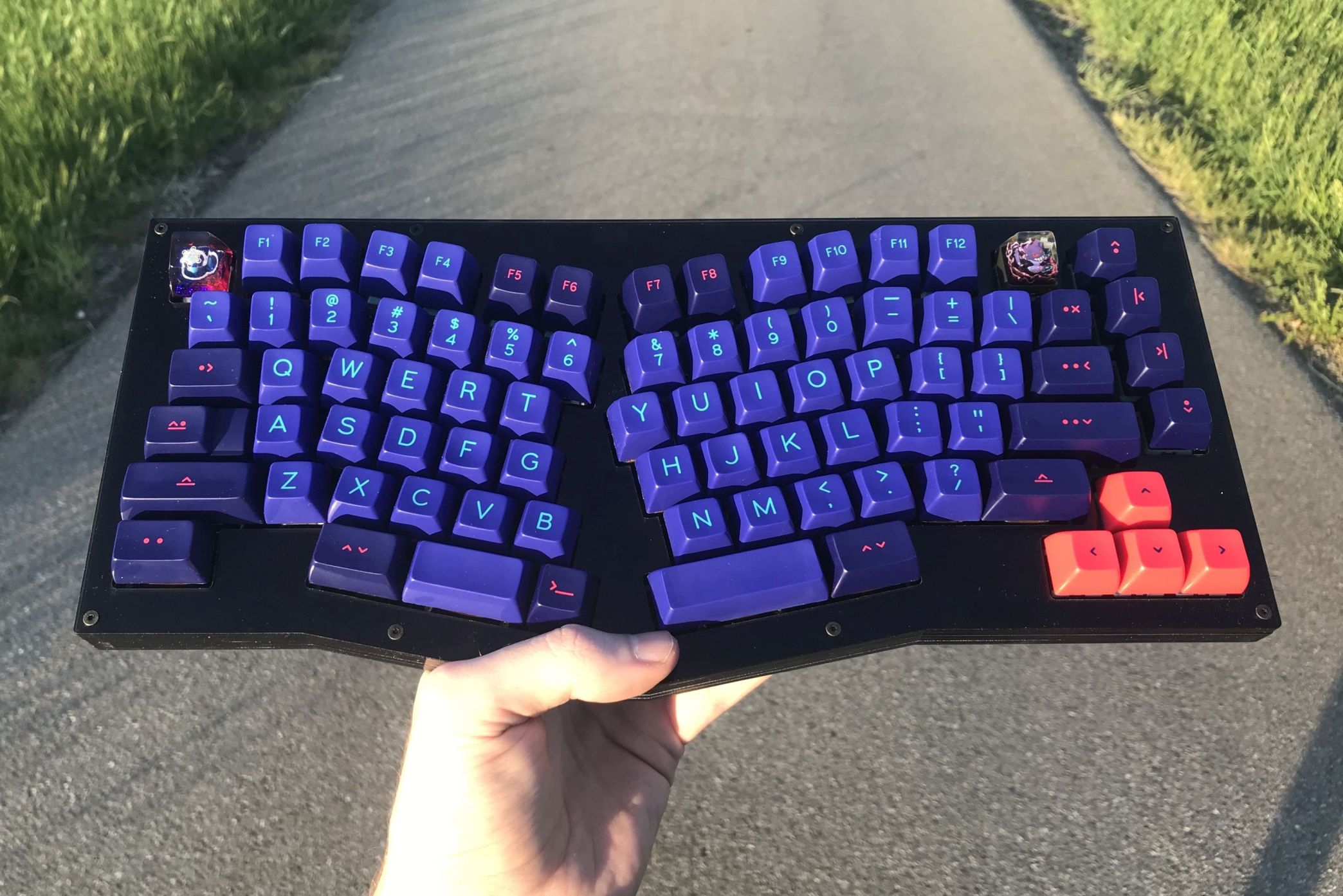
|
||||||
|
|
||||||
|
The Adelheid is a 75% Alice-like keyboard. It's a fork of the [Arisu](https://github.com/FateNozomi/arisu-pcb) by FateNozomi and is open-source as well.
|
||||||
|
|
||||||
|
* Keyboard Maintainer: [floookay](https://github.com/floookay)
|
||||||
|
* Hardware Supported: Adelheid PCB [Rev2.0]
|
||||||
|
* Hardware Availability: [PCB-, case- & wrist rest files](https://github.com/floookay/adelheid)
|
||||||
|
|
||||||
|
Make example for this keyboard (after setting up your build environment):
|
||||||
|
|
||||||
|
make adelheid:default
|
||||||
|
|
||||||
|
See the [build environment setup](https://docs.qmk.fm/#/getting_started_build_tools) and the [make instructions](https://docs.qmk.fm/#/getting_started_make_guide) for more information. Brand new to QMK? Start with our [Complete Newbs Guide](https://docs.qmk.fm/#/newbs).
|
||||||
@@ -0,0 +1,22 @@
|
|||||||
|
# MCU name
|
||||||
|
MCU = atmega32u4
|
||||||
|
|
||||||
|
# Bootloader selection
|
||||||
|
BOOTLOADER = atmel-dfu
|
||||||
|
|
||||||
|
# Build Options
|
||||||
|
# change yes to no to disable
|
||||||
|
#
|
||||||
|
BOOTMAGIC_ENABLE = no # Virtual DIP switch configuration
|
||||||
|
MOUSEKEY_ENABLE = no # Mouse keys
|
||||||
|
EXTRAKEY_ENABLE = yes # Audio control and System control
|
||||||
|
CONSOLE_ENABLE = no # Console for debug
|
||||||
|
COMMAND_ENABLE = yes # Commands for debug and configuration
|
||||||
|
# Do not enable SLEEP_LED_ENABLE. it uses the same timer as BACKLIGHT_ENABLE
|
||||||
|
SLEEP_LED_ENABLE = no # Breathing sleep LED during USB suspend
|
||||||
|
# if this doesn't work, see here: https://github.com/tmk/tmk_keyboard/wiki/FAQ#nkro-doesnt-work
|
||||||
|
NKRO_ENABLE = yes # USB Nkey Rollover
|
||||||
|
BACKLIGHT_ENABLE = yes # Enable keyboard backlight functionality
|
||||||
|
RGBLIGHT_ENABLE = no # Enable keyboard RGB underglow
|
||||||
|
BLUETOOTH_ENABLE = no # Enable Bluetooth
|
||||||
|
AUDIO_ENABLE = no # Audio output
|
||||||
@@ -53,4 +53,5 @@ along with this program. If not, see <http://www.gnu.org/licenses/>.
|
|||||||
#define RGBLIGHT_HUE_STEP 8
|
#define RGBLIGHT_HUE_STEP 8
|
||||||
#define RGBLIGHT_SAT_STEP 8
|
#define RGBLIGHT_SAT_STEP 8
|
||||||
#define RGBLIGHT_VAL_STEP 8
|
#define RGBLIGHT_VAL_STEP 8
|
||||||
|
#define RGBLIGHT_LIMIT_VAL 50
|
||||||
#endif
|
#endif
|
||||||
@@ -22,6 +22,8 @@
|
|||||||
#include "astar.h"
|
#include "astar.h"
|
||||||
#elif KEYBOARD_atreus_astar_mirrored
|
#elif KEYBOARD_atreus_astar_mirrored
|
||||||
#include "astar_mirrored.h"
|
#include "astar_mirrored.h"
|
||||||
|
#elif KEYBOARD_atreus_feather
|
||||||
|
#include "feather.h"
|
||||||
#elif KEYBOARD_atreus_teensy2
|
#elif KEYBOARD_atreus_teensy2
|
||||||
#include "teensy2.h"
|
#include "teensy2.h"
|
||||||
#elif KEYBOARD_atreus_promicro
|
#elif KEYBOARD_atreus_promicro
|
||||||
|
|||||||
@@ -0,0 +1,40 @@
|
|||||||
|
/* Copyright 2019
|
||||||
|
*
|
||||||
|
* This program is free software: you can redistribute it and/or modify
|
||||||
|
* it under the terms of the GNU General Public License as published by
|
||||||
|
* the Free Software Foundation, either version 2 of the License, or
|
||||||
|
* (at your option) any later version.
|
||||||
|
*
|
||||||
|
* This program is distributed in the hope that it will be useful,
|
||||||
|
* but WITHOUT ANY WARRANTY; without even the implied warranty of
|
||||||
|
* MERCHANTABILITY or FITNESS FOR A PARTICULAR PURPOSE. See the
|
||||||
|
* GNU General Public License for more details.
|
||||||
|
*
|
||||||
|
* You should have received a copy of the GNU General Public License
|
||||||
|
* along with this program. If not, see <http://www.gnu.org/licenses/>.
|
||||||
|
*/
|
||||||
|
|
||||||
|
#pragma once
|
||||||
|
|
||||||
|
#include "config_common.h"
|
||||||
|
|
||||||
|
/*
|
||||||
|
* Keyboard Matrix Assignments
|
||||||
|
*
|
||||||
|
* Change this to how you wired your keyboard
|
||||||
|
* COLS: AVR pins used for columns, left to right
|
||||||
|
* ROWS: AVR pins used for rows, top to bottom
|
||||||
|
* DIODE_DIRECTION: COL2ROW = COL = Anode (+), ROW = Cathode (-, marked on diode)
|
||||||
|
* ROW2COL = ROW = Anode (+), COL = Cathode (-, marked on diode)
|
||||||
|
*
|
||||||
|
*/
|
||||||
|
// #define MATRIX_ROW_PINS { D0, D1, D3, D2 }
|
||||||
|
// #define MATRIX_COL_PINS { D7, C6, B5, B4, E6, D4, B6, F6, F7, D6, B7 }
|
||||||
|
#define MATRIX_ROW_PINS { B7, D6, C7, F5 }
|
||||||
|
#define MATRIX_COL_PINS { D7, B5, D1, D0, C6, B6, F0, D2, D3, F4, F1 }
|
||||||
|
#define UNUSED_PINS
|
||||||
|
|
||||||
|
/* COL2ROW, ROW2COL*/
|
||||||
|
#define DIODE_DIRECTION COL2ROW
|
||||||
|
|
||||||
|
#define OUTPUT_AUTO_ENABLE
|
||||||
@@ -0,0 +1,16 @@
|
|||||||
|
/* Copyright 2019
|
||||||
|
*
|
||||||
|
* This program is free software: you can redistribute it and/or modify
|
||||||
|
* it under the terms of the GNU General Public License as published by
|
||||||
|
* the Free Software Foundation, either version 2 of the License, or
|
||||||
|
* (at your option) any later version.
|
||||||
|
*
|
||||||
|
* This program is distributed in the hope that it will be useful,
|
||||||
|
* but WITHOUT ANY WARRANTY; without even the implied warranty of
|
||||||
|
* MERCHANTABILITY or FITNESS FOR A PARTICULAR PURPOSE. See the
|
||||||
|
* GNU General Public License for more details.
|
||||||
|
*
|
||||||
|
* You should have received a copy of the GNU General Public License
|
||||||
|
* along with this program. If not, see <http://www.gnu.org/licenses/>.
|
||||||
|
*/
|
||||||
|
#include "feather.h"
|
||||||
@@ -0,0 +1,17 @@
|
|||||||
|
/* Copyright 2019
|
||||||
|
*
|
||||||
|
* This program is free software: you can redistribute it and/or modify
|
||||||
|
* it under the terms of the GNU General Public License as published by
|
||||||
|
* the Free Software Foundation, either version 2 of the License, or
|
||||||
|
* (at your option) any later version.
|
||||||
|
*
|
||||||
|
* This program is distributed in the hope that it will be useful,
|
||||||
|
* but WITHOUT ANY WARRANTY; without even the implied warranty of
|
||||||
|
* MERCHANTABILITY or FITNESS FOR A PARTICULAR PURPOSE. See the
|
||||||
|
* GNU General Public License for more details.
|
||||||
|
*
|
||||||
|
* You should have received a copy of the GNU General Public License
|
||||||
|
* along with this program. If not, see <http://www.gnu.org/licenses/>.
|
||||||
|
*/
|
||||||
|
|
||||||
|
#pragma once
|
||||||
@@ -0,0 +1,60 @@
|
|||||||
|
# Bluetreus - a conversion of an Atreus to use a Bluetooth microcontroller
|
||||||
|
|
||||||
|
I have created a keymap for this with Bluetooth control on layer 2 so that you
|
||||||
|
can switch the keyboard between auto, USB only, and Bluetooth only. I'm
|
||||||
|
working on fixing turning on auto by default, but have still not succeeded.
|
||||||
|
|
||||||
|
To build it and flash it, do:
|
||||||
|
|
||||||
|
```
|
||||||
|
make atreus/feather:clash:flash
|
||||||
|
```
|
||||||
|
|
||||||
|
## Wiring it up
|
||||||
|
Physically, SDA to pin 13 on the new board are connected to what 9-1 were
|
||||||
|
connected to on the old board. Pin 0 from the old board is brought over to the
|
||||||
|
other side with a jumper wire to pin a2. TX, RX, A5, A4, A3 on the new board
|
||||||
|
connect to what a0 to 12 connected to on the old board. GND attaches to g.
|
||||||
|
You have to bend some of the pins at about a 45 degree angle to make them line up.
|
||||||
|
Here's a side view of what the most bent pins look like:
|
||||||
|

|
||||||
|
Here's a top view, USB port down, wireless antenna up. Note: the USB port orientation is opposite what it used to be.
|
||||||
|

|
||||||
|
|
||||||
|
### New board:
|
||||||
|
This is an [Adafruit Feather BLE](https://learn.adafruit.com/adafruit-feather-32u4-bluefruit-le/pinouts)
|
||||||
|
|
||||||
|
|QMK | Screen Print | Feather |SCREEN|QMK REF |
|
||||||
|
|----|--------------|-------------|------|---------|
|
||||||
|
| D1 | SDA | RADIO | dfu | |
|
||||||
|
| D0 | SCL | | 1/TX | D3 |
|
||||||
|
| C6 | 5 | | 0/RX | D2 |
|
||||||
|
| D7 | 6 | | MISO | B3/Blue |
|
||||||
|
| B5 | 9 | | MOSI | B2/Blue |
|
||||||
|
| B6 | 10 | | SCK | B1/Blue |
|
||||||
|
| B7 | 11 | | A5 | F0 |
|
||||||
|
| D6 | 12 | | a4 | F1 |
|
||||||
|
| C7 | 13 | | a3 | F4 |
|
||||||
|
| | usb | | a2 | F5 |
|
||||||
|
| | e0 | | a1 | F6 |
|
||||||
|
| | bat | | a0 | |
|
||||||
|
| | Battery | | GND | |
|
||||||
|
| | Connector | | ARf | |
|
||||||
|
| | | | | USB PORT | 3V | |
|
||||||
|
| | v v | | RST | |
|
||||||
|
|
||||||
|
### Old board:
|
||||||
|
This is an A Star, non-flipped
|
||||||
|
|
||||||
|
|QMK| Scrn | A | Scrn|QMK |
|
||||||
|
|---|------|-----|-----|----|
|
||||||
|
| b5| 9 | USB | a0 | F7 |
|
||||||
|
| b4| 8 | port| a1 | F6 |
|
||||||
|
| e6| 7 | | 10 | B6 |
|
||||||
|
| d7| 6 | | 11 | B7 |
|
||||||
|
| c6| 5 | | 12 | D6 |
|
||||||
|
| d4| 4 | | rst | RST|
|
||||||
|
| d0| 3 | | 3v | x |
|
||||||
|
| d1| 2 | | 5v | x |
|
||||||
|
| d3| 1 | | g | G |
|
||||||
|
| d2| 0 | | v | x |
|
||||||
@@ -0,0 +1,21 @@
|
|||||||
|
# MCU name
|
||||||
|
MCU = atmega32u4
|
||||||
|
|
||||||
|
# Processor frequency
|
||||||
|
F_CPU = 8000000
|
||||||
|
|
||||||
|
# Bootloader selection
|
||||||
|
# Teensy halfkay
|
||||||
|
# Pro Micro caterina
|
||||||
|
# Atmel DFU atmel-dfu
|
||||||
|
# LUFA DFU lufa-dfu
|
||||||
|
# QMK DFU qmk-dfu
|
||||||
|
# ATmega32A bootloadHID
|
||||||
|
# ATmega328P USBasp
|
||||||
|
BOOTLOADER = caterina
|
||||||
|
|
||||||
|
# Build Options
|
||||||
|
# change yes to no to disable
|
||||||
|
#
|
||||||
|
BLUETOOTH = AdafruitBLE
|
||||||
|
CONSOLE_ENABLE = no
|
||||||
@@ -0,0 +1,41 @@
|
|||||||
|
#include QMK_KEYBOARD_H
|
||||||
|
|
||||||
|
// Each layer gets a name for readability, which is then used in the keymap matrix below.
|
||||||
|
// The underscores don't mean anything - you can have a layer called STUFF or any other name.
|
||||||
|
// Layer names don't all need to be of the same length, obviously, and you can also skip them
|
||||||
|
// entirely and just use numbers.
|
||||||
|
#define _QW 0
|
||||||
|
#define _RS 1
|
||||||
|
#define _LW 2
|
||||||
|
|
||||||
|
const uint16_t PROGMEM keymaps[][MATRIX_ROWS][MATRIX_COLS] = {
|
||||||
|
[_QW] = LAYOUT( /* Qwerty */
|
||||||
|
KC_Q, KC_W, KC_E, KC_R, KC_T, KC_Y, KC_U, KC_I, KC_O, KC_P ,
|
||||||
|
KC_A, KC_S, KC_D, KC_F, KC_G, KC_H, KC_J, KC_K, KC_L, KC_SCLN ,
|
||||||
|
KC_Z, KC_X, KC_C, KC_V, KC_B, KC_N, KC_M, KC_COMM, KC_DOT, KC_SLSH ,
|
||||||
|
KC_ESC, KC_TAB, KC_LGUI, KC_LSFT, KC_BSPC, KC_LCTL, KC_LALT, KC_SPC, MO(_RS), KC_MINS, KC_QUOT, KC_ENT
|
||||||
|
),
|
||||||
|
|
||||||
|
/*
|
||||||
|
* ! @ up { } || pgup 7 8 9 *
|
||||||
|
* # left down right $ || pgdn 4 5 6 +
|
||||||
|
* [ ] ( ) & || ` 1 2 3 \
|
||||||
|
* lower insert super shift del ctrl || alt space fn . 0 =
|
||||||
|
*/
|
||||||
|
[_RS] = LAYOUT( /* [> RAISE <] */
|
||||||
|
KC_EXLM, KC_AT, KC_UP, KC_LCBR, KC_RCBR, KC_PGUP, KC_7, KC_8, KC_9, KC_ASTR ,
|
||||||
|
KC_HASH, KC_LEFT, KC_DOWN, KC_RGHT, KC_DLR, KC_PGDN, KC_4, KC_5, KC_6, KC_PLUS ,
|
||||||
|
KC_LBRC, KC_RBRC, KC_LPRN, KC_RPRN, KC_AMPR, KC_GRV, KC_1, KC_2, KC_3, KC_BSLS ,
|
||||||
|
TG(_LW), KC_INS, KC_LGUI, KC_LSFT, KC_DEL, KC_LCTL, KC_LALT, KC_SPC, KC_TRNS, KC_DOT, KC_0, KC_EQL ),
|
||||||
|
/*
|
||||||
|
* insert home mup end pgup || mouse1 F7 F8 F9 F10
|
||||||
|
* USB mlft mdwn mrght pgdn || mouse2 F4 F5 F6 F11
|
||||||
|
* Blue volup reset || mouse3 F1 F2 F3 F12
|
||||||
|
* auto voldn super shift bksp ctrl || alt space L0 prtsc scroll pause
|
||||||
|
*/
|
||||||
|
[_LW] = LAYOUT( /* [> LOWER <] */
|
||||||
|
KC_INS, KC_HOME, KC_MS_U, KC_END, KC_PGUP, KC_BTN1, KC_F7, KC_F8, KC_F9, KC_F10 ,
|
||||||
|
OUT_USB, KC_MS_L, KC_MS_D, KC_MS_R, KC_PGDN, KC_BTN2, KC_F4, KC_F5, KC_F6, KC_F11 ,
|
||||||
|
OUT_BT, KC_VOLU, KC_NO, KC_NO, RESET, KC_BTN3, KC_F1, KC_F2, KC_F3, KC_F12 ,
|
||||||
|
OUT_AUTO, KC_VOLD, KC_LGUI, KC_LSFT, KC_BSPC, KC_LCTL, KC_LALT, KC_SPC, TO(_QW), KC_PSCR, KC_SLCK, KC_PAUS )
|
||||||
|
};
|
||||||
@@ -0,0 +1,50 @@
|
|||||||
|
#pragma once
|
||||||
|
|
||||||
|
#include "config_common.h"
|
||||||
|
|
||||||
|
/* USB Device descriptor parameter */
|
||||||
|
#define VENDOR_ID 0x6583
|
||||||
|
#define PRODUCT_ID 0x6080
|
||||||
|
#define DEVICE_VER 0x0001
|
||||||
|
#define MANUFACTURER Basic IO Instruments
|
||||||
|
#define PRODUCT BIOI G60 BLE
|
||||||
|
#define DESCRIPTION BIOI G60 BLE
|
||||||
|
|
||||||
|
/* key matrix size */
|
||||||
|
#define MATRIX_ROWS 5
|
||||||
|
#define MATRIX_COLS 14
|
||||||
|
|
||||||
|
/* key matrix pins */
|
||||||
|
#define MATRIX_ROW_PINS \
|
||||||
|
{ E6, B0, F1, F5, F4 }
|
||||||
|
#define MATRIX_COL_PINS \
|
||||||
|
{ F6, F7, B3, C7, C6, B6, B5, D5, B4, D7, D6, D4, D1, D0 }
|
||||||
|
#define UNUSED_PINS
|
||||||
|
|
||||||
|
/* COL2ROW or ROW2COL */
|
||||||
|
#define DIODE_DIRECTION COL2ROW
|
||||||
|
|
||||||
|
/* number of backlight levels */
|
||||||
|
#define BACKLIGHT_PIN B7
|
||||||
|
#ifdef BACKLIGHT_PIN
|
||||||
|
# define BACKLIGHT_LEVELS 8
|
||||||
|
#endif
|
||||||
|
|
||||||
|
/* Set 0 if debouncing isn't needed */
|
||||||
|
#define DEBOUNCE 5
|
||||||
|
|
||||||
|
/* Mechanical locking support. Use KC_LCAP, KC_LNUM or KC_LSCR instead in keymap */
|
||||||
|
#define LOCKING_SUPPORT_ENABLE
|
||||||
|
|
||||||
|
/* Locking resynchronize hack */
|
||||||
|
#define LOCKING_RESYNC_ENABLE
|
||||||
|
|
||||||
|
#define RGB_DI_PIN B1
|
||||||
|
#define RGBLIGHT_ANIMATIONS
|
||||||
|
#define RGBLED_NUM 36
|
||||||
|
#define RGBLIGHT_HUE_STEP 8
|
||||||
|
#define RGBLIGHT_SAT_STEP 8
|
||||||
|
#define RGBLIGHT_VAL_STEP 8
|
||||||
|
|
||||||
|
#define KEYBOARD_LOCK_ENABLE
|
||||||
|
#define MAGIC_KEY_LOCK L
|
||||||
@@ -0,0 +1,89 @@
|
|||||||
|
#pragma once
|
||||||
|
|
||||||
|
#include "quantum.h"
|
||||||
|
|
||||||
|
#define XXX KC_NO
|
||||||
|
|
||||||
|
#define LAYOUT_all( \
|
||||||
|
K00, K01, K02, K03, K04, K05, K06, K07, K08, K09, K0A, K0B, K0C, K0D, K49, \
|
||||||
|
K10, K11, K12, K13, K14, K15, K16, K17, K18, K19, K1A, K1B, K1C, K1D, \
|
||||||
|
K20, K21, K22, K23, K24, K25, K26, K27, K28, K29, K2A, K2B, K2C, K2D, \
|
||||||
|
K30, K31, K32, K33, K34, K35, K36, K37, K38, K39, K3A, K3B, K47, K3D, K3C, \
|
||||||
|
K40, K41, K42, K45, K4A, K4B, K48, K4C, K4D \
|
||||||
|
) { \
|
||||||
|
{ K00, K01, K02, K03, K04, K05, K06, K07, K08, K09, K0A, K0B, K0C, K0D }, \
|
||||||
|
{ K10, K11, K12, K13, K14, K15, K16, K17, K18, K19, K1A, K1B, K1C, K1D }, \
|
||||||
|
{ K20, K21, K22, K23, K24, K25, K26, K27, K28, K29, K2A, K2B, K2C, K2D }, \
|
||||||
|
{ K30, K31, K32, K33, K34, K35, K36, K37, K38, K39, K3A, K3B, K3C, K3D }, \
|
||||||
|
{ K40, K41, K42, XXX, XXX, K45, XXX, K47, K48, K49, K4A, K4B, K4C, K4D } \
|
||||||
|
}
|
||||||
|
|
||||||
|
#define LAYOUT_60_ansi( \
|
||||||
|
K00, K01, K02, K03, K04, K05, K06, K07, K08, K09, K0A, K0B, K0C, K0D, \
|
||||||
|
K10, K11, K12, K13, K14, K15, K16, K17, K18, K19, K1A, K1B, K1C, K1D, \
|
||||||
|
K20, K21, K22, K23, K24, K25, K26, K27, K28, K29, K2A, K2B, K2D, \
|
||||||
|
K30, K32, K33, K34, K35, K36, K37, K38, K39, K3A, K3B, K3D, \
|
||||||
|
K40, K41, K42, K45, K4A, K4B, K4C, K4D \
|
||||||
|
) { \
|
||||||
|
{ K00, K01, K02, K03, K04, K05, K06, K07, K08, K09, K0A, K0B, K0C, K0D }, \
|
||||||
|
{ K10, K11, K12, K13, K14, K15, K16, K17, K18, K19, K1A, K1B, K1C, K1D }, \
|
||||||
|
{ K20, K21, K22, K23, K24, K25, K26, K27, K28, K29, K2A, K2B, XXX, K2D }, \
|
||||||
|
{ K30, XXX, K32, K33, K34, K35, K36, K37, K38, K39, K3A, K3B, XXX, K3D }, \
|
||||||
|
{ K40, K41, K42, XXX, XXX, K45, XXX, XXX, XXX, XXX, K4A, K4B, K4C, K4D } \
|
||||||
|
}
|
||||||
|
|
||||||
|
#define LAYOUT_60_iso( \
|
||||||
|
K00, K01, K02, K03, K04, K05, K06, K07, K08, K09, K0A, K0B, K0C, K0D, \
|
||||||
|
K10, K11, K12, K13, K14, K15, K16, K17, K18, K19, K1A, K1B, K1C, \
|
||||||
|
K20, K21, K22, K23, K24, K25, K26, K27, K28, K29, K2A, K2B, K2C, K2D, \
|
||||||
|
K30, K31, K32, K33, K34, K35, K36, K37, K38, K39, K3A, K3B, K3D, \
|
||||||
|
K40, K41, K42, K45, K4A, K4B, K4C, K4D \
|
||||||
|
) { \
|
||||||
|
{ K00, K01, K02, K03, K04, K05, K06, K07, K08, K09, K0A, K0B, K0C, K0D }, \
|
||||||
|
{ K10, K11, K12, K13, K14, K15, K16, K17, K18, K19, K1A, K1B, K1C, XXX }, \
|
||||||
|
{ K20, K21, K22, K23, K24, K25, K26, K27, K28, K29, K2A, K2B, K2C, K2D }, \
|
||||||
|
{ K30, K31, K32, K33, K34, K35, K36, K37, K38, K39, K3A, K3B, XXX, K3D }, \
|
||||||
|
{ K40, K41, K42, XXX, XXX, K45, XXX, XXX, XXX, XXX, K4A, K4B, K4C, K4D } \
|
||||||
|
}
|
||||||
|
|
||||||
|
#define LAYOUT_60_hhkb( \
|
||||||
|
K00, K01, K02, K03, K04, K05, K06, K07, K08, K09, K0A, K0B, K0C, K0D, K49, \
|
||||||
|
K10, K11, K12, K13, K14, K15, K16, K17, K18, K19, K1A, K1B, K1C, K1D, \
|
||||||
|
K20, K21, K22, K23, K24, K25, K26, K27, K28, K29, K2A, K2B, K2C, \
|
||||||
|
K30, K32, K33, K34, K35, K36, K37, K38, K39, K3A, K3B, K3D, K3C, \
|
||||||
|
K41, K42, K45, K4B, K4C \
|
||||||
|
) { \
|
||||||
|
{ K00, K01, K02, K03, K04, K05, K06, K07, K08, K09, K0A, K0B, K0C, K0D }, \
|
||||||
|
{ K10, K11, K12, K13, K14, K15, K16, K17, K18, K19, K1A, K1B, K1C, K1D }, \
|
||||||
|
{ K20, K21, K22, K23, K24, K25, K26, K27, K28, K29, K2A, K2B, K2C, XXX }, \
|
||||||
|
{ K30, XXX, K32, K33, K34, K35, K36, K37, K38, K39, K3A, K3B, K3C, K3D }, \
|
||||||
|
{ XXX, K41, K42, XXX, XXX, K45, XXX, XXX, XXX, K49, XXX, K4B, K4C, XXX } \
|
||||||
|
}
|
||||||
|
|
||||||
|
#define LAYOUT_60_ansi_split_bs_rshift( \
|
||||||
|
K00, K01, K02, K03, K04, K05, K06, K07, K08, K09, K0A, K0B, K0C, K0D, K49, \
|
||||||
|
K10, K11, K12, K13, K14, K15, K16, K17, K18, K19, K1A, K1B, K1C, K1D, \
|
||||||
|
K20, K21, K22, K23, K24, K25, K26, K27, K28, K29, K2A, K2B, K2D, \
|
||||||
|
K30, K32, K33, K34, K35, K36, K37, K38, K39, K3A, K3B, K3D, K3C, \
|
||||||
|
K40, K41, K42, K45, K4A, K4B, K4C, K4D \
|
||||||
|
) { \
|
||||||
|
{ K00, K01, K02, K03, K04, K05, K06, K07, K08, K09, K0A, K0B, K0C, K0D }, \
|
||||||
|
{ K10, K11, K12, K13, K14, K15, K16, K17, K18, K19, K1A, K1B, K1C, K1D }, \
|
||||||
|
{ K20, K21, K22, K23, K24, K25, K26, K27, K28, K29, K2A, K2B, XXX, K2D }, \
|
||||||
|
{ K30, XXX, K32, K33, K34, K35, K36, K37, K38, K39, K3A, K3B, K3C, K3D }, \
|
||||||
|
{ K40, K41, K42, XXX, XXX, K45, XXX, XXX, XXX, K49, K4A, K4B, K4C, K4D } \
|
||||||
|
}
|
||||||
|
|
||||||
|
#define LAYOUT_60_tsangan_hhkb( \
|
||||||
|
K00, K01, K02, K03, K04, K05, K06, K07, K08, K09, K0A, K0B, K0C, K0D, K49,\
|
||||||
|
K10, K11, K12, K13, K14, K15, K16, K17, K18, K19, K1A, K1B, K1C, K1D, \
|
||||||
|
K20, K21, K22, K23, K24, K25, K26, K27, K28, K29, K2A, K2B, K2D, \
|
||||||
|
K30, K32, K33, K34, K35, K36, K37, K38, K39, K3A, K3B, K3D, K3C, \
|
||||||
|
K40, K41, K42, K45, K4B, K4C, K4D \
|
||||||
|
) { \
|
||||||
|
{ K00, K01, K02, K03, K04, K05, K06, K07, K08, K09, K0A, K0B, K0C, K0D }, \
|
||||||
|
{ K10, K11, K12, K13, K14, K15, K16, K17, K18, K19, K1A, K1B, K1C, K1D }, \
|
||||||
|
{ K20, K21, K22, K23, K24, K25, K26, K27, K28, K29, K2A, K2B, XXX, K2D }, \
|
||||||
|
{ K30, XXX, K32, K33, K34, K35, K36, K37, K38, K39, K3A, K3B, K3C, K3D }, \
|
||||||
|
{ K40, K41, K42, XXX, XXX, K45, XXX, XXX, XXX, K49, XXX, K4B, K4C, K4D } \
|
||||||
|
}
|
||||||
@@ -0,0 +1,414 @@
|
|||||||
|
{
|
||||||
|
"keyboard_name": "BIOI G60 BLE",
|
||||||
|
"url": "",
|
||||||
|
"maintainer": "qmk",
|
||||||
|
"width": 15,
|
||||||
|
"height": 5,
|
||||||
|
"layouts": {
|
||||||
|
"LAYOUT_all": {
|
||||||
|
"key_count": 67,
|
||||||
|
"layout": [
|
||||||
|
{ "label": "Esc", "x": 0, "y": 0 },
|
||||||
|
{ "label": "!", "x": 1, "y": 0 },
|
||||||
|
{ "label": "@", "x": 2, "y": 0 },
|
||||||
|
{ "label": "#", "x": 3, "y": 0 },
|
||||||
|
{ "label": "$", "x": 4, "y": 0 },
|
||||||
|
{ "label": "%", "x": 5, "y": 0 },
|
||||||
|
{ "label": "^", "x": 6, "y": 0 },
|
||||||
|
{ "label": "&", "x": 7, "y": 0 },
|
||||||
|
{ "label": "*", "x": 8, "y": 0 },
|
||||||
|
{ "label": "(", "x": 9, "y": 0 },
|
||||||
|
{ "label": ")", "x": 10, "y": 0 },
|
||||||
|
{ "label": "_", "x": 11, "y": 0 },
|
||||||
|
{ "label": "+", "x": 12, "y": 0 },
|
||||||
|
{ "label": "|", "x": 13, "y": 0 },
|
||||||
|
{ "label": "~", "x": 14, "y": 0 },
|
||||||
|
{ "label": "Tab", "x": 0, "y": 1, "w": 1.5 },
|
||||||
|
{ "label": "Q", "x": 1.5, "y": 1 },
|
||||||
|
{ "label": "W", "x": 2.5, "y": 1 },
|
||||||
|
{ "label": "E", "x": 3.5, "y": 1 },
|
||||||
|
{ "label": "R", "x": 4.5, "y": 1 },
|
||||||
|
{ "label": "T", "x": 5.5, "y": 1 },
|
||||||
|
{ "label": "Y", "x": 6.5, "y": 1 },
|
||||||
|
{ "label": "U", "x": 7.5, "y": 1 },
|
||||||
|
{ "label": "I", "x": 8.5, "y": 1 },
|
||||||
|
{ "label": "O", "x": 9.5, "y": 1 },
|
||||||
|
{ "label": "P", "x": 10.5, "y": 1 },
|
||||||
|
{ "label": "{", "x": 11.5, "y": 1 },
|
||||||
|
{ "label": "}", "x": 12.5, "y": 1 },
|
||||||
|
{ "label": "Backspace", "x": 13.5, "y": 1, "w": 1.5 },
|
||||||
|
{ "label": "Ctrl", "x": 0, "y": 2, "w": 1.75 },
|
||||||
|
{ "label": "A", "x": 1.75, "y": 2 },
|
||||||
|
{ "label": "S", "x": 2.75, "y": 2 },
|
||||||
|
{ "label": "D", "x": 3.75, "y": 2 },
|
||||||
|
{ "label": "F", "x": 4.75, "y": 2 },
|
||||||
|
{ "label": "G", "x": 5.75, "y": 2 },
|
||||||
|
{ "label": "H", "x": 6.75, "y": 2 },
|
||||||
|
{ "label": "J", "x": 7.75, "y": 2 },
|
||||||
|
{ "label": "K", "x": 8.75, "y": 2 },
|
||||||
|
{ "label": "L", "x": 9.75, "y": 2 },
|
||||||
|
{ "label": ":", "x": 10.75, "y": 2 },
|
||||||
|
{ "label": "\"", "x": 11.75, "y": 2 },
|
||||||
|
{ "label": "~", "x": 12.75, "y": 2 },
|
||||||
|
{ "label": "Enter", "x": 13.75, "y": 2, "w": 1.25 },
|
||||||
|
{ "label": "Shift", "x": 0, "y": 3 },
|
||||||
|
{ "label": "|", "x": 1, "y": 3 },
|
||||||
|
{ "label": "Z", "x": 2, "y": 3 },
|
||||||
|
{ "label": "X", "x": 3, "y": 3 },
|
||||||
|
{ "label": "C", "x": 4, "y": 3 },
|
||||||
|
{ "label": "V", "x": 5, "y": 3 },
|
||||||
|
{ "label": "B", "x": 6, "y": 3 },
|
||||||
|
{ "label": "N", "x": 7, "y": 3 },
|
||||||
|
{ "label": "M", "x": 8, "y": 3 },
|
||||||
|
{ "label": "<", "x": 9, "y": 3 },
|
||||||
|
{ "label": ">", "x": 10, "y": 3 },
|
||||||
|
{ "label": "?", "x": 11, "y": 3 },
|
||||||
|
{ "label": "Up", "x": 12, "y": 3 },
|
||||||
|
{ "label": "Shift", "x": 13, "y": 3 },
|
||||||
|
{ "label": "Fn", "x": 14, "y": 3 },
|
||||||
|
{ "label": "Ctrl", "x": 0, "y": 4, "w": 1.25 },
|
||||||
|
{ "label": "Alt", "x": 1.25, "y": 4, "w": 1.25 },
|
||||||
|
{ "label": "OS", "x": 2.5, "y": 4, "w": 1.25 },
|
||||||
|
{ "x": 3.75, "y": 4, "w": 6.25 },
|
||||||
|
{ "label": "OS", "x": 10, "y": 4 },
|
||||||
|
{ "label": "Alt", "x": 11, "y": 4 },
|
||||||
|
{ "label": "Left", "x": 12, "y": 4 },
|
||||||
|
{ "label": "Menu", "x": 13, "y": 4 },
|
||||||
|
{ "label": "Ctrl", "x": 14, "y": 4 }
|
||||||
|
]
|
||||||
|
},
|
||||||
|
"LAYOUT_60_ansi": {
|
||||||
|
"key_count": 61,
|
||||||
|
"layout": [
|
||||||
|
{ "label": "~", "x": 0, "y": 0 },
|
||||||
|
{ "label": "!", "x": 1, "y": 0 },
|
||||||
|
{ "label": "@", "x": 2, "y": 0 },
|
||||||
|
{ "label": "#", "x": 3, "y": 0 },
|
||||||
|
{ "label": "$", "x": 4, "y": 0 },
|
||||||
|
{ "label": "%", "x": 5, "y": 0 },
|
||||||
|
{ "label": "^", "x": 6, "y": 0 },
|
||||||
|
{ "label": "&", "x": 7, "y": 0 },
|
||||||
|
{ "label": "*", "x": 8, "y": 0 },
|
||||||
|
{ "label": "(", "x": 9, "y": 0 },
|
||||||
|
{ "label": ")", "x": 10, "y": 0 },
|
||||||
|
{ "label": "_", "x": 11, "y": 0 },
|
||||||
|
{ "label": "+", "x": 12, "y": 0 },
|
||||||
|
{ "label": "Backspace", "x": 13, "y": 0, "w": 2 },
|
||||||
|
{ "label": "Tab", "x": 0, "y": 1, "w": 1.5 },
|
||||||
|
{ "label": "Q", "x": 1.5, "y": 1 },
|
||||||
|
{ "label": "W", "x": 2.5, "y": 1 },
|
||||||
|
{ "label": "E", "x": 3.5, "y": 1 },
|
||||||
|
{ "label": "R", "x": 4.5, "y": 1 },
|
||||||
|
{ "label": "T", "x": 5.5, "y": 1 },
|
||||||
|
{ "label": "Y", "x": 6.5, "y": 1 },
|
||||||
|
{ "label": "U", "x": 7.5, "y": 1 },
|
||||||
|
{ "label": "I", "x": 8.5, "y": 1 },
|
||||||
|
{ "label": "O", "x": 9.5, "y": 1 },
|
||||||
|
{ "label": "P", "x": 10.5, "y": 1 },
|
||||||
|
{ "label": "{", "x": 11.5, "y": 1 },
|
||||||
|
{ "label": "}", "x": 12.5, "y": 1 },
|
||||||
|
{ "label": "|", "x": 13.5, "y": 1, "w": 1.5 },
|
||||||
|
{ "label": "CapsLock", "x": 0, "y": 2, "w": 1.75 },
|
||||||
|
{ "label": "A", "x": 1.75, "y": 2 },
|
||||||
|
{ "label": "S", "x": 2.75, "y": 2 },
|
||||||
|
{ "label": "D", "x": 3.75, "y": 2 },
|
||||||
|
{ "label": "F", "x": 4.75, "y": 2 },
|
||||||
|
{ "label": "G", "x": 5.75, "y": 2 },
|
||||||
|
{ "label": "H", "x": 6.75, "y": 2 },
|
||||||
|
{ "label": "J", "x": 7.75, "y": 2 },
|
||||||
|
{ "label": "K", "x": 8.75, "y": 2 },
|
||||||
|
{ "label": "L", "x": 9.75, "y": 2 },
|
||||||
|
{ "label": ":", "x": 10.75, "y": 2 },
|
||||||
|
{ "label": "\"", "x": 11.75, "y": 2 },
|
||||||
|
{ "label": "Enter", "x": 12.75, "y": 2, "w": 2.25 },
|
||||||
|
{ "label": "Shift", "x": 0, "y": 3, "w": 2.25 },
|
||||||
|
{ "label": "Z", "x": 2.25, "y": 3 },
|
||||||
|
{ "label": "X", "x": 3.25, "y": 3 },
|
||||||
|
{ "label": "C", "x": 4.25, "y": 3 },
|
||||||
|
{ "label": "V", "x": 5.25, "y": 3 },
|
||||||
|
{ "label": "B", "x": 6.25, "y": 3 },
|
||||||
|
{ "label": "N", "x": 7.25, "y": 3 },
|
||||||
|
{ "label": "M", "x": 8.25, "y": 3 },
|
||||||
|
{ "label": "<", "x": 9.25, "y": 3 },
|
||||||
|
{ "label": ">", "x": 10.25, "y": 3 },
|
||||||
|
{ "label": "?", "x": 11.25, "y": 3 },
|
||||||
|
{ "label": "Shift", "x": 12.25, "y": 3, "w": 2.75 },
|
||||||
|
{ "label": "Ctrl", "x": 0, "y": 4, "w": 1.25 },
|
||||||
|
{ "label": "Win", "x": 1.25, "y": 4, "w": 1.25 },
|
||||||
|
{ "label": "Alt", "x": 2.5, "y": 4, "w": 1.25 },
|
||||||
|
{ "x": 3.75, "y": 4, "w": 6.25 },
|
||||||
|
{ "label": "Alt", "x": 10, "y": 4, "w": 1.25 },
|
||||||
|
{ "label": "Win", "x": 11.25, "y": 4, "w": 1.25 },
|
||||||
|
{ "label": "Menu", "x": 12.5, "y": 4, "w": 1.25 },
|
||||||
|
{ "label": "Ctrl", "x": 13.75, "y": 4, "w": 1.25 }
|
||||||
|
]
|
||||||
|
},
|
||||||
|
"LAYOUT_60_iso": {
|
||||||
|
"key_count": 62,
|
||||||
|
"layout": [
|
||||||
|
{ "label": "¬", "x": 0, "y": 0 },
|
||||||
|
{ "label": "!", "x": 1, "y": 0 },
|
||||||
|
{ "label": "\"", "x": 2, "y": 0 },
|
||||||
|
{ "label": "£", "x": 3, "y": 0 },
|
||||||
|
{ "label": "$", "x": 4, "y": 0 },
|
||||||
|
{ "label": "%", "x": 5, "y": 0 },
|
||||||
|
{ "label": "^", "x": 6, "y": 0 },
|
||||||
|
{ "label": "&", "x": 7, "y": 0 },
|
||||||
|
{ "label": "*", "x": 8, "y": 0 },
|
||||||
|
{ "label": "(", "x": 9, "y": 0 },
|
||||||
|
{ "label": ")", "x": 10, "y": 0 },
|
||||||
|
{ "label": "_", "x": 11, "y": 0 },
|
||||||
|
{ "label": "+", "x": 12, "y": 0 },
|
||||||
|
{ "label": "Backspace", "x": 13, "y": 0, "w": 2 },
|
||||||
|
{ "label": "Tab", "x": 0, "y": 1, "w": 1.5 },
|
||||||
|
{ "label": "Q", "x": 1.5, "y": 1 },
|
||||||
|
{ "label": "W", "x": 2.5, "y": 1 },
|
||||||
|
{ "label": "E", "x": 3.5, "y": 1 },
|
||||||
|
{ "label": "R", "x": 4.5, "y": 1 },
|
||||||
|
{ "label": "T", "x": 5.5, "y": 1 },
|
||||||
|
{ "label": "Y", "x": 6.5, "y": 1 },
|
||||||
|
{ "label": "U", "x": 7.5, "y": 1 },
|
||||||
|
{ "label": "I", "x": 8.5, "y": 1 },
|
||||||
|
{ "label": "O", "x": 9.5, "y": 1 },
|
||||||
|
{ "label": "P", "x": 10.5, "y": 1 },
|
||||||
|
{ "label": "{", "x": 11.5, "y": 1 },
|
||||||
|
{ "label": "}", "x": 12.5, "y": 1 },
|
||||||
|
{ "label": "CapsLock", "x": 0, "y": 2, "w": 1.75 },
|
||||||
|
{ "label": "A", "x": 1.75, "y": 2 },
|
||||||
|
{ "label": "S", "x": 2.75, "y": 2 },
|
||||||
|
{ "label": "D", "x": 3.75, "y": 2 },
|
||||||
|
{ "label": "F", "x": 4.75, "y": 2 },
|
||||||
|
{ "label": "G", "x": 5.75, "y": 2 },
|
||||||
|
{ "label": "H", "x": 6.75, "y": 2 },
|
||||||
|
{ "label": "J", "x": 7.75, "y": 2 },
|
||||||
|
{ "label": "K", "x": 8.75, "y": 2 },
|
||||||
|
{ "label": "L", "x": 9.75, "y": 2 },
|
||||||
|
{ "label": ":", "x": 10.75, "y": 2 },
|
||||||
|
{ "label": "@", "x": 11.75, "y": 2 },
|
||||||
|
{ "label": "~", "x": 12.75, "y": 2 },
|
||||||
|
{ "label": "Enter", "x": 13.75, "y": 1, "w": 1.25, "h": 2 },
|
||||||
|
{ "label": "Shift", "x": 0, "y": 3, "w": 1.25 },
|
||||||
|
{ "label": "|", "x": 1.25, "y": 3 },
|
||||||
|
{ "label": "Z", "x": 2.25, "y": 3 },
|
||||||
|
{ "label": "X", "x": 3.25, "y": 3 },
|
||||||
|
{ "label": "C", "x": 4.25, "y": 3 },
|
||||||
|
{ "label": "V", "x": 5.25, "y": 3 },
|
||||||
|
{ "label": "B", "x": 6.25, "y": 3 },
|
||||||
|
{ "label": "N", "x": 7.25, "y": 3 },
|
||||||
|
{ "label": "M", "x": 8.25, "y": 3 },
|
||||||
|
{ "label": "<", "x": 9.25, "y": 3 },
|
||||||
|
{ "label": ">", "x": 10.25, "y": 3 },
|
||||||
|
{ "label": "?", "x": 11.25, "y": 3 },
|
||||||
|
{ "label": "Shift", "x": 12.25, "y": 3, "w": 2.75 },
|
||||||
|
{ "label": "Ctrl", "x": 0, "y": 4, "w": 1.25 },
|
||||||
|
{ "label": "Win", "x": 1.25, "y": 4, "w": 1.25 },
|
||||||
|
{ "label": "Alt", "x": 2.5, "y": 4, "w": 1.25 },
|
||||||
|
{ "x": 3.75, "y": 4, "w": 6.25 },
|
||||||
|
{ "label": "AltGr", "x": 10, "y": 4, "w": 1.25 },
|
||||||
|
{ "label": "Win", "x": 11.25, "y": 4, "w": 1.25 },
|
||||||
|
{ "label": "Menu", "x": 12.5, "y": 4, "w": 1.25 },
|
||||||
|
{ "label": "Ctrl", "x": 13.75, "y": 4, "w": 1.25 }
|
||||||
|
]
|
||||||
|
},
|
||||||
|
"LAYOUT_60_hhkb": {
|
||||||
|
"key_count": 60,
|
||||||
|
"layout": [
|
||||||
|
{ "label": "Esc", "x": 0, "y": 0 },
|
||||||
|
{ "label": "1", "x": 1, "y": 0 },
|
||||||
|
{ "label": "2", "x": 2, "y": 0 },
|
||||||
|
{ "label": "3", "x": 3, "y": 0 },
|
||||||
|
{ "label": "4", "x": 4, "y": 0 },
|
||||||
|
{ "label": "5", "x": 5, "y": 0 },
|
||||||
|
{ "label": "6", "x": 6, "y": 0 },
|
||||||
|
{ "label": "7", "x": 7, "y": 0 },
|
||||||
|
{ "label": "8", "x": 8, "y": 0 },
|
||||||
|
{ "label": "9", "x": 9, "y": 0 },
|
||||||
|
{ "label": "0", "x": 10, "y": 0 },
|
||||||
|
{ "label": "-", "x": 11, "y": 0 },
|
||||||
|
{ "label": "=", "x": 12, "y": 0 },
|
||||||
|
{ "label": "\\", "x": 13, "y": 0 },
|
||||||
|
{ "label": "`", "x": 14, "y": 0 },
|
||||||
|
{ "label": "Tab", "x": 0, "y": 1, "w": 1.5 },
|
||||||
|
{ "label": "Q", "x": 1.5, "y": 1 },
|
||||||
|
{ "label": "W", "x": 2.5, "y": 1 },
|
||||||
|
{ "label": "E", "x": 3.5, "y": 1 },
|
||||||
|
{ "label": "R", "x": 4.5, "y": 1 },
|
||||||
|
{ "label": "T", "x": 5.5, "y": 1 },
|
||||||
|
{ "label": "Y", "x": 6.5, "y": 1 },
|
||||||
|
{ "label": "U", "x": 7.5, "y": 1 },
|
||||||
|
{ "label": "I", "x": 8.5, "y": 1 },
|
||||||
|
{ "label": "O", "x": 9.5, "y": 1 },
|
||||||
|
{ "label": "P", "x": 10.5, "y": 1 },
|
||||||
|
{ "label": "[", "x": 11.5, "y": 1 },
|
||||||
|
{ "label": "]", "x": 12.5, "y": 1 },
|
||||||
|
{ "label": "Backspace", "x": 13.5, "y": 1, "w": 1.5 },
|
||||||
|
{ "label": "Control", "x": 0, "y": 2, "w": 1.75 },
|
||||||
|
{ "label": "A", "x": 1.75, "y": 2 },
|
||||||
|
{ "label": "S", "x": 2.75, "y": 2 },
|
||||||
|
{ "label": "D", "x": 3.75, "y": 2 },
|
||||||
|
{ "label": "F", "x": 4.75, "y": 2 },
|
||||||
|
{ "label": "G", "x": 5.75, "y": 2 },
|
||||||
|
{ "label": "H", "x": 6.75, "y": 2 },
|
||||||
|
{ "label": "J", "x": 7.75, "y": 2 },
|
||||||
|
{ "label": "K", "x": 8.75, "y": 2 },
|
||||||
|
{ "label": "L", "x": 9.75, "y": 2 },
|
||||||
|
{ "label": ";", "x": 10.75, "y": 2 },
|
||||||
|
{ "label": "'", "x": 11.75, "y": 2 },
|
||||||
|
{ "label": "Enter", "x": 12.75, "y": 2, "w": 2.25 },
|
||||||
|
{ "label": "Shift", "x": 0, "y": 3, "w": 2.25 },
|
||||||
|
{ "label": "Z", "x": 2.25, "y": 3 },
|
||||||
|
{ "label": "X", "x": 3.25, "y": 3 },
|
||||||
|
{ "label": "C", "x": 4.25, "y": 3 },
|
||||||
|
{ "label": "V", "x": 5.25, "y": 3 },
|
||||||
|
{ "label": "B", "x": 6.25, "y": 3 },
|
||||||
|
{ "label": "N", "x": 7.25, "y": 3 },
|
||||||
|
{ "label": "M", "x": 8.25, "y": 3 },
|
||||||
|
{ "label": ",", "x": 9.25, "y": 3 },
|
||||||
|
{ "label": ".", "x": 10.25, "y": 3 },
|
||||||
|
{ "label": "/", "x": 11.25, "y": 3 },
|
||||||
|
{ "label": "Shift", "x": 12.25, "y": 3, "w": 1.75 },
|
||||||
|
{ "label": "Fn", "x": 14, "y": 3 },
|
||||||
|
{ "label": "Os", "x": 1.5, "y": 4 },
|
||||||
|
{ "label": "Alt", "x": 2.5, "y": 4, "w": 1.5 },
|
||||||
|
{ "x": 4, "y": 4, "w": 7 },
|
||||||
|
{ "label": "Alt", "x": 11, "y": 4, "w": 1.5 },
|
||||||
|
{ "label": "Os", "x": 12.5, "y": 4 }
|
||||||
|
]
|
||||||
|
},
|
||||||
|
"LAYOUT_60_ansi_split_bs_rshift": {
|
||||||
|
"key_count": 63,
|
||||||
|
"layout": [
|
||||||
|
{ "label": "ESC", "x": 0, "y": 0 },
|
||||||
|
{ "label": "!", "x": 1, "y": 0 },
|
||||||
|
{ "label": "@", "x": 2, "y": 0 },
|
||||||
|
{ "label": "#", "x": 3, "y": 0 },
|
||||||
|
{ "label": "$", "x": 4, "y": 0 },
|
||||||
|
{ "label": "%", "x": 5, "y": 0 },
|
||||||
|
{ "label": "^", "x": 6, "y": 0 },
|
||||||
|
{ "label": "&", "x": 7, "y": 0 },
|
||||||
|
{ "label": "*", "x": 8, "y": 0 },
|
||||||
|
{ "label": "(", "x": 9, "y": 0 },
|
||||||
|
{ "label": ")", "x": 10, "y": 0 },
|
||||||
|
{ "label": "_", "x": 11, "y": 0 },
|
||||||
|
{ "label": "+", "x": 12, "y": 0 },
|
||||||
|
{ "label": "|", "x": 13, "y": 0 },
|
||||||
|
{ "label": "~", "x": 14, "y": 0 },
|
||||||
|
{ "label": "Tab", "x": 0, "y": 1, "w": 1.5 },
|
||||||
|
{ "label": "Q", "x": 1.5, "y": 1 },
|
||||||
|
{ "label": "W", "x": 2.5, "y": 1 },
|
||||||
|
{ "label": "E", "x": 3.5, "y": 1 },
|
||||||
|
{ "label": "R", "x": 4.5, "y": 1 },
|
||||||
|
{ "label": "T", "x": 5.5, "y": 1 },
|
||||||
|
{ "label": "Y", "x": 6.5, "y": 1 },
|
||||||
|
{ "label": "U", "x": 7.5, "y": 1 },
|
||||||
|
{ "label": "I", "x": 8.5, "y": 1 },
|
||||||
|
{ "label": "O", "x": 9.5, "y": 1 },
|
||||||
|
{ "label": "P", "x": 10.5, "y": 1 },
|
||||||
|
{ "label": "{", "x": 11.5, "y": 1 },
|
||||||
|
{ "label": "}", "x": 12.5, "y": 1 },
|
||||||
|
{ "label": "BS", "x": 13.5, "y": 1, "w": 1.5 },
|
||||||
|
{ "label": "Caps Lock", "x": 0, "y": 2, "w": 1.75 },
|
||||||
|
{ "label": "A", "x": 1.75, "y": 2 },
|
||||||
|
{ "label": "S", "x": 2.75, "y": 2 },
|
||||||
|
{ "label": "D", "x": 3.75, "y": 2 },
|
||||||
|
{ "label": "F", "x": 4.75, "y": 2 },
|
||||||
|
{ "label": "G", "x": 5.75, "y": 2 },
|
||||||
|
{ "label": "H", "x": 6.75, "y": 2 },
|
||||||
|
{ "label": "J", "x": 7.75, "y": 2 },
|
||||||
|
{ "label": "K", "x": 8.75, "y": 2 },
|
||||||
|
{ "label": "L", "x": 9.75, "y": 2 },
|
||||||
|
{ "label": ":", "x": 10.75, "y": 2 },
|
||||||
|
{ "label": "\"", "x": 11.75, "y": 2 },
|
||||||
|
{ "label": "Enter", "x": 12.75, "y": 2, "w": 2.25 },
|
||||||
|
{ "label": "Shift", "x": 0, "y": 3, "w": 2.25 },
|
||||||
|
{ "label": "Z", "x": 2.25, "y": 3 },
|
||||||
|
{ "label": "X", "x": 3.25, "y": 3 },
|
||||||
|
{ "label": "C", "x": 4.25, "y": 3 },
|
||||||
|
{ "label": "V", "x": 5.25, "y": 3 },
|
||||||
|
{ "label": "B", "x": 6.25, "y": 3 },
|
||||||
|
{ "label": "N", "x": 7.25, "y": 3 },
|
||||||
|
{ "label": "M", "x": 8.25, "y": 3 },
|
||||||
|
{ "label": "<", "x": 9.25, "y": 3 },
|
||||||
|
{ "label": ">", "x": 10.25, "y": 3 },
|
||||||
|
{ "label": "?", "x": 11.25, "y": 3 },
|
||||||
|
{ "label": "Shift", "x": 12.25, "y": 3, "w": 1.75 },
|
||||||
|
{ "label": "Fn", "x": 14, "y": 3 },
|
||||||
|
{ "label": "Ctrl", "x": 0, "y": 4, "w": 1.25 },
|
||||||
|
{ "label": "Win", "x": 1.25, "y": 4, "w": 1.25 },
|
||||||
|
{ "label": "Alt", "x": 2.5, "y": 4, "w": 1.25 },
|
||||||
|
{ "x": 3.75, "y": 4, "w": 6.25 },
|
||||||
|
{ "label": "Alt", "x": 10, "y": 4, "w": 1.25 },
|
||||||
|
{ "label": "Win", "x": 11.25, "y": 4, "w": 1.25 },
|
||||||
|
{ "label": "Menu", "x": 12.5, "y": 4, "w": 1.25 },
|
||||||
|
{ "label": "Ctrl", "x": 13.75, "y": 4, "w": 1.25 }
|
||||||
|
]
|
||||||
|
},
|
||||||
|
"LAYOUT_60_tsangan_hhkb": {
|
||||||
|
"key_count": 62,
|
||||||
|
"layout": [
|
||||||
|
{ "label": "Esc", "x": 0, "y": 0 },
|
||||||
|
{ "label": "!", "x": 1, "y": 0 },
|
||||||
|
{ "label": "@", "x": 2, "y": 0 },
|
||||||
|
{ "label": "#", "x": 3, "y": 0 },
|
||||||
|
{ "label": "$", "x": 4, "y": 0 },
|
||||||
|
{ "label": "%", "x": 5, "y": 0 },
|
||||||
|
{ "label": "^", "x": 6, "y": 0 },
|
||||||
|
{ "label": "&", "x": 7, "y": 0 },
|
||||||
|
{ "label": "*", "x": 8, "y": 0 },
|
||||||
|
{ "label": "(", "x": 9, "y": 0 },
|
||||||
|
{ "label": ")", "x": 10, "y": 0 },
|
||||||
|
{ "label": "_", "x": 11, "y": 0 },
|
||||||
|
{ "label": "+", "x": 12, "y": 0 },
|
||||||
|
{ "label": "|", "x": 13, "y": 0 },
|
||||||
|
{ "label": "~", "x": 14, "y": 0 },
|
||||||
|
{ "label": "Tab", "x": 0, "y": 1, "w": 1.5 },
|
||||||
|
{ "label": "Q", "x": 1.5, "y": 1 },
|
||||||
|
{ "label": "W", "x": 2.5, "y": 1 },
|
||||||
|
{ "label": "E", "x": 3.5, "y": 1 },
|
||||||
|
{ "label": "R", "x": 4.5, "y": 1 },
|
||||||
|
{ "label": "T", "x": 5.5, "y": 1 },
|
||||||
|
{ "label": "Y", "x": 6.5, "y": 1 },
|
||||||
|
{ "label": "U", "x": 7.5, "y": 1 },
|
||||||
|
{ "label": "I", "x": 8.5, "y": 1 },
|
||||||
|
{ "label": "O", "x": 9.5, "y": 1 },
|
||||||
|
{ "label": "P", "x": 10.5, "y": 1 },
|
||||||
|
{ "label": "{", "x": 11.5, "y": 1 },
|
||||||
|
{ "label": "}", "x": 12.5, "y": 1 },
|
||||||
|
{ "label": "Backspace", "x": 13.5, "y": 1, "w": 1.5 },
|
||||||
|
{ "label": "Caps Lock", "x": 0, "y": 2, "w": 1.75 },
|
||||||
|
{ "label": "A", "x": 1.75, "y": 2 },
|
||||||
|
{ "label": "S", "x": 2.75, "y": 2 },
|
||||||
|
{ "label": "D", "x": 3.75, "y": 2 },
|
||||||
|
{ "label": "F", "x": 4.75, "y": 2 },
|
||||||
|
{ "label": "G", "x": 5.75, "y": 2 },
|
||||||
|
{ "label": "H", "x": 6.75, "y": 2 },
|
||||||
|
{ "label": "J", "x": 7.75, "y": 2 },
|
||||||
|
{ "label": "K", "x": 8.75, "y": 2 },
|
||||||
|
{ "label": "L", "x": 9.75, "y": 2 },
|
||||||
|
{ "label": ":", "x": 10.75, "y": 2 },
|
||||||
|
{ "label": "\"", "x": 11.75, "y": 2 },
|
||||||
|
{ "label": "Enter", "x": 12.75, "y": 2, "w": 2.25 },
|
||||||
|
{ "label": "Shift", "x": 0, "y": 3, "w": 2.25 },
|
||||||
|
{ "label": "Z", "x": 2.25, "y": 3 },
|
||||||
|
{ "label": "X", "x": 3.25, "y": 3 },
|
||||||
|
{ "label": "C", "x": 4.25, "y": 3 },
|
||||||
|
{ "label": "V", "x": 5.25, "y": 3 },
|
||||||
|
{ "label": "B", "x": 6.25, "y": 3 },
|
||||||
|
{ "label": "N", "x": 7.25, "y": 3 },
|
||||||
|
{ "label": "M", "x": 8.25, "y": 3 },
|
||||||
|
{ "label": "<", "x": 9.25, "y": 3 },
|
||||||
|
{ "label": ">", "x": 10.25, "y": 3 },
|
||||||
|
{ "label": "?", "x": 11.25, "y": 3 },
|
||||||
|
{ "label": "Shift", "x": 12.25, "y": 3, "w": 1.75 },
|
||||||
|
{ "label": "Fn", "x": 14, "y": 3 },
|
||||||
|
{ "label": "Ctrl", "x": 0, "y": 4, "w": 1.5 },
|
||||||
|
{ "label": "Win", "x": 1.5, "y": 4 },
|
||||||
|
{ "label": "Alt", "x": 2.5, "y": 4, "w": 1.5 },
|
||||||
|
{ "x": 4, "y": 4, "w": 7 },
|
||||||
|
{ "label": "Win", "x": 11, "y": 4, "w": 1.5 },
|
||||||
|
{ "label": "Menu", "x": 12.5, "y": 4 },
|
||||||
|
{ "label": "Ctrl", "x": 13.5, "y": 4, "w": 1.5 }
|
||||||
|
]
|
||||||
|
}
|
||||||
|
}
|
||||||
|
}
|
||||||
@@ -0,0 +1,13 @@
|
|||||||
|
#include QMK_KEYBOARD_H
|
||||||
|
|
||||||
|
const uint16_t PROGMEM keymaps[][MATRIX_ROWS][MATRIX_COLS] = {
|
||||||
|
|
||||||
|
[0] = LAYOUT_60_ansi(
|
||||||
|
KC_GRV, KC_1, KC_2, KC_3, KC_4, KC_5, KC_6, KC_7, KC_8, KC_9, KC_0, KC_MINS, KC_EQL, KC_BSPC,
|
||||||
|
KC_TAB, KC_Q, KC_W, KC_E, KC_R, KC_T, KC_Y, KC_U, KC_I, KC_O, KC_P, KC_LBRC, KC_RBRC, KC_BSLS,
|
||||||
|
KC_CAPS, KC_A, KC_S, KC_D, KC_F, KC_G, KC_H, KC_J, KC_K, KC_L, KC_SCLN, KC_QUOT, KC_ENT,
|
||||||
|
KC_LSFT, KC_Z, KC_X, KC_C, KC_V, KC_B, KC_N, KC_M, KC_COMM, KC_DOT, KC_SLSH, KC_RSFT,
|
||||||
|
KC_LCTL, KC_LGUI, KC_LALT, KC_SPC, KC_RALT, KC_RGUI, KC_APP, KC_RCTL
|
||||||
|
)
|
||||||
|
|
||||||
|
};
|
||||||
@@ -0,0 +1,39 @@
|
|||||||
|
#include QMK_KEYBOARD_H
|
||||||
|
|
||||||
|
// clang-format off
|
||||||
|
const uint16_t PROGMEM keymaps[][MATRIX_ROWS][MATRIX_COLS] = {
|
||||||
|
|
||||||
|
[0] = LAYOUT_all(
|
||||||
|
KC_ESC, KC_1, KC_2, KC_3, KC_4, KC_5, KC_6, KC_7, KC_8, KC_9, KC_0, KC_MINS, KC_EQL, KC_BSLS, KC_GRV,
|
||||||
|
KC_TAB, KC_Q, KC_W, KC_E, KC_R, KC_T, KC_Y, KC_U, KC_I, KC_O, KC_P, KC_LBRC, KC_RBRC, KC_BSPC,
|
||||||
|
CTL_T(KC_ESC), KC_A, KC_S, KC_D, KC_F, KC_G, KC_H, KC_J, KC_K, KC_L, LT(2, KC_SCLN), KC_QUOT, KC_NUHS, KC_ENT,
|
||||||
|
KC_LSFT, KC_NUBS, KC_Z, KC_X, KC_C, KC_V, KC_B, KC_N, KC_M, KC_COMM, KC_DOT, KC_SLSH, KC_UP, KC_RSFT, MO(1),
|
||||||
|
KC_LCTL, KC_LALT, KC_LGUI, KC_SPC, KC_RGUI, KC_RGUI, KC_LEFT, KC_APP, KC_RCTL
|
||||||
|
),
|
||||||
|
|
||||||
|
[1] = LAYOUT_all(
|
||||||
|
_______, KC_F1, KC_F2, KC_F3, KC_F4, KC_F5, KC_F6, KC_F7, KC_F8, KC_F9, KC_F10, KC_F11, KC_F12, KC_INS, KC_DEL,
|
||||||
|
KC_CAPS, RESET, _______, _______, _______, _______, _______, _______, KC_PSCR, KC_SLCK, KC_PAUS, KC_UP, _______, _______,
|
||||||
|
_______, KC_VOLD, KC_VOLU, KC_MUTE, KC_EJCT, _______, KC_ASTR, KC_SLSH, KC_HOME, KC_PGUP, KC_LEFT, KC_RGHT, _______, _______,
|
||||||
|
RGB_MOD, _______, RGB_HUD, RGB_HUI, RGB_SAD, RGB_SAI, _______, KC_PLUS, KC_MINS, KC_END, KC_PGDN, KC_DOWN, _______, BL_STEP, _______,
|
||||||
|
RGB_TOG, RGB_VAD, RGB_VAI, _______, _______, _______, _______, _______, BL_TOGG
|
||||||
|
),
|
||||||
|
|
||||||
|
[2] = LAYOUT_all(
|
||||||
|
_______, _______, _______, _______, _______, _______, _______, _______, _______, _______, _______, _______, _______, _______, _______,
|
||||||
|
_______, _______, _______, _______, _______, _______, _______, _______, _______, _______, _______, _______, _______, _______,
|
||||||
|
_______, XXXXXXX, KC_HOME, KC_PGUP, KC_PGDN, KC_END, KC_LEFT, KC_DOWN, KC_UP, KC_RGHT, _______, _______, _______, _______,
|
||||||
|
_______, _______, _______, _______, _______, _______, _______, _______, _______, _______, _______, _______, _______, _______, _______,
|
||||||
|
_______, _______, _______, _______, _______, _______, _______, _______, _______
|
||||||
|
),
|
||||||
|
|
||||||
|
[3] = LAYOUT_all(
|
||||||
|
_______, _______, _______, _______, _______, _______, _______, _______, _______, _______, _______, _______, _______, _______, _______,
|
||||||
|
_______, _______, _______, _______, _______, _______, _______, _______, _______, _______, _______, _______, _______, _______,
|
||||||
|
_______, _______, _______, _______, _______, _______, _______, _______, _______, _______, _______, _______, _______, _______,
|
||||||
|
_______, _______, _______, _______, _______, _______, _______, _______, _______, _______, _______, _______, _______, _______, _______,
|
||||||
|
_______, _______, _______, _______, _______, _______, _______, _______, _______
|
||||||
|
)
|
||||||
|
|
||||||
|
};
|
||||||
|
// clang-format on
|
||||||
@@ -0,0 +1 @@
|
|||||||
|
VIA_ENABLE = yes
|
||||||
@@ -0,0 +1,15 @@
|
|||||||
|
# BIOI G60 BLE
|
||||||
|
|
||||||
|

|
||||||
|
|
||||||
|
A 60% keyboard with Bluetooth LE support
|
||||||
|
|
||||||
|
* Keyboard Maintainer: [Joshua Rubin](https://github.com/joshuarubin)
|
||||||
|
* Hardware Supported: R2 both default and hotswap versions
|
||||||
|
* Hardware Availability: https://play-keyboard.store/
|
||||||
|
|
||||||
|
Make example for this keyboard (after setting up your build environment):
|
||||||
|
|
||||||
|
make bioi/g60ble:default
|
||||||
|
|
||||||
|
See the [build environment setup](https://docs.qmk.fm/#/getting_started_build_tools) and the [make instructions](https://docs.qmk.fm/#/getting_started_make_guide) for more information. Brand new to QMK? Start with our [Complete Newbs Guide](https://docs.qmk.fm/#/newbs).
|
||||||
@@ -0,0 +1,31 @@
|
|||||||
|
# MCU name
|
||||||
|
MCU = atmega32u4
|
||||||
|
|
||||||
|
# Processor frequency
|
||||||
|
F_CPU = 8000000
|
||||||
|
|
||||||
|
# Bootloader selection
|
||||||
|
# Teensy halfkay
|
||||||
|
# Pro Micro caterina
|
||||||
|
# Atmel DFU atmel-dfu
|
||||||
|
# LUFA DFU lufa-dfu
|
||||||
|
# QMK DFU qmk-dfu
|
||||||
|
# ATmega32A bootloadHID
|
||||||
|
# ATmega328P USBasp
|
||||||
|
BOOTLOADER = qmk-dfu
|
||||||
|
|
||||||
|
# Build Options
|
||||||
|
# comment out to disable the options.
|
||||||
|
#
|
||||||
|
BOOTMAGIC_ENABLE = lite # Virtual DIP switch configuration
|
||||||
|
MOUSEKEY_ENABLE = yes # Mouse keys
|
||||||
|
EXTRAKEY_ENABLE = yes # Audio control and System control
|
||||||
|
CONSOLE_ENABLE = no # Console for debug
|
||||||
|
COMMAND_ENABLE = yes # Commands for debug and configuration
|
||||||
|
SLEEP_LED_ENABLE = no # Breathing sleep LED during USB suspend
|
||||||
|
NKRO_ENABLE = yes # USB Nkey Rollover - if this doesn't work, see here: https://github.com/tmk/tmk_keyboard/wiki/FAQ#nkro-doesnt-work
|
||||||
|
BACKLIGHT_ENABLE = yes # Enable keyboard backlight functionality
|
||||||
|
RGBLIGHT_ENABLE = yes
|
||||||
|
LTO_ENABLE = yes
|
||||||
|
|
||||||
|
LAYOUTS = 60_ansi 60_iso 60_hhkb 60_ansi_split_bs_rshift 60_tsangan_hhkb
|
||||||
@@ -45,3 +45,5 @@
|
|||||||
{ KC_NO, KC_NO, k32, k33, k34, k35, k36, k37, KC_NO, KC_NO }, \
|
{ KC_NO, KC_NO, k32, k33, k34, k35, k36, k37, KC_NO, KC_NO }, \
|
||||||
{ KC_NO, KC_NO, k2a, k1a, k0a, k0b, k1b, k2b, KC_NO, KC_NO } \
|
{ KC_NO, KC_NO, k2a, k1a, k0a, k0b, k1b, k2b, KC_NO, KC_NO } \
|
||||||
}
|
}
|
||||||
|
|
||||||
|
#define LAYOUT_split_3x6_3 LAYOUT
|
||||||
@@ -40,3 +40,5 @@ OPT_DEFS += -DCENTROMERE_PROMICRO
|
|||||||
|
|
||||||
# # project specific files
|
# # project specific files
|
||||||
SRC = matrix.c
|
SRC = matrix.c
|
||||||
|
|
||||||
|
LAYOUTS = split_3x6_3
|
||||||
@@ -0,0 +1,15 @@
|
|||||||
|
# YDKB Chili
|
||||||
|
|
||||||
|
[Chili PCB](https://i.imgur.com/fKi896a.jpg)
|
||||||
|
|
||||||
|
The YDKB Chili is a Cherry G80-3000 replacement PCB utilizing the ATmega32U4 microcontroller.
|
||||||
|
|
||||||
|
* Keyboard Maintainer: QMK community
|
||||||
|
* Hardware Supported: YDKB Chili
|
||||||
|
* Hardware Availability: [TaoBao](https://item.taobao.com/item.htm?id=565823984744)
|
||||||
|
|
||||||
|
Make example for this keyboard (after setting up your build environment):
|
||||||
|
|
||||||
|
make chili:default
|
||||||
|
|
||||||
|
See the [build environment setup](https://docs.qmk.fm/#/getting_started_build_tools) and the [make instructions](https://docs.qmk.fm/#/getting_started_make_guide) for more information. Brand new to QMK? Start with our [Complete Newbs Guide](https://docs.qmk.fm/#/newbs).
|
||||||
@@ -0,0 +1,42 @@
|
|||||||
|
/* Copyright 2017 Mathias Andersson <[email protected]>
|
||||||
|
*
|
||||||
|
* This program is free software: you can redistribute it and/or modify
|
||||||
|
* it under the terms of the GNU General Public License as published by
|
||||||
|
* the Free Software Foundation, either version 2 of the License, or
|
||||||
|
* (at your option) any later version.
|
||||||
|
*
|
||||||
|
* This program is distributed in the hope that it will be useful,
|
||||||
|
* but WITHOUT ANY WARRANTY; without even the implied warranty of
|
||||||
|
* MERCHANTABILITY or FITNESS FOR A PARTICULAR PURPOSE. See the
|
||||||
|
* GNU General Public License for more details.
|
||||||
|
*
|
||||||
|
* You should have received a copy of the GNU General Public License
|
||||||
|
* along with this program. If not, see <http://www.gnu.org/licenses/>.
|
||||||
|
*/
|
||||||
|
#include "chili.h"
|
||||||
|
|
||||||
|
void matrix_init_kb(void) {
|
||||||
|
// put your keyboard start-up code here
|
||||||
|
// runs once when the firmware starts up
|
||||||
|
led_init_ports();
|
||||||
|
matrix_init_user();
|
||||||
|
}
|
||||||
|
|
||||||
|
void led_init_ports(void) {
|
||||||
|
setPinOutput(B1);
|
||||||
|
writePinHigh(B1);
|
||||||
|
setPinOutput(B2);
|
||||||
|
writePinHigh(B2);
|
||||||
|
setPinOutput(B3);
|
||||||
|
writePinHigh(B3);
|
||||||
|
}
|
||||||
|
|
||||||
|
bool led_update_kb(led_t led_state) {
|
||||||
|
bool res = led_update_user(led_state);
|
||||||
|
if(res) {
|
||||||
|
writePin(B1, !led_state.num_lock);
|
||||||
|
writePin(B2, !led_state.caps_lock);
|
||||||
|
writePin(B3, !led_state.scroll_lock);
|
||||||
|
}
|
||||||
|
return res;
|
||||||
|
}
|
||||||
@@ -0,0 +1,39 @@
|
|||||||
|
/* Copyright 2017 Mathias Andersson <[email protected]>
|
||||||
|
*
|
||||||
|
* This program is free software: you can redistribute it and/or modify
|
||||||
|
* it under the terms of the GNU General Public License as published by
|
||||||
|
* the Free Software Foundation, either version 2 of the License, or
|
||||||
|
* (at your option) any later version.
|
||||||
|
*
|
||||||
|
* This program is distributed in the hope that it will be useful,
|
||||||
|
* but WITHOUT ANY WARRANTY; without even the implied warranty of
|
||||||
|
* MERCHANTABILITY or FITNESS FOR A PARTICULAR PURPOSE. See the
|
||||||
|
* GNU General Public License for more details.
|
||||||
|
*
|
||||||
|
* You should have received a copy of the GNU General Public License
|
||||||
|
* along with this program. If not, see <http://www.gnu.org/licenses/>.
|
||||||
|
*/
|
||||||
|
#pragma once
|
||||||
|
|
||||||
|
#include "quantum.h"
|
||||||
|
|
||||||
|
#define LAYOUT_all( \
|
||||||
|
K00, K01, K02, K03, K04, K05, K06, K07, K08, K09, K69, K68, K67, K66, K65, K64, \
|
||||||
|
K10, K11, K12, K13, K14, K15, K16, K17, K18, K19, K79, K78, K77, K76, K75, K74, K73, K72, K63, K62, K61, K60, \
|
||||||
|
K20, K21, K22, K23, K24, K25, K26, K27, K28, K29, K89, K88, K87, K86, K85, K84, K83, K82, K81, K80, K90, \
|
||||||
|
K30, K31, K32, K33, K34, K35, K36, K37, K38, K39, K99, K98, K97, K95, K92, K71, K70, \
|
||||||
|
K40, K41, K42, K43, K44, K45, K46, K47, K48, K49, KA9, KA8, KA6, KA7, K96, K94, K93, K91, KA0, \
|
||||||
|
K50, K51, K52, K53, K54, K55, K56, K57, K58, K59, KA5, KA4, KA3, KA2, KA1 \
|
||||||
|
) { \
|
||||||
|
{ K00, K01, K02, K03, K04, K05, K06, K07, K08, K09 }, \
|
||||||
|
{ K10, K11, K12, K13, K14, K15, K16, K17, K18, K19 }, \
|
||||||
|
{ K20, K21, K22, K23, K24, K25, K26, K27, K28, K29 }, \
|
||||||
|
{ K30, K31, K32, K33, K34, K35, K36, K37, K38, K39 }, \
|
||||||
|
{ K40, K41, K42, K43, K44, K45, K46, K47, K48, K49 }, \
|
||||||
|
{ K50, K51, K52, K53, K54, K55, K56, K57, K58, K59 }, \
|
||||||
|
{ K60, K61, K62, K63, K64, K65, K66, K67, K68, K69 }, \
|
||||||
|
{ K70, K71, K72, K73, K74, K75, K76, K77, K78, K79 }, \
|
||||||
|
{ K80, K81, K82, K83, K84, K85, K86, K87, K88, K89 }, \
|
||||||
|
{ K90, K91, K92, K93, K94, K95, K96, K97, K98, K99 }, \
|
||||||
|
{ KA0, KA1, KA2, KA3, KA4, KA5, KA6, KA7, KA8, KA9 } \
|
||||||
|
}
|
||||||
@@ -0,0 +1,179 @@
|
|||||||
|
/*
|
||||||
|
Copyright 2012 Jun Wako <[email protected]>
|
||||||
|
|
||||||
|
This program is free software: you can redistribute it and/or modify
|
||||||
|
it under the terms of the GNU General Public License as published by
|
||||||
|
the Free Software Foundation, either version 2 of the License, or
|
||||||
|
(at your option) any later version.
|
||||||
|
|
||||||
|
This program is distributed in the hope that it will be useful,
|
||||||
|
but WITHOUT ANY WARRANTY; without even the implied warranty of
|
||||||
|
MERCHANTABILITY or FITNESS FOR A PARTICULAR PURPOSE. See the
|
||||||
|
GNU General Public License for more details.
|
||||||
|
|
||||||
|
You should have received a copy of the GNU General Public License
|
||||||
|
along with this program. If not, see <http://www.gnu.org/licenses/>.
|
||||||
|
*/
|
||||||
|
|
||||||
|
#pragma once
|
||||||
|
|
||||||
|
#include "config_common.h"
|
||||||
|
|
||||||
|
/* USB Device descriptor parameter */
|
||||||
|
#define VENDOR_ID 0x5945 // "YE"
|
||||||
|
#define PRODUCT_ID 0x0001
|
||||||
|
#define DEVICE_VER 0x0001
|
||||||
|
#define MANUFACTURER YDKB
|
||||||
|
#define PRODUCT Chili
|
||||||
|
#define DESCRIPTION QMK keyboard firmware for Chili, a G80-3000 replacement PCB
|
||||||
|
|
||||||
|
/* key matrix size */
|
||||||
|
#define MATRIX_ROWS 11
|
||||||
|
#define MATRIX_COLS 10
|
||||||
|
|
||||||
|
// ROWS: Top to bottom, COLS: Left to right
|
||||||
|
/* Row pin configuration
|
||||||
|
*/
|
||||||
|
#define MATRIX_ROW_PINS { F5, F4, F1, F0, E6, B0, D5, D3, D2, D1, D0 }
|
||||||
|
/* Column pin configuration
|
||||||
|
*/
|
||||||
|
#define MATRIX_COL_PINS { D4, F6, F7, C7, C6, B6, B5, B4, D7, D6 }
|
||||||
|
#define UNUSED_PINS
|
||||||
|
|
||||||
|
/* COL2ROW or ROW2COL */
|
||||||
|
#define DIODE_DIRECTION COL2ROW
|
||||||
|
|
||||||
|
#define BACKLIGHT_PIN B7
|
||||||
|
#define BACKLIGHT_BREATHING
|
||||||
|
#define BACKLIGHT_LEVELS 3
|
||||||
|
|
||||||
|
/* Underlight configuration
|
||||||
|
*/
|
||||||
|
#define RGB_DI_PIN B3
|
||||||
|
#define RGBLIGHT_ANIMATIONS
|
||||||
|
#define RGBLED_NUM 30 // Number of LEDs
|
||||||
|
#define RGBLIGHT_HUE_STEP 5
|
||||||
|
#define RGBLIGHT_SAT_STEP 10
|
||||||
|
#define RGBLIGHT_VAL_STEP 10
|
||||||
|
|
||||||
|
/* define if matrix has ghost */
|
||||||
|
//#define MATRIX_HAS_GHOST
|
||||||
|
|
||||||
|
/* Set 0 if debouncing isn't needed */
|
||||||
|
#define DEBOUNCE 5
|
||||||
|
|
||||||
|
/* Mechanical locking support. Use KC_LCAP, KC_LNUM or KC_LSCR instead in keymap */
|
||||||
|
#define LOCKING_SUPPORT_ENABLE
|
||||||
|
/* Locking resynchronize hack */
|
||||||
|
#define LOCKING_RESYNC_ENABLE
|
||||||
|
|
||||||
|
|
||||||
|
/*
|
||||||
|
* Force NKRO
|
||||||
|
*
|
||||||
|
* Force NKRO (nKey Rollover) to be enabled by default, regardless of the saved
|
||||||
|
* state in the bootmagic EEPROM settings. (Note that NKRO must be enabled in the
|
||||||
|
* makefile for this to work.)
|
||||||
|
*
|
||||||
|
* If forced on, NKRO can be disabled via magic key (default = LShift+RShift+N)
|
||||||
|
* until the next keyboard reset.
|
||||||
|
*
|
||||||
|
* NKRO may prevent your keystrokes from being detected in the BIOS, but it is
|
||||||
|
* fully operational during normal computer usage.
|
||||||
|
*
|
||||||
|
* For a less heavy-handed approach, enable NKRO via magic key (LShift+RShift+N)
|
||||||
|
* or via bootmagic (hold SPACE+N while plugging in the keyboard). Once set by
|
||||||
|
* bootmagic, NKRO mode will always be enabled until it is toggled again during a
|
||||||
|
* power-up.
|
||||||
|
*
|
||||||
|
*/
|
||||||
|
//#define FORCE_NKRO
|
||||||
|
|
||||||
|
/*
|
||||||
|
* Magic Key Options
|
||||||
|
*
|
||||||
|
* Magic keys are hotkey commands that allow control over firmware functions of
|
||||||
|
* the keyboard. They are best used in combination with the HID Listen program,
|
||||||
|
* found here: https://www.pjrc.com/teensy/hid_listen.html
|
||||||
|
*
|
||||||
|
* The options below allow the magic key functionality to be changed. This is
|
||||||
|
* useful if your keyboard/keypad is missing keys and you want magic key support.
|
||||||
|
*
|
||||||
|
*/
|
||||||
|
|
||||||
|
/* control how magic key switches layers */
|
||||||
|
//#define MAGIC_KEY_SWITCH_LAYER_WITH_FKEYS true
|
||||||
|
//#define MAGIC_KEY_SWITCH_LAYER_WITH_NKEYS true
|
||||||
|
//#define MAGIC_KEY_SWITCH_LAYER_WITH_CUSTOM false
|
||||||
|
|
||||||
|
/* override magic key keymap */
|
||||||
|
//#define MAGIC_KEY_SWITCH_LAYER_WITH_FKEYS
|
||||||
|
//#define MAGIC_KEY_SWITCH_LAYER_WITH_NKEYS
|
||||||
|
//#define MAGIC_KEY_SWITCH_LAYER_WITH_CUSTOM
|
||||||
|
//#define MAGIC_KEY_HELP1 H
|
||||||
|
//#define MAGIC_KEY_HELP2 SLASH
|
||||||
|
//#define MAGIC_KEY_DEBUG D
|
||||||
|
//#define MAGIC_KEY_DEBUG_MATRIX X
|
||||||
|
//#define MAGIC_KEY_DEBUG_KBD K
|
||||||
|
//#define MAGIC_KEY_DEBUG_MOUSE M
|
||||||
|
//#define MAGIC_KEY_VERSION V
|
||||||
|
//#define MAGIC_KEY_STATUS S
|
||||||
|
//#define MAGIC_KEY_CONSOLE C
|
||||||
|
//#define MAGIC_KEY_LAYER0_ALT1 ESC
|
||||||
|
//#define MAGIC_KEY_LAYER0_ALT2 GRAVE
|
||||||
|
//#define MAGIC_KEY_LAYER0 0
|
||||||
|
//#define MAGIC_KEY_LAYER1 1
|
||||||
|
//#define MAGIC_KEY_LAYER2 2
|
||||||
|
//#define MAGIC_KEY_LAYER3 3
|
||||||
|
//#define MAGIC_KEY_LAYER4 4
|
||||||
|
//#define MAGIC_KEY_LAYER5 5
|
||||||
|
//#define MAGIC_KEY_LAYER6 6
|
||||||
|
//#define MAGIC_KEY_LAYER7 7
|
||||||
|
//#define MAGIC_KEY_LAYER8 8
|
||||||
|
//#define MAGIC_KEY_LAYER9 9
|
||||||
|
//#define MAGIC_KEY_BOOTLOADER PAUSE
|
||||||
|
//#define MAGIC_KEY_LOCK CAPS
|
||||||
|
//#define MAGIC_KEY_EEPROM E
|
||||||
|
//#define MAGIC_KEY_NKRO N
|
||||||
|
//#define MAGIC_KEY_SLEEP_LED Z
|
||||||
|
|
||||||
|
/*
|
||||||
|
* Feature disable options
|
||||||
|
* These options are also useful to firmware size reduction.
|
||||||
|
*/
|
||||||
|
|
||||||
|
/* disable debug print */
|
||||||
|
//#define NO_DEBUG
|
||||||
|
|
||||||
|
/* disable print */
|
||||||
|
//#define NO_PRINT
|
||||||
|
|
||||||
|
/* disable action features */
|
||||||
|
//#define NO_ACTION_LAYER
|
||||||
|
//#define NO_ACTION_TAPPING
|
||||||
|
//#define NO_ACTION_ONESHOT
|
||||||
|
//#define NO_ACTION_MACRO
|
||||||
|
//#define NO_ACTION_FUNCTION
|
||||||
|
|
||||||
|
/*
|
||||||
|
* MIDI options
|
||||||
|
*/
|
||||||
|
|
||||||
|
/* Prevent use of disabled MIDI features in the keymap */
|
||||||
|
//#define MIDI_ENABLE_STRICT 1
|
||||||
|
|
||||||
|
/* enable basic MIDI features:
|
||||||
|
- MIDI notes can be sent when in Music mode is on
|
||||||
|
*/
|
||||||
|
//#define MIDI_BASIC
|
||||||
|
|
||||||
|
/* enable advanced MIDI features:
|
||||||
|
- MIDI notes can be added to the keymap
|
||||||
|
- Octave shift and transpose
|
||||||
|
- Virtual sustain, portamento, and modulation wheel
|
||||||
|
- etc.
|
||||||
|
*/
|
||||||
|
//#define MIDI_ADVANCED
|
||||||
|
|
||||||
|
/* override number of MIDI tone keycodes (each octave adds 12 keycodes and allocates 12 bytes) */
|
||||||
|
//#define MIDI_TONE_KEYCODE_OCTAVES 1
|
||||||
@@ -0,0 +1,12 @@
|
|||||||
|
{
|
||||||
|
"keyboard_name": "YDKB Chili",
|
||||||
|
"url": "",
|
||||||
|
"maintainer": "qmk",
|
||||||
|
"width": 22.5,
|
||||||
|
"height": 6.5,
|
||||||
|
"layouts": {
|
||||||
|
"LAYOUT_all": {
|
||||||
|
"layout": [{"label":"Esc", "x":0, "y":0}, {"label":"F1", "x":2, "y":0}, {"label":"F2", "x":3, "y":0}, {"label":"F3", "x":4, "y":0}, {"label":"F4", "x":5, "y":0}, {"label":"F5", "x":6.5, "y":0}, {"label":"F6", "x":7.5, "y":0}, {"label":"F7", "x":8.5, "y":0}, {"label":"F8", "x":9.5, "y":0}, {"label":"F9", "x":11, "y":0}, {"label":"F10", "x":12, "y":0}, {"label":"F11", "x":13, "y":0}, {"label":"F12", "x":14, "y":0}, {"label":"PrtSc", "x":15.25, "y":0}, {"label":"Scroll Lock", "x":16.25, "y":0}, {"label":"Pause", "x":17.25, "y":0}, {"label":"~", "x":0, "y":1.5}, {"label":"!", "x":1, "y":1.5}, {"label":"@", "x":2, "y":1.5}, {"label":"#", "x":3, "y":1.5}, {"label":"$", "x":4, "y":1.5}, {"label":"%", "x":5, "y":1.5}, {"label":"^", "x":6, "y":1.5}, {"label":"&", "x":7, "y":1.5}, {"label":"*", "x":8, "y":1.5}, {"label":"(", "x":9, "y":1.5}, {"label":")", "x":10, "y":1.5}, {"label":"_", "x":11, "y":1.5}, {"label":"+", "x":12, "y":1.5}, {"label":"Backsp", "x":13, "y":1.5}, {"x":14, "y":1.5}, {"label":"Insert", "x":15.25, "y":1.5}, {"label":"Home", "x":16.25, "y":1.5}, {"label":"PgUp", "x":17.25, "y":1.5}, {"label":"Num Lock", "x":18.5, "y":1.5}, {"label":"/", "x":19.5, "y":1.5}, {"label":"*", "x":20.5, "y":1.5}, {"label":"-", "x":21.5, "y":1.5}, {"label":"Tab", "x":0, "y":2.5, "w":1.5}, {"label":"Q", "x":1.5, "y":2.5}, {"label":"W", "x":2.5, "y":2.5}, {"label":"E", "x":3.5, "y":2.5}, {"label":"R", "x":4.5, "y":2.5}, {"label":"T", "x":5.5, "y":2.5}, {"label":"Y", "x":6.5, "y":2.5}, {"label":"U", "x":7.5, "y":2.5}, {"label":"I", "x":8.5, "y":2.5}, {"label":"O", "x":9.5, "y":2.5}, {"label":"P", "x":10.5, "y":2.5}, {"label":"{", "x":11.5, "y":2.5}, {"label":"}", "x":12.5, "y":2.5}, {"label":"|", "x":13.5, "y":2.5, "w":1.5}, {"label":"Delete", "x":15.25, "y":2.5}, {"label":"End", "x":16.25, "y":2.5}, {"label":"PgDn", "x":17.25, "y":2.5}, {"label":"7", "x":18.5, "y":2.5}, {"label":"8", "x":19.5, "y":2.5}, {"label":"9", "x":20.5, "y":2.5}, {"label":"+", "x":21.5, "y":2.5}, {"label":"Caps Lock", "x":0, "y":3.5, "w":1.75}, {"label":"A", "x":1.75, "y":3.5}, {"label":"S", "x":2.75, "y":3.5}, {"label":"D", "x":3.75, "y":3.5}, {"label":"F", "x":4.75, "y":3.5}, {"label":"G", "x":5.75, "y":3.5}, {"label":"H", "x":6.75, "y":3.5}, {"label":"J", "x":7.75, "y":3.5}, {"label":"K", "x":8.75, "y":3.5}, {"label":"L", "x":9.75, "y":3.5}, {"label":":", "x":10.75, "y":3.5}, {"label":"\"", "x":11.75, "y":3.5}, {"label":"Enter", "x":12.75, "y":3.5, "w":2.25}, {"label":"4", "x":18.5, "y":3.5}, {"label":"5", "x":19.5, "y":3.5}, {"label":"6", "x":20.5, "y":3.5}, {"x":21.5, "y":3.5}, {"label":"Shift", "x":0, "y":4.5, "w":1.25}, {"x":1.25, "y":4.5}, {"label":"Z", "x":2.25, "y":4.5}, {"label":"X", "x":3.25, "y":4.5}, {"label":"C", "x":4.25, "y":4.5}, {"label":"V", "x":5.25, "y":4.5}, {"label":"B", "x":6.25, "y":4.5}, {"label":"N", "x":7.25, "y":4.5}, {"label":"M", "x":8.25, "y":4.5}, {"label":"<", "x":9.25, "y":4.5}, {"label":">", "x":10.25, "y":4.5}, {"label":"?", "x":11.25, "y":4.5}, {"label":"Shift", "x":12.25, "y":4.5, "w":1.75}, {"x":14, "y":4.5}, {"label":"\u2191", "x":16.25, "y":4.5}, {"label":"1", "x":18.5, "y":4.5}, {"label":"2", "x":19.5, "y":4.5}, {"label":"3", "x":20.5, "y":4.5}, {"label":"Enter", "x":21.5, "y":4.5, "h":2}, {"label":"Ctrl", "x":0, "y":5.5, "w":1.25}, {"label":"Win", "x":1.25, "y":5.5, "w":1.25}, {"label":"Alt", "x":2.5, "y":5.5, "w":1.25}, {"x":3.75, "y":5.5, "w":3}, {"x":6.75, "y":5.5, "w":3}, {"label":"Alt", "x":9.75, "y":5.5, "w":1.5}, {"label":"Win", "x":11.25, "y":5.5, "w":1.25}, {"label":"Menu", "x":12.5, "y":5.5, "w":1.25}, {"label":"Ctrl", "x":13.75, "y":5.5, "w":1.25}, {"label":"\u2190", "x":15.25, "y":5.5}, {"label":"\u2193", "x":16.25, "y":5.5}, {"label":"\u2192", "x":17.25, "y":5.5}, {"label":"0", "x":18.5, "y":5.5}, {"x":19.5, "y":5.5}, {"label":".", "x":20.5, "y":5.5}]
|
||||||
|
}
|
||||||
|
}
|
||||||
|
}
|
||||||
@@ -0,0 +1,35 @@
|
|||||||
|
/* Copyright 2017 Mathias Andersson <[email protected]>
|
||||||
|
*
|
||||||
|
* This program is free software: you can redistribute it and/or modify
|
||||||
|
* it under the terms of the GNU General Public License as published by
|
||||||
|
* the Free Software Foundation, either version 2 of the License, or
|
||||||
|
* (at your option) any later version.
|
||||||
|
*
|
||||||
|
* This program is distributed in the hope that it will be useful,
|
||||||
|
* but WITHOUT ANY WARRANTY; without even the implied warranty of
|
||||||
|
* MERCHANTABILITY or FITNESS FOR A PARTICULAR PURPOSE. See the
|
||||||
|
* GNU General Public License for more details.
|
||||||
|
*
|
||||||
|
* You should have received a copy of the GNU General Public License
|
||||||
|
* along with this program. If not, see <http://www.gnu.org/licenses/>.
|
||||||
|
*/
|
||||||
|
|
||||||
|
#include QMK_KEYBOARD_H
|
||||||
|
|
||||||
|
//Layers
|
||||||
|
|
||||||
|
enum {
|
||||||
|
BASE,
|
||||||
|
};
|
||||||
|
|
||||||
|
const uint16_t PROGMEM keymaps[][MATRIX_ROWS][MATRIX_COLS] = {
|
||||||
|
[BASE] = LAYOUT_all(
|
||||||
|
KC_ESC, KC_F1, KC_F2, KC_F3, KC_F4, KC_F5, KC_F6, KC_F7, KC_F8, KC_F9, KC_F10, KC_F11, KC_F12, KC_PSCR, KC_SLCK, KC_PAUS,
|
||||||
|
KC_GRV, KC_1, KC_2, KC_3, KC_4, KC_5, KC_6, KC_7, KC_8, KC_9, KC_0, KC_MINS, KC_EQL, KC_BSPC, KC_NO, KC_INS, KC_HOME, KC_PGUP, KC_NLCK, KC_PSLS, KC_PAST, KC_PMNS,
|
||||||
|
KC_TAB, KC_Q, KC_W, KC_E, KC_R, KC_T, KC_Y, KC_U, KC_I, KC_O, KC_P, KC_LBRC, KC_RBRC, KC_BSLS, KC_DEL, KC_END, KC_PGDN, KC_P7, KC_P8, KC_P9, KC_PPLS,
|
||||||
|
KC_CAPS, KC_A, KC_S, KC_D, KC_F, KC_G, KC_H, KC_J, KC_K, KC_L, KC_SCLN, KC_QUOT, KC_ENT, KC_P4, KC_P5, KC_P6, KC_NO,
|
||||||
|
KC_LSFT, KC_NO, KC_Z, KC_X, KC_C, KC_V, KC_B, KC_N, KC_M, KC_COMM, KC_DOT, KC_SLSH, KC_NO, KC_RSFT, KC_UP, KC_P1, KC_P2, KC_P3, KC_PENT,
|
||||||
|
KC_LCTL, KC_LGUI, KC_LALT, KC_NO, KC_SPC, KC_RALT, KC_RGUI, KC_APP, KC_RCTL, KC_LEFT, KC_DOWN, KC_RGHT, KC_P0, KC_NO, KC_PDOT
|
||||||
|
),
|
||||||
|
|
||||||
|
};
|
||||||
@@ -0,0 +1,61 @@
|
|||||||
|
/* Copyright 2017 Mathias Andersson <[email protected]>
|
||||||
|
*
|
||||||
|
* This program is free software: you can redistribute it and/or modify
|
||||||
|
* it under the terms of the GNU General Public License as published by
|
||||||
|
* the Free Software Foundation, either version 2 of the License, or
|
||||||
|
* (at your option) any later version.
|
||||||
|
*
|
||||||
|
* This program is distributed in the hope that it will be useful,
|
||||||
|
* but WITHOUT ANY WARRANTY; without even the implied warranty of
|
||||||
|
* MERCHANTABILITY or FITNESS FOR A PARTICULAR PURPOSE. See the
|
||||||
|
* GNU General Public License for more details.
|
||||||
|
*
|
||||||
|
* You should have received a copy of the GNU General Public License
|
||||||
|
* along with this program. If not, see <http://www.gnu.org/licenses/>.
|
||||||
|
*/
|
||||||
|
|
||||||
|
#include QMK_KEYBOARD_H
|
||||||
|
|
||||||
|
//Layers
|
||||||
|
|
||||||
|
enum {
|
||||||
|
BASE = 0,
|
||||||
|
FUNCTION,
|
||||||
|
ALTERNATE,
|
||||||
|
LAST,
|
||||||
|
};
|
||||||
|
|
||||||
|
const uint16_t PROGMEM keymaps[][MATRIX_ROWS][MATRIX_COLS] = {
|
||||||
|
[BASE] = LAYOUT_all(
|
||||||
|
KC_ESC, KC_F1, KC_F2, KC_F3, KC_F4, KC_F5, KC_F6, KC_F7, KC_F8, KC_F9, KC_F10, KC_F11, KC_F12, KC_PSCR, KC_SLCK, KC_PAUS,
|
||||||
|
KC_GRV, KC_1, KC_2, KC_3, KC_4, KC_5, KC_6, KC_7, KC_8, KC_9, KC_0, KC_MINS, KC_EQL, KC_BSPC, KC_NO, KC_INS, KC_HOME, KC_PGUP, KC_NLCK, KC_PSLS, KC_PAST, KC_PMNS,
|
||||||
|
KC_TAB, KC_Q, KC_W, KC_E, KC_R, KC_T, KC_Y, KC_U, KC_I, KC_O, KC_P, KC_LBRC, KC_RBRC, KC_BSLS, KC_DEL, KC_END, KC_PGDN, KC_P7, KC_P8, KC_P9, KC_PPLS,
|
||||||
|
KC_CAPS, KC_A, KC_S, KC_D, KC_F, KC_G, KC_H, KC_J, KC_K, KC_L, KC_SCLN, KC_QUOT, KC_ENT, KC_P4, KC_P5, KC_P6, KC_NO,
|
||||||
|
KC_LSFT, KC_NO, KC_Z, KC_X, KC_C, KC_V, KC_B, KC_N, KC_M, KC_COMM, KC_DOT, KC_SLSH, KC_NO, KC_RSFT, KC_UP, KC_P1, KC_P2, KC_P3, KC_PENT,
|
||||||
|
KC_LCTL, KC_LGUI, KC_LALT, KC_NO, KC_SPC, KC_RALT, KC_RGUI, KC_APP, KC_RCTL, KC_LEFT, KC_DOWN, KC_RGHT, KC_P0, KC_NO, KC_PDOT
|
||||||
|
),
|
||||||
|
[FUNCTION] = LAYOUT_all(
|
||||||
|
_______, _______, _______, _______, _______, _______, _______, _______, _______, _______, _______, _______, _______, _______, _______, _______,
|
||||||
|
_______, _______, _______, _______, _______, _______, _______, _______, _______, _______, _______, _______, _______, _______, _______, _______, _______, _______, _______, _______, _______, _______,
|
||||||
|
_______, _______, _______, _______, _______, _______, _______, _______, _______, _______, _______, _______, _______, _______, _______, _______, _______, _______, _______, _______, _______,
|
||||||
|
_______, _______, _______, _______, _______, _______, _______, _______, _______, _______, _______, _______, _______, _______, _______, _______, _______,
|
||||||
|
_______, _______, _______, _______, _______, _______, _______, _______, _______, _______, _______, _______, _______, _______, _______, _______, _______, _______, _______,
|
||||||
|
_______, _______, _______, _______, _______, _______, _______, _______, _______, _______, _______, _______, _______, _______, _______
|
||||||
|
),
|
||||||
|
[ALTERNATE] = LAYOUT_all(
|
||||||
|
_______, _______, _______, _______, _______, _______, _______, _______, _______, _______, _______, _______, _______, _______, _______, _______,
|
||||||
|
_______, _______, _______, _______, _______, _______, _______, _______, _______, _______, _______, _______, _______, _______, _______, _______, _______, _______, _______, _______, _______, _______,
|
||||||
|
_______, _______, _______, _______, _______, _______, _______, _______, _______, _______, _______, _______, _______, _______, _______, _______, _______, _______, _______, _______, _______,
|
||||||
|
_______, _______, _______, _______, _______, _______, _______, _______, _______, _______, _______, _______, _______, _______, _______, _______, _______,
|
||||||
|
_______, _______, _______, _______, _______, _______, _______, _______, _______, _______, _______, _______, _______, _______, _______, _______, _______, _______, _______,
|
||||||
|
_______, _______, _______, _______, _______, _______, _______, _______, _______, _______, _______, _______, _______, _______, _______
|
||||||
|
),
|
||||||
|
[LAST] = LAYOUT_all(
|
||||||
|
_______, _______, _______, _______, _______, _______, _______, _______, _______, _______, _______, _______, _______, _______, _______, _______,
|
||||||
|
_______, _______, _______, _______, _______, _______, _______, _______, _______, _______, _______, _______, _______, _______, _______, _______, _______, _______, _______, _______, _______, _______,
|
||||||
|
_______, _______, _______, _______, _______, _______, _______, _______, _______, _______, _______, _______, _______, _______, _______, _______, _______, _______, _______, _______, _______,
|
||||||
|
_______, _______, _______, _______, _______, _______, _______, _______, _______, _______, _______, _______, _______, _______, _______, _______, _______,
|
||||||
|
_______, _______, _______, _______, _______, _______, _______, _______, _______, _______, _______, _______, _______, _______, _______, _______, _______, _______, _______,
|
||||||
|
_______, _______, _______, _______, _______, _______, _______, _______, _______, _______, _______, _______, _______, _______, _______
|
||||||
|
),
|
||||||
|
};
|
||||||
@@ -0,0 +1 @@
|
|||||||
|
VIA_ENABLE = yes
|
||||||
@@ -0,0 +1,31 @@
|
|||||||
|
# MCU name
|
||||||
|
MCU = atmega32u4
|
||||||
|
|
||||||
|
# Bootloader selection
|
||||||
|
# Teensy halfkay
|
||||||
|
# Pro Micro caterina
|
||||||
|
# Atmel DFU atmel-dfu
|
||||||
|
# LUFA DFU lufa-dfu
|
||||||
|
# QMK DFU qmk-dfu
|
||||||
|
# ATmega32A bootloadHID
|
||||||
|
# ATmega328P USBasp
|
||||||
|
BOOTLOADER = atmel-dfu
|
||||||
|
|
||||||
|
# Build Options
|
||||||
|
# change yes to no to disable
|
||||||
|
#
|
||||||
|
BOOTMAGIC_ENABLE = lite # Virtual DIP switch configuration
|
||||||
|
MOUSEKEY_ENABLE = yes # Mouse keys
|
||||||
|
EXTRAKEY_ENABLE = yes # Audio control and System control
|
||||||
|
CONSOLE_ENABLE = no # Console for debug
|
||||||
|
COMMAND_ENABLE = no # Commands for debug and configuration
|
||||||
|
# Do not enable SLEEP_LED_ENABLE. it uses the same timer as BACKLIGHT_ENABLE
|
||||||
|
SLEEP_LED_ENABLE = no # Breathing sleep LED during USB suspend
|
||||||
|
# if this doesn't work, see here: https://github.com/tmk/tmk_keyboard/wiki/FAQ#nkro-doesnt-work
|
||||||
|
NKRO_ENABLE = yes # USB Nkey Rollover
|
||||||
|
BACKLIGHT_ENABLE = yes # Enable keyboard backlight functionality
|
||||||
|
RGBLIGHT_ENABLE = no # Enable WS2812 RGB underlight
|
||||||
|
MIDI_ENABLE = no # MIDI controls
|
||||||
|
UNICODE_ENABLE = no # Unicode
|
||||||
|
BLUETOOTH_ENABLE = no # Enable Bluetooth
|
||||||
|
AUDIO_ENABLE = no # Audio output
|
||||||
@@ -1,5 +1,7 @@
|
|||||||
#include QMK_KEYBOARD_H
|
#include QMK_KEYBOARD_H
|
||||||
|
|
||||||
|
#include "bcat.h"
|
||||||
|
|
||||||
enum layer {
|
enum layer {
|
||||||
LAYER_DEFAULT,
|
LAYER_DEFAULT,
|
||||||
LAYER_LOWER,
|
LAYER_LOWER,
|
||||||
@@ -10,28 +12,31 @@ enum layer {
|
|||||||
#define LY_LWR MO(LAYER_LOWER)
|
#define LY_LWR MO(LAYER_LOWER)
|
||||||
#define LY_RSE MO(LAYER_RAISE)
|
#define LY_RSE MO(LAYER_RAISE)
|
||||||
|
|
||||||
#define KY_CESC LCTL_T(KC_ESC)
|
#define KY_CSPC LCTL(KC_SPC)
|
||||||
|
#define KY_LOCK LGUI(KC_L)
|
||||||
|
#define KY_WINL LGUI(KC_LEFT)
|
||||||
|
#define KY_WINR LGUI(KC_RGHT)
|
||||||
|
|
||||||
const uint16_t PROGMEM keymaps[][MATRIX_ROWS][MATRIX_COLS] = {
|
const uint16_t PROGMEM keymaps[][MATRIX_ROWS][MATRIX_COLS] = {
|
||||||
/* Default layer: http://www.keyboard-layout-editor.com/#/gists/08d9827d916662a9414f48805aa895a5 */
|
/* Default layer: http://www.keyboard-layout-editor.com/#/gists/08d9827d916662a9414f48805aa895a5 */
|
||||||
[LAYER_DEFAULT] = LAYOUT(
|
[LAYER_DEFAULT] = LAYOUT(
|
||||||
KC_TAB, KC_Q, KC_W, KC_E, KC_R, KC_T, KC_Y, KC_U, KC_I, KC_O, KC_P, KC_BSPC,
|
KC_TAB, KC_Q, KC_W, KC_E, KC_R, KC_T, KC_Y, KC_U, KC_I, KC_O, KC_P, KC_BSPC,
|
||||||
KY_CESC, KC_A, KC_S, KC_D, KC_F, KC_G, KC_H, KC_J, KC_K, KC_L, KC_SCLN, KC_QUOT,
|
KC_ESC, KC_A, KC_S, KC_D, KC_F, KC_G, KC_H, KC_J, KC_K, KC_L, KC_SCLN, KC_QUOT,
|
||||||
KC_LSFT, KC_Z, KC_X, KC_C, KC_V, KC_B, KC_N, KC_M, KC_COMM, KC_DOT, KC_SLSH, KC_RSFT,
|
KC_LSFT, KC_Z, KC_X, KC_C, KC_V, KC_B, KC_N, KC_M, KC_COMM, KC_DOT, KC_SLSH, KC_RSFT,
|
||||||
KC_LALT, LY_LWR, KC_SPC, KC_ENT, LY_RSE, KC_RGUI
|
KC_LCTL, LY_LWR, KC_SPC, KC_ENT, LY_RSE, KC_RALT
|
||||||
),
|
),
|
||||||
|
|
||||||
/* Lower layer: http://www.keyboard-layout-editor.com/#/gists/c3fba5eaa2cd70fdfbdbc0f9e34d3bc0 */
|
/* Lower layer: http://www.keyboard-layout-editor.com/#/gists/c3fba5eaa2cd70fdfbdbc0f9e34d3bc0 */
|
||||||
[LAYER_LOWER] = LAYOUT(
|
[LAYER_LOWER] = LAYOUT(
|
||||||
KC_CAPS, KC_EXLM, KC_AT, KC_HASH, KC_DLR, KC_PERC, KC_CIRC, KC_AMPR, KC_ASTR, KC_LPRN, KC_RPRN, _______,
|
MC_ALTT, KC_EXLM, KC_AT, KC_HASH, KC_DLR, KC_PERC, KC_CIRC, KC_AMPR, KC_ASTR, KC_LPRN, KC_RPRN, _______,
|
||||||
_______, _______, _______, _______, _______, _______, KC_PIPE, KC_UNDS, KC_PLUS, KC_LCBR, KC_RCBR, KC_TILD,
|
KY_CSPC, KY_WINL, KY_WINR, KY_LOCK, KC_WBAK, KC_WFWD, KC_PIPE, KC_UNDS, KC_PLUS, KC_LCBR, KC_RCBR, KC_TILD,
|
||||||
_______, KC_APP, KC_PSCR, KC_SLCK, KC_PAUS, _______, KC_BSLS, KC_MINS, KC_EQL, KC_LBRC, KC_RBRC, KC_GRV,
|
_______, KC_APP, KC_PSCR, KC_SLCK, KC_PAUS, KC_LGUI, KC_BSLS, KC_MINS, KC_EQL, KC_LBRC, KC_RBRC, KC_GRV,
|
||||||
_______, _______, _______, _______, _______, _______
|
_______, _______, _______, _______, _______, _______
|
||||||
),
|
),
|
||||||
|
|
||||||
/* Raise layer: http://www.keyboard-layout-editor.com/#/gists/08b44355d4ca85d294bad9e2821f91d7 */
|
/* Raise layer: http://www.keyboard-layout-editor.com/#/gists/08b44355d4ca85d294bad9e2821f91d7 */
|
||||||
[LAYER_RAISE] = LAYOUT(
|
[LAYER_RAISE] = LAYOUT(
|
||||||
_______, KC_1, KC_2, KC_3, KC_4, KC_5, KC_6, KC_7, KC_8, KC_9, KC_0, _______,
|
KC_CAPS, KC_1, KC_2, KC_3, KC_4, KC_5, KC_6, KC_7, KC_8, KC_9, KC_0, _______,
|
||||||
_______, KC_F1, KC_F2, KC_F3, KC_F4, KC_F5, KC_LEFT, KC_DOWN, KC_UP, KC_RGHT, KC_F11, KC_DEL,
|
_______, KC_F1, KC_F2, KC_F3, KC_F4, KC_F5, KC_LEFT, KC_DOWN, KC_UP, KC_RGHT, KC_F11, KC_DEL,
|
||||||
_______, KC_F6, KC_F7, KC_F8, KC_F9, KC_F10, KC_HOME, KC_PGDN, KC_PGUP, KC_END, KC_F12, KC_INS,
|
_______, KC_F6, KC_F7, KC_F8, KC_F9, KC_F10, KC_HOME, KC_PGDN, KC_PGUP, KC_END, KC_F12, KC_INS,
|
||||||
_______, _______, _______, _______, _______, _______
|
_______, _______, _______, _______, _______, _______
|
||||||
@@ -46,6 +51,6 @@ const uint16_t PROGMEM keymaps[][MATRIX_ROWS][MATRIX_COLS] = {
|
|||||||
),
|
),
|
||||||
};
|
};
|
||||||
|
|
||||||
layer_state_t layer_state_set_user(layer_state_t state) {
|
layer_state_t layer_state_set_keymap(layer_state_t state) {
|
||||||
return update_tri_layer_state(state, LAYER_LOWER, LAYER_RAISE, LAYER_ADJUST);
|
return update_tri_layer_state(state, LAYER_LOWER, LAYER_RAISE, LAYER_ADJUST);
|
||||||
}
|
}
|
||||||
@@ -4,11 +4,11 @@ This is my favorite split ergo layout for typing, featuring the traditional
|
|||||||
four ortho/ergo layers (Default, Lower, Raise, Adjust). It is loosely inspired
|
four ortho/ergo layers (Default, Lower, Raise, Adjust). It is loosely inspired
|
||||||
by the default Planck (numbers on Lower, symbols on Raise) and Crkbd (Space on
|
by the default Planck (numbers on Lower, symbols on Raise) and Crkbd (Space on
|
||||||
left, Enter on right) layouts, but has since been redesigned heavily according
|
left, Enter on right) layouts, but has since been redesigned heavily according
|
||||||
to the principles described below:
|
to the principles described below.
|
||||||
|
|
||||||
* Since most of the modifiers are on the left half, keys frequently pressed
|
* Since my most-frequently-used keyboard shortcuts involve Ctrl, which lives on
|
||||||
together with mods (e.g., numbers, function keys, etc.) are on the Raise layer
|
the left half of the keyboard, keys frequently used with it (numbers, function
|
||||||
activated by the right thumb.
|
keys, etc.) are on the Raise layer activated by the right thumb.
|
||||||
|
|
||||||
* Navigation can be done on the right half alone, to enable simultaneous
|
* Navigation can be done on the right half alone, to enable simultaneous
|
||||||
left-handed mousing. Additionally, Web pages can be scrolled with Space or
|
left-handed mousing. Additionally, Web pages can be scrolled with Space or
|
||||||
@@ -22,7 +22,7 @@ layer-switch keys to correct mistakes.
|
|||||||
|
|
||||||
## Default layer
|
## Default layer
|
||||||
|
|
||||||

|

|
||||||
|
|
||||||
([KLE](http://www.keyboard-layout-editor.com/#/gists/08d9827d916662a9414f48805aa895a5))
|
([KLE](http://www.keyboard-layout-editor.com/#/gists/08d9827d916662a9414f48805aa895a5))
|
||||||
|
|
||||||
@@ -31,29 +31,26 @@ layer-switch keys to correct mistakes.
|
|||||||
* Tab and Backspace are in familiar locations from my row-staggered boards
|
* Tab and Backspace are in familiar locations from my row-staggered boards
|
||||||
(almost all of which use HHKB-style split backspace).
|
(almost all of which use HHKB-style split backspace).
|
||||||
|
|
||||||
|
* The Esc key is next to the home row for convenience in Vim.
|
||||||
|
|
||||||
* Likewise, the Ctrl key is in the same place as on my row-staggered boards
|
* Likewise, the Ctrl key is in the same place as on my row-staggered boards
|
||||||
(where I've been remapping Caps Lock as Ctrl since before even using QMK).
|
(where I've been remapping Caps Lock as Ctrl since before even using QMK).
|
||||||
|
|
||||||
* There are two Shift keys, because I do use Right Shift on occasion (even
|
* There are two Shift keys, although I generally use Left Shift. (I've
|
||||||
though I'm predominately a Left Shift-er).
|
considered replacing Right Shift with another key, but haven't chosen one.)
|
||||||
|
|
||||||
* Lower and Raise layer-switch keys are below the left and right thumb,
|
* Lower and Raise layer-switch keys are in the resting position of my left and
|
||||||
respectively, when resting my fingers on the home row.
|
right thumbs, respectively.
|
||||||
|
|
||||||
* Space and Enter are on the big thumb keys so they're easy to press.
|
* Space and Enter are on the big thumb keys so they're easy to press.
|
||||||
|
|
||||||
* Alt is on the left so I can navigate back (Alt+Raise+H) and forward
|
* Ctrl is on the left for ease of chording, especially one-handed use of common
|
||||||
(Alt+Raise+L) without having to uncomfortably hit two thumb keys on the same
|
shortcuts like Ctrl+T and Ctrl+W. This puts Alt on the right by the process of
|
||||||
half. This puts Super on the right by the process of elimination.
|
elimination.
|
||||||
|
|
||||||
* Escape shares a mod-tap key with Ctrl, which is convenient for Vim, but not
|
|
||||||
something I'm totally in love with, as even after tweaking `TAPPING_TERM` I
|
|
||||||
still get occasional spurious Esc taps. (I might move Esc up a key and put Tab
|
|
||||||
on a layer, but that'd take some getting used to....)
|
|
||||||
|
|
||||||
## Lower layer
|
## Lower layer
|
||||||
|
|
||||||

|

|
||||||
|
|
||||||
([KLE](http://www.keyboard-layout-editor.com/#/gists/c3fba5eaa2cd70fdfbdbc0f9e34d3bc0))
|
([KLE](http://www.keyboard-layout-editor.com/#/gists/c3fba5eaa2cd70fdfbdbc0f9e34d3bc0))
|
||||||
|
|
||||||
@@ -74,17 +71,23 @@ bottom row.
|
|||||||
right half, with the same relative positions as on a row-staggered HHKB layout.
|
right half, with the same relative positions as on a row-staggered HHKB layout.
|
||||||
And yup, the shifted versions are above the unshifted versions.
|
And yup, the shifted versions are above the unshifted versions.
|
||||||
|
|
||||||
* Caps Lock is bound in the same position as on an HHKB, for lack of an obvious
|
* Remaining keys from a TKL are placed out of the way on the bottom row of the
|
||||||
better location.
|
left half.
|
||||||
|
|
||||||
* Some extra keys are placed on the bottom row of the left half, ensuring every
|
* The home row on the left half contains handy shortcuts for window movement,
|
||||||
key on a TKL has a binding.
|
and browser navigation, and screen lock.
|
||||||
|
|
||||||
* The left-half home row is reversed for future use. (It's free real estate.)
|
* Lower+Esc is bound to Ctrl+Space because the Ctrl and Space keys are both on
|
||||||
|
the left thumb, so this key combination (which I use for tmux prefix and editor
|
||||||
|
autocomplete) is hard to press in its natural location.
|
||||||
|
|
||||||
|
* Lower+Tab is bound to a custom Alt+Tab macro that keeps the Alt modifier held
|
||||||
|
as long as the Lower key is held down. This means that window switching is on
|
||||||
|
Lower+Tab immediately next to browser tab switching (Ctrl+Tab).
|
||||||
|
|
||||||
## Raise layer
|
## Raise layer
|
||||||
|
|
||||||

|

|
||||||
|
|
||||||
([KLE](http://www.keyboard-layout-editor.com/#/gists/08b44355d4ca85d294bad9e2821f91d7))
|
([KLE](http://www.keyboard-layout-editor.com/#/gists/08b44355d4ca85d294bad9e2821f91d7))
|
||||||
|
|
||||||
@@ -106,6 +109,8 @@ keys (F1–F5) on the home row.)
|
|||||||
* Insert and Delete are on the rightmost column, because there didn't seem to
|
* Insert and Delete are on the rightmost column, because there didn't seem to
|
||||||
be a better place to put them.
|
be a better place to put them.
|
||||||
|
|
||||||
|
* Caps Lock is bound in the same position as on an HHKB, for lack of an obvious better location.
|
||||||
|
|
||||||
## Adjust layer
|
## Adjust layer
|
||||||
|
|
||||||

|

|
||||||
|
|||||||
@@ -52,3 +52,5 @@
|
|||||||
KC_##L30, KC_##L31, KC_##L32, KC_##R30, KC_##R31, KC_##R32 \
|
KC_##L30, KC_##L31, KC_##L32, KC_##R30, KC_##R31, KC_##R32 \
|
||||||
)
|
)
|
||||||
// clang-format on
|
// clang-format on
|
||||||
|
|
||||||
|
#define LAYOUT_split_3x6_3 LAYOUT
|
||||||
@@ -1,3 +1,5 @@
|
|||||||
SRC += matrix.c \
|
SRC += matrix.c \
|
||||||
split_util.c \
|
split_util.c \
|
||||||
split_scomm.c
|
split_scomm.c
|
||||||
|
|
||||||
|
LAYOUTS = split_3x6_3
|
||||||
@@ -11,7 +11,7 @@
|
|||||||
#define PRODUCT_ID 0x00BE
|
#define PRODUCT_ID 0x00BE
|
||||||
#define DEVICE_VER 0x0001
|
#define DEVICE_VER 0x0001
|
||||||
#define MANUFACTURER astro
|
#define MANUFACTURER astro
|
||||||
#define PRODUCT Dumplings
|
#define PRODUCT DP60
|
||||||
#define DESCRIPTION 60% rgb keyboard with ble extension
|
#define DESCRIPTION 60% rgb keyboard with ble extension
|
||||||
|
|
||||||
/* key matrix size */
|
/* key matrix size */
|
||||||
|
|||||||
+44
-1
@@ -9,6 +9,49 @@
|
|||||||
// This a shortcut to help you visually see your layout.
|
// This a shortcut to help you visually see your layout.
|
||||||
// The first section contains all of the arguements
|
// The first section contains all of the arguements
|
||||||
// The second converts the arguments into a two-dimensional array
|
// The second converts the arguments into a two-dimensional array
|
||||||
|
// Matrix layout to accomodate all layouts. Good for VIA mapping correctly, and it doesnt exist yet
|
||||||
|
//
|
||||||
|
//┌──┐┌──┐┌──┐┌──┐┌──┐┌──┐┌──┐┌──┐┌──┐┌──┐┌──┐┌──┐┌──┐┌──┐┌──┐ ┌──────┐
|
||||||
|
//│0A││0B││0C││0D││0E││0F││0G││4H││0H││0I││0J││0K││0L││0M││0N│ │ 0N │ split backspace support
|
||||||
|
//└──┘└──┘└──┘└──┘└──┘└──┘└──┘└──┘└──┘└──┘└──┘└──┘└──┘└──┘└──┘ └──────┘
|
||||||
|
// 00 01 02 03 04 05 06 07 08 09 0a 0b 0c 0d 0e 0e
|
||||||
|
//┌────┐┌──┐┌──┐┌──┐┌──┐┌──┐┌──┐┌──┐┌──┐┌──┐┌──┐┌──┐┌──┐┌────┐ ┌────┐
|
||||||
|
//│1A ││1B││1C││1D││1E││1F││1G││1H││1I││1J││1K││1L││1M││1N │ │ │ iso enter - see below
|
||||||
|
//└────┘└──┘└──┘└──┘└──┘└──┘└──┘└──┘└──┘└──┘└──┘└──┘└──┘└────┘ └────┘
|
||||||
|
// 10 11 12 13 14 15 16 17 18 19 1a 1b 1c 1e
|
||||||
|
//┌─────┐┌──┐┌──┐┌──┐┌──┐┌──┐┌──┐┌──┐┌──┐┌──┐┌──┐┌──┐┌───────┐ ┌──┐┌──┐
|
||||||
|
//│ 2A ││2B││2C││2D││2E││2F││2G││2H││2I││2J││2K││2L││ 2N │ │2M││2N│ iso enter
|
||||||
|
//└─────┘└──┘└──┘└──┘└──┘└──┘└──┘└──┘└──┘└──┘└──┘└──┘└───────┘ └──┘└──┘
|
||||||
|
// 20 22 23 24 25 26 27 28 29 2a 2b 2c 2e 2d 2e
|
||||||
|
//┌───────┐┌──┐┌──┐┌──┐┌──┐┌──┐┌──┐┌──┐┌──┐┌──┐┌──┐┌─────────┐
|
||||||
|
//│3A │ 3B││3C││3D││3E││3F││3G││3H││3I││3J││3K││3L││ 3M │3N│ split shifts (left and right)
|
||||||
|
//└───────┘└──┘└──┘└──┘└──┘└──┘└──┘└──┘└──┘└──┘└──┘└─────────┘
|
||||||
|
// 30 31 32 33 34 35 36 37 38 39 3a 3b 3c 3d
|
||||||
|
//┌───┐┌───┐┌───┐┌───────────────────────┐┌───┐┌───┐┌───┐┌───┐
|
||||||
|
//│4A ││4B ││4C ││ 4G ││4K ││4L ││4M ││4N │ wkl/hhkb use 4L (k49), 4M (k4a) , 4N (k4b)
|
||||||
|
//└───┘└───┘└───┘└───────────────────────┘└───┘└───┘└───┘└───┘
|
||||||
|
// 40 42 43 47 48 49 4a 4b
|
||||||
|
//end of mapping
|
||||||
|
//
|
||||||
|
//added k0d
|
||||||
|
//added k2d KC_NUMS for iso
|
||||||
|
//added k31 split l-shift, k3d split r-shift
|
||||||
|
|
||||||
|
#define LAYOUT_all( \
|
||||||
|
k00, k01, k02, k03, k04, k05, k06, k07, k08, k09, k0a, k0b, k0c, k0d, k0e, \
|
||||||
|
k10, k11, k12, k13, k14, k15, k16, k17, k18, k19, k1a, k1b, k1c, k1e, \
|
||||||
|
k20, k22, k23, k24, k25, k26, k27, k28, k29, k2a, k2b, k2c, k2d, k2e, \
|
||||||
|
k30, k31, k32, k33, k34, k35, k36, k37, k38, k39, k3a, k3b, k3c, k3d, \
|
||||||
|
k40, k42, k43, k47, k48, k49, k4a, k4b \
|
||||||
|
) \
|
||||||
|
{ \
|
||||||
|
{k00, k01, k02, k03, k04, k05, k06, k08, k09, k0a, k0b, k0c, k0d, k0e}, \
|
||||||
|
{k10, k11, k12, k13, k14, k15, k16, k17, k18, k19, k1a, k1b, k1c, k1e}, \
|
||||||
|
{k20, k22, k23, k24, k25, k26, k27, k28, k29, k2a, k2b, k2c, k2d, k2e}, \
|
||||||
|
{k30, k31, k32, k33, k34, k35, k36, k37, k38, k39, k3a, k3b, k3c, k3d}, \
|
||||||
|
{k40, k42, k43, KC_NO, KC_NO, KC_NO, k47, k07, KC_NO, KC_NO, k48, k49, k4a, k4b} \
|
||||||
|
}
|
||||||
|
|
||||||
#define LAYOUT_60_ansi( \
|
#define LAYOUT_60_ansi( \
|
||||||
k00, k01, k02, k03, k04, k05, k06, k07, k08, k09, k0a, k0b, k0c, k0e, \
|
k00, k01, k02, k03, k04, k05, k06, k07, k08, k09, k0a, k0b, k0c, k0e, \
|
||||||
k10, k11, k12, k13, k14, k15, k16, k17, k18, k19, k1a, k1b, k1c, k1e, \
|
k10, k11, k12, k13, k14, k15, k16, k17, k18, k19, k1a, k1b, k1c, k1e, \
|
||||||
@@ -28,7 +71,7 @@
|
|||||||
k00, k01, k02, k03, k04, k05, k06, k07, k08, k09, k0a, k0b, k0c, k0e, \
|
k00, k01, k02, k03, k04, k05, k06, k07, k08, k09, k0a, k0b, k0c, k0e, \
|
||||||
k10, k11, k12, k13, k14, k15, k16, k17, k18, k19, k1a, k1b, k1c, \
|
k10, k11, k12, k13, k14, k15, k16, k17, k18, k19, k1a, k1b, k1c, \
|
||||||
k20, k22, k23, k24, k25, k26, k27, k28, k29, k2a, k2b, k2c, k2d, k2e, \
|
k20, k22, k23, k24, k25, k26, k27, k28, k29, k2a, k2b, k2c, k2d, k2e, \
|
||||||
k30, k31, k32, k33, k34, k35, k36, k37, k38, k39, k3a, k3b, k3c,\
|
k30, k31, k32, k33, k34, k35, k36, k37, k38, k39, k3a, k3b, k3c, \
|
||||||
k40, k42, k43, k47, k48, k49, k4a, k4b \
|
k40, k42, k43, k47, k48, k49, k4a, k4b \
|
||||||
) \
|
) \
|
||||||
{ \
|
{ \
|
||||||
|
|||||||
@@ -1,31 +1,31 @@
|
|||||||
#include QMK_KEYBOARD_H
|
#include QMK_KEYBOARD_H
|
||||||
|
|
||||||
const uint16_t PROGMEM keymaps[][MATRIX_ROWS][MATRIX_COLS] = {
|
const uint16_t PROGMEM keymaps[][MATRIX_ROWS][MATRIX_COLS] = {
|
||||||
[0] = LAYOUT_60_ansi_split_bs_rshift(
|
[0] = LAYOUT_all(
|
||||||
KC_ESC, KC_1, KC_2, KC_3, KC_4, KC_5, KC_6, KC_7, KC_8, KC_9, KC_0, KC_MINS,KC_EQL, KC_DEL, KC_BSPC,
|
KC_ESC, KC_1, KC_2, KC_3, KC_4, KC_5, KC_6, KC_7, KC_8, KC_9, KC_0, KC_MINS,KC_EQL, KC_DEL, KC_BSPC,
|
||||||
KC_TAB, KC_Q, KC_W, KC_E, KC_R, KC_T, KC_Y, KC_U, KC_I, KC_O, KC_P, KC_LBRC,KC_RBRC,KC_BSLS,
|
KC_TAB, KC_Q, KC_W, KC_E, KC_R, KC_T, KC_Y, KC_U, KC_I, KC_O, KC_P, KC_LBRC,KC_RBRC,KC_BSLS,
|
||||||
KC_CAPS, KC_A, KC_S, KC_D, KC_F, KC_G, KC_H, KC_J, KC_K, KC_L, KC_SCLN,KC_QUOT, KC_ENT,
|
KC_CAPS, KC_A, KC_S, KC_D, KC_F, KC_G, KC_H, KC_J, KC_K, KC_L, KC_SCLN,KC_QUOT, KC_NUHS, KC_ENT,
|
||||||
KC_LSFT, KC_Z, KC_X, KC_C, KC_V, KC_B, KC_N, KC_M, KC_COMM,KC_DOT, KC_SLSH, KC_RSFT, MO(1),
|
KC_LSFT, KC_NUBS, KC_Z, KC_X, KC_C, KC_V, KC_B, KC_N, KC_M, KC_COMM,KC_DOT, KC_SLSH, KC_RSFT, MO(1),
|
||||||
KC_LCTL, KC_LGUI, KC_LALT, KC_SPC, KC_RALT,KC_RGUI, TG(1), KC_RCTL),
|
KC_LCTL, KC_LGUI, KC_LALT, KC_SPC, KC_RGUI,KC_RALT, MO(1), KC_RCTL),
|
||||||
|
|
||||||
[1] = LAYOUT_60_ansi_split_bs_rshift(
|
[1] = LAYOUT_all(
|
||||||
_______, KC_F1, KC_F2, KC_F3, KC_F4, KC_F5, KC_F6, KC_F7, KC_F8, KC_F9, KC_F10, KC_F11, KC_F12,_______,KC_PSCR,
|
KC_GRV, KC_F1, KC_F2, KC_F3, KC_F4, KC_F5, KC_F6, KC_F7, KC_F8, KC_F9, KC_F10, KC_F11, KC_F12,_______,KC_DEL,
|
||||||
RESET, RGB_TOG,RGB_MOD,_______,_______,_______,_______,_______,_______,_______,_______,KC_PGUP,KC_PGDN,_______,
|
RESET, _______,KC_UP,_______,_______,_______,_______,_______,KC_PAUS,KC_SLCK,KC_PSCR,KC_PGUP,_______,KC_INS,
|
||||||
_______, _______,_______,_______,_______,_______,KC_LEFT,KC_DOWN, KC_UP,KC_RIGHT,KC_HOME,KC_END,_______,
|
_______, KC_LEFT,KC_DOWN,KC_RIGHT,_______,_______,_______,_______, _______,_______,KC_HOME,KC_END,_______, _______,
|
||||||
_______, _______,_______,_______,_______,_______,_______,_______,_______,_______,_______,_______,_______,
|
_______,_______, _______,_______,_______,_______,_______,_______,_______,_______,_______,KC_PGDN,_______,_______,
|
||||||
_______,_______,_______, _______, _______,_______,TG(0),_______),
|
_______,_______,_______, _______, _______,MO(2),TG(0),_______),
|
||||||
|
|
||||||
[2] = LAYOUT_60_ansi_split_bs_rshift(
|
[2] = LAYOUT_all(
|
||||||
|
_______, _______,_______, _______,_______, _______,_______, _______,_______, _______,_______, _______,_______,_______,_______,
|
||||||
|
_______, _______,KC_VOLU,_______,_______,_______,_______,_______,_______,_______,_______,_______,_______,_______,
|
||||||
|
KC_MUTE, KC_MPRV,KC_VOLD,KC_MNXT,_______,_______,_______,_______, _______,_______,_______,_______,_______, _______,
|
||||||
|
_______, _______, RGB_TOG,RGB_MOD,RGB_RMOD,RGB_VAI,RGB_VAD,RGB_HUI,RGB_HUD,RGB_SAI,RGB_SAD,_______,_______,_______,
|
||||||
|
_______,_______,_______, KC_MPLY, _______,_______,_______,_______),
|
||||||
|
|
||||||
|
[3] = LAYOUT_all(
|
||||||
_______, _______,_______, _______,_______, _______,_______, _______,_______, _______,_______, _______,_______,_______,_______,
|
_______, _______,_______, _______,_______, _______,_______, _______,_______, _______,_______, _______,_______,_______,_______,
|
||||||
_______, _______,_______,_______,_______,_______,_______,_______,_______,_______,_______,_______,_______,_______,
|
_______, _______,_______,_______,_______,_______,_______,_______,_______,_______,_______,_______,_______,_______,
|
||||||
_______, _______,_______,_______,_______,_______,_______,_______, _______,_______,_______,_______,_______,
|
_______, _______,_______,_______,_______,_______,_______,_______, _______,_______,_______,_______,_______,_______,
|
||||||
_______, _______,_______,_______,_______,_______,_______,_______,_______,_______,_______,_______,_______,
|
_______, _______, _______,_______,_______,_______,_______,_______,_______,_______,_______,_______,_______,_______,
|
||||||
_______,_______,_______, _______, _______,_______,_______,_______),
|
|
||||||
|
|
||||||
[3] = LAYOUT_60_ansi_split_bs_rshift(
|
|
||||||
_______, _______,_______, _______,_______, _______,_______, _______,_______, _______,_______, _______,_______,_______,_______,
|
|
||||||
_______, _______,_______,_______,_______,_______,_______,_______,_______,_______,_______,_______,_______,_______,
|
|
||||||
_______, _______,_______,_______,_______,_______,_______,_______, _______,_______,_______,_______,_______,
|
|
||||||
_______, _______,_______,_______,_______,_______,_______,_______,_______,_______,_______,_______,_______,
|
|
||||||
_______,_______,_______, _______, _______,_______,_______,_______)
|
_______,_______,_______, _______, _______,_______,_______,_______)
|
||||||
};
|
};
|
||||||
@@ -1,2 +1,3 @@
|
|||||||
VIA_ENABLE = yes
|
VIA_ENABLE = yes
|
||||||
LTO_ENABLE = yes
|
LTO_ENABLE = yes
|
||||||
|
RGBLIGHT_ENABLE = yes #enables underglow, but will not disable per key leds
|
||||||
@@ -22,14 +22,14 @@ COMMAND_ENABLE = no # Commands for debug and configuration
|
|||||||
# Do not enable SLEEP_LED_ENABLE. it uses the same timer as BACKLIGHT_ENABLE
|
# Do not enable SLEEP_LED_ENABLE. it uses the same timer as BACKLIGHT_ENABLE
|
||||||
SLEEP_LED_ENABLE = no # Breathing sleep LED during USB suspend
|
SLEEP_LED_ENABLE = no # Breathing sleep LED during USB suspend
|
||||||
# if this doesn't work, see here: https://github.com/tmk/tmk_keyboard/wiki/FAQ#nkro-doesnt-work
|
# if this doesn't work, see here: https://github.com/tmk/tmk_keyboard/wiki/FAQ#nkro-doesnt-work
|
||||||
NKRO_ENABLE = no # USB Nkey Rollover
|
NKRO_ENABLE = yes # USB Nkey Rollover
|
||||||
BACKLIGHT_ENABLE = no # Enable keyboard backlight functionality on B7 by default
|
BACKLIGHT_ENABLE = no # Enable keyboard backlight functionality on B7 by default
|
||||||
MIDI_ENABLE = no # MIDI support
|
MIDI_ENABLE = no # MIDI support
|
||||||
UNICODE_ENABLE = no # Unicode
|
UNICODE_ENABLE = no # Unicode
|
||||||
BLUETOOTH_ENABLE = no # Enable Bluetooth with the Adafruit EZ-Key HID
|
BLUETOOTH_ENABLE = no # Enable Bluetooth with the Adafruit EZ-Key HID
|
||||||
AUDIO_ENABLE = no # Audio output on port C6
|
AUDIO_ENABLE = no # Audio output on port C6
|
||||||
FAUXCLICKY_ENABLE = no # Use buzzer to emulate clicky switches
|
FAUXCLICKY_ENABLE = no # Use buzzer to emulate clicky switches
|
||||||
#RGBLIGHT_ENABLE = yes # Use RGB underglow light
|
RGBLIGHT_ENABLE = no # Use RGB underglow light
|
||||||
RGB_MATRIX_ENABLE = yes # Use RGB matrix
|
RGB_MATRIX_ENABLE = yes # Use RGB matrix
|
||||||
|
|
||||||
LAYOUTS = 60_ansi 60_hhkb 60_iso 60_ansi_split_bs_rshift
|
LAYOUTS = 60_ansi 60_hhkb 60_iso 60_ansi_split_bs_rshift
|
||||||
|
|||||||
@@ -0,0 +1,50 @@
|
|||||||
|
/* Copyright 2018 MechMerlin <[email protected]>
|
||||||
|
*
|
||||||
|
* This program is free software: you can redistribute it and/or modify
|
||||||
|
* it under the terms of the GNU General Public License as published by
|
||||||
|
* the Free Software Foundation, either version 2 of the License, or
|
||||||
|
* (at your option) any later version.
|
||||||
|
*
|
||||||
|
* This program is distributed in the hope that it will be useful,
|
||||||
|
* but WITHOUT ANY WARRANTY; without even the implied warranty of
|
||||||
|
* MERCHANTABILITY or FITNESS FOR A PARTICULAR PURPOSE. See the
|
||||||
|
* GNU General Public License for more details.
|
||||||
|
*
|
||||||
|
* You should have received a copy of the GNU General Public License
|
||||||
|
* along with this program. If not, see <http://www.gnu.org/licenses/>.
|
||||||
|
*/
|
||||||
|
#include QMK_KEYBOARD_H
|
||||||
|
|
||||||
|
const uint16_t PROGMEM keymaps[][MATRIX_ROWS][MATRIX_COLS] = {
|
||||||
|
[0] = LAYOUT_75_ansi(
|
||||||
|
KC_ESC, KC_F1, KC_F2, KC_F3, KC_F4, KC_F5, KC_F6, KC_F7, KC_F8, KC_F9, KC_F10, KC_F11, KC_F12, KC_PSCR, KC_PAUS, KC_DEL,
|
||||||
|
KC_GRV, KC_1, KC_2, KC_3, KC_4, KC_5, KC_6, KC_7, KC_8, KC_9, KC_0, KC_MINS, KC_EQL, KC_BSPC, KC_HOME,
|
||||||
|
KC_TAB, KC_Q, KC_W, KC_E, KC_R, KC_T, KC_Y, KC_U, KC_I, KC_O, KC_P, KC_LBRC, KC_RBRC, KC_BSLS, KC_PGUP,
|
||||||
|
KC_CAPS, KC_A, KC_S, KC_D, KC_F, KC_G, KC_H, KC_J, KC_K, KC_L, KC_SCLN, KC_QUOT, KC_ENT, KC_PGDN,
|
||||||
|
KC_LSFT, KC_Z, KC_X, KC_C, KC_V, KC_B, KC_N, KC_M, KC_COMM, KC_DOT, KC_SLSH, KC_RSFT, KC_UP, KC_END,
|
||||||
|
KC_LCTL, KC_LGUI, KC_LALT, KC_SPC, KC_RALT, LT(1,KC_APP), LT(2,KC_RCTL), KC_LEFT, KC_DOWN, KC_RGHT),
|
||||||
|
|
||||||
|
[1] = LAYOUT_75_ansi(
|
||||||
|
KC_TRNS, KC_TRNS, KC_TRNS, KC_TRNS, KC_TRNS, KC_TRNS, KC_TRNS, KC_TRNS, KC_TRNS, KC_TRNS, KC_TRNS, KC_TRNS, KC_TRNS, KC_TRNS, KC_TRNS, KC_TRNS,
|
||||||
|
KC_TRNS, KC_TRNS, KC_TRNS, KC_TRNS, KC_TRNS, KC_TRNS, KC_TRNS, KC_TRNS, KC_TRNS, KC_TRNS, KC_TRNS, KC_TRNS, KC_TRNS, KC_TRNS, KC_TRNS,
|
||||||
|
KC_TRNS, KC_TRNS, KC_TRNS, KC_TRNS, KC_TRNS, KC_TRNS, KC_TRNS, KC_TRNS, KC_TRNS, KC_TRNS, KC_TRNS, KC_TRNS, KC_TRNS, KC_TRNS, KC_TRNS,
|
||||||
|
KC_TRNS, KC_TRNS, KC_TRNS, KC_TRNS, KC_TRNS, KC_TRNS, KC_TRNS, KC_TRNS, KC_TRNS, KC_TRNS, KC_TRNS, KC_TRNS, KC_TRNS, KC_TRNS,
|
||||||
|
KC_TRNS, KC_TRNS, KC_TRNS, KC_TRNS, KC_TRNS, KC_TRNS, KC_TRNS, KC_TRNS, KC_TRNS, KC_TRNS, KC_TRNS, KC_TRNS, KC_TRNS, KC_TRNS,
|
||||||
|
KC_TRNS, KC_TRNS, KC_TRNS, KC_TRNS, KC_TRNS, KC_TRNS, KC_TRNS, KC_TRNS, KC_TRNS, KC_TRNS),
|
||||||
|
|
||||||
|
[2] = LAYOUT_75_ansi(
|
||||||
|
KC_TRNS, KC_TRNS, KC_TRNS, KC_TRNS, KC_TRNS, KC_TRNS, KC_TRNS, KC_TRNS, KC_TRNS, KC_TRNS, KC_TRNS, KC_TRNS, KC_TRNS, KC_TRNS, KC_TRNS, KC_TRNS,
|
||||||
|
KC_TRNS, KC_TRNS, KC_TRNS, KC_TRNS, KC_TRNS, KC_TRNS, KC_TRNS, KC_TRNS, KC_TRNS, KC_TRNS, KC_TRNS, KC_TRNS, KC_TRNS, KC_TRNS, KC_TRNS,
|
||||||
|
KC_TRNS, KC_TRNS, KC_TRNS, KC_TRNS, KC_TRNS, KC_TRNS, KC_TRNS, KC_TRNS, KC_TRNS, KC_TRNS, KC_TRNS, KC_TRNS, KC_TRNS, KC_TRNS, KC_TRNS,
|
||||||
|
KC_TRNS, KC_TRNS, KC_TRNS, KC_TRNS, KC_TRNS, KC_TRNS, KC_TRNS, KC_TRNS, KC_TRNS, KC_TRNS, KC_TRNS, KC_TRNS, KC_TRNS, KC_TRNS,
|
||||||
|
KC_TRNS, KC_TRNS, KC_TRNS, KC_TRNS, KC_TRNS, KC_TRNS, KC_TRNS, KC_TRNS, KC_TRNS, KC_TRNS, KC_TRNS, KC_TRNS, KC_TRNS, KC_TRNS,
|
||||||
|
KC_TRNS, KC_TRNS, KC_TRNS, KC_TRNS, KC_TRNS, KC_TRNS, KC_TRNS, KC_TRNS, KC_TRNS, KC_TRNS),
|
||||||
|
|
||||||
|
[3] = LAYOUT_75_ansi(
|
||||||
|
KC_TRNS, KC_TRNS, KC_TRNS, KC_TRNS, KC_TRNS, KC_TRNS, KC_TRNS, KC_TRNS, KC_TRNS, KC_TRNS, KC_TRNS, KC_TRNS, KC_TRNS, KC_TRNS, KC_TRNS, KC_TRNS,
|
||||||
|
KC_TRNS, KC_TRNS, KC_TRNS, KC_TRNS, KC_TRNS, KC_TRNS, KC_TRNS, KC_TRNS, KC_TRNS, KC_TRNS, KC_TRNS, KC_TRNS, KC_TRNS, KC_TRNS, KC_TRNS,
|
||||||
|
KC_TRNS, KC_TRNS, KC_TRNS, KC_TRNS, KC_TRNS, KC_TRNS, KC_TRNS, KC_TRNS, KC_TRNS, KC_TRNS, KC_TRNS, KC_TRNS, KC_TRNS, KC_TRNS, KC_TRNS,
|
||||||
|
KC_TRNS, KC_TRNS, KC_TRNS, KC_TRNS, KC_TRNS, KC_TRNS, KC_TRNS, KC_TRNS, KC_TRNS, KC_TRNS, KC_TRNS, KC_TRNS, KC_TRNS, KC_TRNS,
|
||||||
|
KC_TRNS, KC_TRNS, KC_TRNS, KC_TRNS, KC_TRNS, KC_TRNS, KC_TRNS, KC_TRNS, KC_TRNS, KC_TRNS, KC_TRNS, KC_TRNS, KC_TRNS, KC_TRNS,
|
||||||
|
KC_TRNS, KC_TRNS, KC_TRNS, KC_TRNS, KC_TRNS, KC_TRNS, KC_TRNS, KC_TRNS, KC_TRNS, KC_TRNS),
|
||||||
|
};
|
||||||
@@ -0,0 +1,2 @@
|
|||||||
|
VIA_ENABLE = yes
|
||||||
|
LTO_ENABLE = yes
|
||||||
@@ -18,11 +18,11 @@ const uint16_t PROGMEM keymaps[][MATRIX_ROWS][MATRIX_COLS] = {
|
|||||||
KC_TAB, BP_B, BP_ECUT, BP_P, BP_O, BP_EGRV, KC_ESC, KC_BSPC, BP_DCRC, BP_V, BP_D, BP_L, BP_J, BP_Z, \
|
KC_TAB, BP_B, BP_ECUT, BP_P, BP_O, BP_EGRV, KC_ESC, KC_BSPC, BP_DCRC, BP_V, BP_D, BP_L, BP_J, BP_Z, \
|
||||||
BP_W, BP_A, BP_U, BP_I, BP_E, BP_COMM, _______, _______, BP_C, BP_T, BP_S, BP_R, BP_N, BP_M, \
|
BP_W, BP_A, BP_U, BP_I, BP_E, BP_COMM, _______, _______, BP_C, BP_T, BP_S, BP_R, BP_N, BP_M, \
|
||||||
KC_LSFT, BP_AGRV, BP_Y, BP_X, BP_DOT, BP_K, _______, _______, BP_APOS, BP_Q, BP_G, BP_H, BP_F, BP_CCED, \
|
KC_LSFT, BP_AGRV, BP_Y, BP_X, BP_DOT, BP_K, _______, _______, BP_APOS, BP_Q, BP_G, BP_H, BP_F, BP_CCED, \
|
||||||
MO(SHORT), KC_LCTL, _______, KC_LALT, KC_LGUI, KC_SPC, MO(NUMB), KC_RGUI, KC_RSFT, KC_SPC, _______, _______, _______, _______ \
|
MO(SHORT), KC_LCTL, _______, KC_LALT, KC_LGUI, KC_SPC, MO(NUMB), KC_ENT , KC_RSFT, KC_SPC, _______, _______, _______, _______ \
|
||||||
),
|
),
|
||||||
|
|
||||||
[NUMB] = LAYOUT( \
|
[NUMB] = LAYOUT( \
|
||||||
BP_HASH, BP_DQOT, BP_LDQT, BP_RDQT, BP_LPRN, BP_RPRN, BP_AT, BP_PLUS, BP_MINS, BP_SLSH, BP_ASTR, BP_EQL, BP_PERC, KC_BSPC, \
|
BP_HASH, BP_DQOT, BP_LDQU, BP_RDQU, BP_LPRN, BP_RPRN, BP_AT, BP_PLUS, BP_MINS, BP_SLSH, BP_ASTR, BP_EQL, BP_PERC, KC_BSPC, \
|
||||||
BP_DLR, BP_1, BP_2, BP_3, BP_4, BP_5, KC_LBRC, KC_RBRC, BP_6, BP_7, BP_8, BP_9, BP_0, BP_DEGR, \
|
BP_DLR, BP_1, BP_2, BP_3, BP_4, BP_5, KC_LBRC, KC_RBRC, BP_6, BP_7, BP_8, BP_9, BP_0, BP_DEGR, \
|
||||||
_______, _______, _______, _______, _______, _______, _______, _______, _______, _______, _______, _______, _______, _______, \
|
_______, _______, _______, _______, _______, _______, _______, _______, _______, _______, _______, _______, _______, _______, \
|
||||||
_______, _______, _______, _______, _______, _______, _______, _______, _______, _______, _______, _______, _______, _______ \
|
_______, _______, _______, _______, _______, _______, _______, _______, _______, _______, _______, _______, _______, _______ \
|
||||||
|
|||||||
@@ -25,7 +25,7 @@ along with this program. If not, see <http://www.gnu.org/licenses/>.
|
|||||||
#define DEVICE_VER 0x0001
|
#define DEVICE_VER 0x0001
|
||||||
#define MANUFACTURER Gone Hacking Studio
|
#define MANUFACTURER Gone Hacking Studio
|
||||||
#define PRODUCT GHS.RAR
|
#define PRODUCT GHS.RAR
|
||||||
#define DESCRIPTION A 75 % keyboard
|
#define DESCRIPTION A 75% keyboard
|
||||||
|
|
||||||
/* key matrix size */
|
/* key matrix size */
|
||||||
#define MATRIX_ROWS 12
|
#define MATRIX_ROWS 12
|
||||||
|
|||||||
@@ -24,19 +24,19 @@ enum layer_names {
|
|||||||
const uint16_t PROGMEM keymaps[][MATRIX_ROWS][MATRIX_COLS] = {
|
const uint16_t PROGMEM keymaps[][MATRIX_ROWS][MATRIX_COLS] = {
|
||||||
/* Base */
|
/* Base */
|
||||||
[_BASE] = LAYOUT_ansi(
|
[_BASE] = LAYOUT_ansi(
|
||||||
KC_ESC, KC_F1, KC_F2, KC_F3, KC_F4, KC_F5, KC_F6, KC_F7, KC_F8, KC_F9, KC_F10, KC_F11, KC_F12, KC_DEL,
|
KC_ESC, KC_F1, KC_F2, KC_F3, KC_F4, KC_F5, KC_F6, KC_F7, KC_F8, KC_F9, KC_F10, KC_F11, KC_F12, KC_DEL,
|
||||||
KC_GRV, KC_1, KC_2, KC_3, KC_4, KC_5, KC_6, KC_7, KC_8, KC_9, KC_0, KC_MINS, KC_EQL, KC_BSPC, KC_HOME,
|
KC_GRV, KC_1, KC_2, KC_3, KC_4, KC_5, KC_6, KC_7, KC_8, KC_9, KC_0, KC_MINS, KC_EQL, KC_BSPC, KC_HOME,
|
||||||
KC_TAB, KC_Q, KC_W, KC_E, KC_R, KC_T, KC_Y, KC_U, KC_I, KC_O, KC_P, KC_LBRC, KC_RBRC, KC_BSLS, KC_PGUP,
|
KC_TAB, KC_Q, KC_W, KC_E, KC_R, KC_T, KC_Y, KC_U, KC_I, KC_O, KC_P, KC_LBRC, KC_RBRC, KC_BSLS, KC_PGUP,
|
||||||
KC_CAPS, KC_A, KC_S, KC_D, KC_F, KC_G, KC_H, KC_J, KC_K, KC_L, KC_SCLN, KC_QUOT, KC_ENT, KC_PGDN,
|
KC_CAPS, KC_A, KC_S, KC_D, KC_F, KC_G, KC_H, KC_J, KC_K, KC_L, KC_SCLN, KC_QUOT, KC_ENT, KC_PGDN,
|
||||||
KC_LSFT, KC_Z, KC_X, KC_C, KC_V, KC_B, KC_N, KC_M, KC_COMM, KC_DOT, KC_SLSH, KC_UP, KC_END,
|
KC_LSFT, KC_Z, KC_X, KC_C, KC_V, KC_B, KC_N, KC_M, KC_COMM, KC_DOT, KC_SLSH, KC_RSFT, KC_UP, KC_END,
|
||||||
KC_LCTL, KC_LGUI, KC_LALT, KC_SPC, KC_RALT, MO(1), KC_LEFT, KC_DOWN, KC_RGHT,
|
KC_LCTL, KC_LGUI, KC_LALT, KC_SPC, KC_RALT, MO(1), KC_LEFT, KC_DOWN, KC_RGHT
|
||||||
),
|
),
|
||||||
[_FN] = LAYOUT_ansi(
|
[_FN] = LAYOUT_ansi(
|
||||||
RGB_TOG, KC_NO, KC_NO, KC_NO, KC_NO, KC_NO, KC_NO, KC_NO, KC_NO, KC_NO, KC_NO, KC_NO, KC_NO, KC_NO,
|
RGB_TOG, XXXXXXX, XXXXXXX, XXXXXXX, XXXXXXX, XXXXXXX, XXXXXXX, XXXXXXX, XXXXXXX, XXXXXXX, XXXXXXX, XXXXXXX, XXXXXXX, XXXXXXX,
|
||||||
KC_NO, KC_NO, KC_NO, KC_NO, KC_NO, KC_NO, KC_NO, KC_NO, KC_NO, KC_NO, KC_NO, KC_NO, KC_NO, KC_NO, RGB_HUI,
|
XXXXXXX, XXXXXXX, XXXXXXX, XXXXXXX, XXXXXXX, XXXXXXX, XXXXXXX, XXXXXXX, XXXXXXX, XXXXXXX, XXXXXXX, XXXXXXX, XXXXXXX, XXXXXXX, RGB_HUI,
|
||||||
KC_NO, KC_NO, KC_NO, KC_NO, KC_NO, KC_NO, KC_NO, KC_NO, KC_NO, KC_NO, KC_NO, KC_NO, KC_NO, KC_NO, RGB_SAI,
|
XXXXXXX, XXXXXXX, XXXXXXX, XXXXXXX, XXXXXXX, XXXXXXX, XXXXXXX, XXXXXXX, XXXXXXX, XXXXXXX, XXXXXXX, XXXXXXX, XXXXXXX, XXXXXXX, RGB_SAI,
|
||||||
KC_NO, KC_NO, KC_NO, KC_NO, KC_NO, KC_NO, KC_NO, KC_NO, KC_NO, KC_NO, KC_NO, KC_NO, KC_NO, RGB_SAD,
|
XXXXXXX, XXXXXXX, XXXXXXX, XXXXXXX, XXXXXXX, XXXXXXX, XXXXXXX, XXXXXXX, XXXXXXX, XXXXXXX, XXXXXXX, XXXXXXX, XXXXXXX, RGB_SAD,
|
||||||
KC_NO, KC_NO, KC_NO, KC_NO, KC_NO, KC_NO, KC_NO, KC_NO, KC_NO, KC_NO, KC_NO, RGB_VAI, RGB_HUD,
|
XXXXXXX, XXXXXXX, XXXXXXX, XXXXXXX, XXXXXXX, XXXXXXX, XXXXXXX, XXXXXXX, XXXXXXX, XXXXXXX, XXXXXXX, XXXXXXX, RGB_VAI, RGB_HUD,
|
||||||
KC_NO, KC_NO, KC_NO, KC_NO, KC_NO, _______, RGB_MOD, RGB_VAD, RGB_RMOD,
|
XXXXXXX, XXXXXXX, XXXXXXX, XXXXXXX, XXXXXXX, _______, RGB_MOD, RGB_VAD, RGB_RMOD
|
||||||
)
|
)
|
||||||
};
|
};
|
||||||
@@ -24,19 +24,19 @@ enum layer_names {
|
|||||||
const uint16_t PROGMEM keymaps[][MATRIX_ROWS][MATRIX_COLS] = {
|
const uint16_t PROGMEM keymaps[][MATRIX_ROWS][MATRIX_COLS] = {
|
||||||
/* Base */
|
/* Base */
|
||||||
[_BASE] = LAYOUT_iso(
|
[_BASE] = LAYOUT_iso(
|
||||||
KC_ESC, KC_F1, KC_F2, KC_F3, KC_F4, KC_F5, KC_F6, KC_F7, KC_F8, KC_F9, KC_F10, KC_F11, KC_F12, KC_DEL,
|
KC_ESC, KC_F1, KC_F2, KC_F3, KC_F4, KC_F5, KC_F6, KC_F7, KC_F8, KC_F9, KC_F10, KC_F11, KC_F12, KC_DEL,
|
||||||
KC_GRV, KC_1, KC_2, KC_3, KC_4, KC_5, KC_6, KC_7, KC_8, KC_9, KC_0, KC_MINS, KC_EQL, KC_BSPC, KC_HOME,
|
KC_GRV, KC_1, KC_2, KC_3, KC_4, KC_5, KC_6, KC_7, KC_8, KC_9, KC_0, KC_MINS, KC_EQL, KC_BSPC, KC_HOME,
|
||||||
KC_TAB, KC_Q, KC_W, KC_E, KC_R, KC_T, KC_Y, KC_U, KC_I, KC_O, KC_P, KC_LBRC, KC_RBRC, KC_ENT, KC_PGUP,
|
KC_TAB, KC_Q, KC_W, KC_E, KC_R, KC_T, KC_Y, KC_U, KC_I, KC_O, KC_P, KC_LBRC, KC_RBRC, KC_ENT, KC_PGUP,
|
||||||
KC_CAPS, KC_A, KC_S, KC_D, KC_F, KC_G, KC_H, KC_J, KC_K, KC_L, KC_SCLN, KC_QUOT, KC_NUHS, KC_PGDN,
|
KC_CAPS, KC_A, KC_S, KC_D, KC_F, KC_G, KC_H, KC_J, KC_K, KC_L, KC_SCLN, KC_QUOT, KC_NUHS, KC_PGDN,
|
||||||
KC_LSFT, KC_NUBS, KC_Z, KC_X, KC_C, KC_V, KC_B, KC_N, KC_M, KC_COMM, KC_DOT, KC_SLSH, KC_UP, KC_END,
|
KC_LSFT, KC_NUBS, KC_Z, KC_X, KC_C, KC_V, KC_B, KC_N, KC_M, KC_COMM, KC_DOT, KC_SLSH, KC_RSFT, KC_UP, KC_END,
|
||||||
KC_LCTL, KC_LGUI, KC_LALT, KC_SPC, KC_RALT, MO(1), KC_LEFT, KC_DOWN, KC_RGHT,
|
KC_LCTL, KC_LGUI, KC_LALT, KC_SPC, KC_RALT, MO(1), KC_LEFT, KC_DOWN, KC_RGHT
|
||||||
),
|
),
|
||||||
[_FN] = LAYOUT_iso(
|
[_FN] = LAYOUT_iso(
|
||||||
RGB_TOG, KC_NO, KC_NO, KC_NO, KC_NO, KC_NO, KC_NO, KC_NO, KC_NO, KC_NO, KC_NO, KC_NO, KC_NO, KC_NO,
|
RGB_TOG, XXXXXXX, XXXXXXX, XXXXXXX, XXXXXXX, XXXXXXX, XXXXXXX, XXXXXXX, XXXXXXX, XXXXXXX, XXXXXXX, XXXXXXX, XXXXXXX, XXXXXXX,
|
||||||
KC_NO, KC_NO, KC_NO, KC_NO, KC_NO, KC_NO, KC_NO, KC_NO, KC_NO, KC_NO, KC_NO, KC_NO, KC_NO, KC_NO, RGB_HUI,
|
XXXXXXX, XXXXXXX, XXXXXXX, XXXXXXX, XXXXXXX, XXXXXXX, XXXXXXX, XXXXXXX, XXXXXXX, XXXXXXX, XXXXXXX, XXXXXXX, XXXXXXX, XXXXXXX, RGB_HUI,
|
||||||
KC_NO, KC_NO, KC_NO, KC_NO, KC_NO, KC_NO, KC_NO, KC_NO, KC_NO, KC_NO, KC_NO, KC_NO, KC_NO, KC_NO, RGB_SAI,
|
XXXXXXX, XXXXXXX, XXXXXXX, XXXXXXX, XXXXXXX, XXXXXXX, XXXXXXX, XXXXXXX, XXXXXXX, XXXXXXX, XXXXXXX, XXXXXXX, XXXXXXX, XXXXXXX, RGB_SAI,
|
||||||
KC_NO, KC_NO, KC_NO, KC_NO, KC_NO, KC_NO, KC_NO, KC_NO, KC_NO, KC_NO, KC_NO, KC_NO, KC_NO, RGB_SAD,
|
XXXXXXX, XXXXXXX, XXXXXXX, XXXXXXX, XXXXXXX, XXXXXXX, XXXXXXX, XXXXXXX, XXXXXXX, XXXXXXX, XXXXXXX, XXXXXXX, XXXXXXX, RGB_SAD,
|
||||||
KC_NO, KC_NO, KC_NO, KC_NO, KC_NO, KC_NO, KC_NO, KC_NO, KC_NO, KC_NO, KC_NO, KC_NO, RGB_VAI, RGB_HUD,
|
XXXXXXX, XXXXXXX, XXXXXXX, XXXXXXX, XXXXXXX, XXXXXXX, XXXXXXX, XXXXXXX, XXXXXXX, XXXXXXX, XXXXXXX, XXXXXXX, XXXXXXX, RGB_VAI, RGB_HUD,
|
||||||
KC_NO, KC_NO, KC_NO, KC_NO, KC_NO, _______, RGB_MOD, RGB_VAD, RGB_RMOD,
|
XXXXXXX, XXXXXXX, XXXXXXX, XXXXXXX, XXXXXXX, _______, RGB_MOD, RGB_VAD, RGB_RMOD
|
||||||
)
|
)
|
||||||
};
|
};
|
||||||
@@ -18,35 +18,35 @@
|
|||||||
const uint16_t PROGMEM keymaps[][MATRIX_ROWS][MATRIX_COLS] = {
|
const uint16_t PROGMEM keymaps[][MATRIX_ROWS][MATRIX_COLS] = {
|
||||||
/* Base */
|
/* Base */
|
||||||
[0] = LAYOUT_all(
|
[0] = LAYOUT_all(
|
||||||
KC_ESC, KC_F1, KC_F2, KC_F3, KC_F4, KC_F5, KC_F6, KC_F7, KC_F8, KC_F9, KC_F10, KC_F11, KC_F12, KC_DEL,
|
KC_ESC, KC_F1, KC_F2, KC_F3, KC_F4, KC_F5, KC_F6, KC_F7, KC_F8, KC_F9, KC_F10, KC_F11, KC_F12, KC_DEL,
|
||||||
KC_GRV, KC_1, KC_2, KC_3, KC_4, KC_5, KC_6, KC_7, KC_8, KC_9, KC_0, KC_MINS, KC_EQL, KC_BSPC, KC_NO, KC_HOME,
|
KC_GRV, KC_1, KC_2, KC_3, KC_4, KC_5, KC_6, KC_7, KC_8, KC_9, KC_0, KC_MINS, KC_EQL, KC_BSPC, KC_NO, KC_HOME,
|
||||||
KC_TAB, KC_Q, KC_W, KC_E, KC_R, KC_T, KC_Y, KC_U, KC_I, KC_O, KC_P, KC_LBRC, KC_RBRC, KC_BSLS, KC_PGUP,
|
KC_TAB, KC_Q, KC_W, KC_E, KC_R, KC_T, KC_Y, KC_U, KC_I, KC_O, KC_P, KC_LBRC, KC_RBRC, KC_BSLS, KC_PGUP,
|
||||||
KC_CAPS, KC_A, KC_S, KC_D, KC_F, KC_G, KC_H, KC_J, KC_K, KC_L, KC_SCLN, KC_QUOT, KC_ENT, KC_PGDN,
|
KC_CAPS, KC_A, KC_S, KC_D, KC_F, KC_G, KC_H, KC_J, KC_K, KC_L, KC_SCLN, KC_QUOT, KC_ENT, KC_PGDN,
|
||||||
KC_LSFT, KC_NO, KC_Z, KC_X, KC_C, KC_V, KC_B, KC_N, KC_M, KC_COMM, KC_DOT, KC_SLSH, KC_UP, KC_END,
|
KC_LSFT, KC_NO, KC_Z, KC_X, KC_C, KC_V, KC_B, KC_N, KC_M, KC_COMM, KC_DOT, KC_SLSH, KC_RSFT, KC_UP, KC_END,
|
||||||
KC_LCTL, KC_LGUI, KC_LALT, KC_SPC, KC_RALT, MO(1), KC_NO, KC_LEFT, KC_DOWN, KC_RGHT,
|
KC_LCTL, KC_LGUI, KC_LALT, KC_SPC, KC_RALT, KC_NO, MO(1), KC_LEFT, KC_DOWN, KC_RGHT
|
||||||
),
|
),
|
||||||
[1] = LAYOUT_all(
|
[1] = LAYOUT_all(
|
||||||
RGB_TOG, _______, _______, _______, _______, _______, _______, _______, _______, _______, _______, _______, _______, RESET,
|
RGB_TOG, _______, _______, _______, _______, _______, _______, _______, _______, _______, _______, _______, _______, RESET,
|
||||||
_______, _______, _______, _______, _______, _______, _______, _______, _______, _______, _______, _______, _______, _______, _______, RGB_HUI,
|
_______, _______, _______, _______, _______, _______, _______, _______, _______, _______, _______, _______, _______, _______, _______, RGB_HUI,
|
||||||
_______, _______, _______, _______, _______, _______, _______, _______, _______, _______, _______, _______, _______, _______, RGB_SAI,
|
_______, _______, _______, _______, _______, _______, _______, _______, _______, _______, _______, _______, _______, _______, RGB_SAI,
|
||||||
_______, _______, _______, _______, _______, _______, _______, _______, _______, _______, _______, _______, _______, RGB_SAD,
|
_______, _______, _______, _______, _______, _______, _______, _______, _______, _______, _______, _______, _______, RGB_SAD,
|
||||||
_______, _______, _______, _______, _______, _______, _______, _______, _______, _______, _______, _______, RGB_VAI, RGB_HUD,
|
_______, _______, _______, _______, _______, _______, _______, _______, _______, _______, _______, _______, _______, RGB_VAI, RGB_HUD,
|
||||||
_______, _______, _______, _______, _______, _______, _______, RGB_MOD, RGB_VAD, RGB_RMOD,
|
_______, _______, _______, _______, _______, _______, _______, RGB_MOD, RGB_VAD, RGB_RMOD
|
||||||
),
|
),
|
||||||
[2] = LAYOUT_all(
|
[2] = LAYOUT_all(
|
||||||
_______, _______, _______, _______, _______, _______, _______, _______, _______, _______, _______, _______, _______, _______,
|
_______, _______, _______, _______, _______, _______, _______, _______, _______, _______, _______, _______, _______, _______,
|
||||||
_______, _______, _______, _______, _______, _______, _______, _______, _______, _______, _______, _______, _______, _______, _______, _______,
|
_______, _______, _______, _______, _______, _______, _______, _______, _______, _______, _______, _______, _______, _______, _______, _______,
|
||||||
_______, _______, _______, _______, _______, _______, _______, _______, _______, _______, _______, _______, _______, _______, _______,
|
_______, _______, _______, _______, _______, _______, _______, _______, _______, _______, _______, _______, _______, _______, _______,
|
||||||
_______, _______, _______, _______, _______, _______, _______, _______, _______, _______, _______, _______, _______, _______,
|
_______, _______, _______, _______, _______, _______, _______, _______, _______, _______, _______, _______, _______, _______,
|
||||||
_______, _______, _______, _______, _______, _______, _______, _______, _______, _______, _______, _______, _______, _______,
|
_______, _______, _______, _______, _______, _______, _______, _______, _______, _______, _______, _______, _______, _______, _______,
|
||||||
_______, _______, _______, _______, _______, _______, _______, _______, _______, _______,
|
_______, _______, _______, _______, _______, _______, _______, _______, _______, _______
|
||||||
),
|
),
|
||||||
[3] = LAYOUT_all(
|
[3] = LAYOUT_all(
|
||||||
_______, _______, _______, _______, _______, _______, _______, _______, _______, _______, _______, _______, _______, _______,
|
_______, _______, _______, _______, _______, _______, _______, _______, _______, _______, _______, _______, _______, _______,
|
||||||
_______, _______, _______, _______, _______, _______, _______, _______, _______, _______, _______, _______, _______, _______, _______, _______,
|
_______, _______, _______, _______, _______, _______, _______, _______, _______, _______, _______, _______, _______, _______, _______, _______,
|
||||||
_______, _______, _______, _______, _______, _______, _______, _______, _______, _______, _______, _______, _______, _______, _______,
|
_______, _______, _______, _______, _______, _______, _______, _______, _______, _______, _______, _______, _______, _______, _______,
|
||||||
_______, _______, _______, _______, _______, _______, _______, _______, _______, _______, _______, _______, _______, _______,
|
_______, _______, _______, _______, _______, _______, _______, _______, _______, _______, _______, _______, _______, _______,
|
||||||
_______, _______, _______, _______, _______, _______, _______, _______, _______, _______, _______, _______, _______, _______,
|
_______, _______, _______, _______, _______, _______, _______, _______, _______, _______, _______, _______, _______, _______, _______,
|
||||||
_______, _______, _______, _______, _______, _______, _______, _______, _______, _______,
|
_______, _______, _______, _______, _______, _______, _______, _______, _______, _______
|
||||||
)
|
)
|
||||||
};
|
};
|
||||||
+15
-15
@@ -32,7 +32,7 @@
|
|||||||
#define LAYOUT_ansi( \
|
#define LAYOUT_ansi( \
|
||||||
k00, k01, k11, k02, k12, k03, k13, k04, k14, k15, k06, k16, k07, k17, \
|
k00, k01, k11, k02, k12, k03, k13, k04, k14, k15, k06, k16, k07, k17, \
|
||||||
k20, k30, k21, k31, k22, k32, k23, k33, k24, k34, k25, k35, k26, k36, k37, \
|
k20, k30, k21, k31, k22, k32, k23, k33, k24, k34, k25, k35, k26, k36, k37, \
|
||||||
k40, k50, k41, k51, k42, k52, k43, k53, k44, k54, k45, k55, k56, k47, k57, \
|
k40, k50, k41, k51, k42, k52, k43, k53, k44, k54, k45, k55, k46, k47, k57, \
|
||||||
k60, k70, k61, k71, k62, k72, k63, k73, k64, k74, k65, k75, k76, k77, \
|
k60, k70, k61, k71, k62, k72, k63, k73, k64, k74, k65, k75, k76, k77, \
|
||||||
k80, k81, k91, k82, k92, k83, k93, k84, k94, k85, k95, k86, k87, k97, \
|
k80, k81, k91, k82, k92, k83, k93, k84, k94, k85, k95, k86, k87, k97, \
|
||||||
ka0, kb0, ka1, ka3, ka5, ka6, kb6, ka7, kb7 \
|
ka0, kb0, ka1, ka3, ka5, ka6, kb6, ka7, kb7 \
|
||||||
@@ -42,8 +42,8 @@
|
|||||||
{ XXX, k11, k12, k13, k14, k15, k16, k17 }, \
|
{ XXX, k11, k12, k13, k14, k15, k16, k17 }, \
|
||||||
{ k20, k21, k22, k23, k24, k25, k26, XXX }, \
|
{ k20, k21, k22, k23, k24, k25, k26, XXX }, \
|
||||||
{ k30, k31, k32, k33, k34, k35, k36, k37 }, \
|
{ k30, k31, k32, k33, k34, k35, k36, k37 }, \
|
||||||
{ k40, k41, k42, k43, k44, k45, XXX, k47 }, \
|
{ k40, k41, k42, k43, k44, k45, k46, k47 }, \
|
||||||
{ k50, k51, k52, k53, k54, k55, k56, k57 }, \
|
{ k50, k51, k52, k53, k54, k55, XXX, k57 }, \
|
||||||
{ k60, k61, k62, k63, k64, k65, XXX, XXX }, \
|
{ k60, k61, k62, k63, k64, k65, XXX, XXX }, \
|
||||||
{ k70, k71, k72, k73, k74, k75, k76, k77 }, \
|
{ k70, k71, k72, k73, k74, k75, k76, k77 }, \
|
||||||
{ k80, k81, k82, k83, k84, k85, k86, k87 }, \
|
{ k80, k81, k82, k83, k84, k85, k86, k87 }, \
|
||||||
@@ -55,7 +55,7 @@
|
|||||||
#define LAYOUT_ansi_wkl( \
|
#define LAYOUT_ansi_wkl( \
|
||||||
k00, k01, k11, k02, k12, k03, k13, k04, k14, k15, k06, k16, k07, k17, \
|
k00, k01, k11, k02, k12, k03, k13, k04, k14, k15, k06, k16, k07, k17, \
|
||||||
k20, k30, k21, k31, k22, k32, k23, k33, k24, k34, k25, k35, k26, k36, k37, \
|
k20, k30, k21, k31, k22, k32, k23, k33, k24, k34, k25, k35, k26, k36, k37, \
|
||||||
k40, k50, k41, k51, k42, k52, k43, k53, k44, k54, k45, k55, k56, k47, k57, \
|
k40, k50, k41, k51, k42, k52, k43, k53, k44, k54, k45, k55, k46, k47, k57, \
|
||||||
k60, k70, k61, k71, k62, k72, k63, k73, k64, k74, k65, k75, k76, k77, \
|
k60, k70, k61, k71, k62, k72, k63, k73, k64, k74, k65, k75, k76, k77, \
|
||||||
k80, k81, k91, k82, k92, k83, k93, k84, k94, k85, k95, k86, k87, k97, \
|
k80, k81, k91, k82, k92, k83, k93, k84, k94, k85, k95, k86, k87, k97, \
|
||||||
ka0, kb0, ka3, ka5, ka6, kb6, ka7, kb7 \
|
ka0, kb0, ka3, ka5, ka6, kb6, ka7, kb7 \
|
||||||
@@ -65,8 +65,8 @@
|
|||||||
{ XXX, k11, k12, k13, k14, k15, k16, k17 }, \
|
{ XXX, k11, k12, k13, k14, k15, k16, k17 }, \
|
||||||
{ k20, k21, k22, k23, k24, k25, k26, XXX }, \
|
{ k20, k21, k22, k23, k24, k25, k26, XXX }, \
|
||||||
{ k30, k31, k32, k33, k34, k35, k36, k37 }, \
|
{ k30, k31, k32, k33, k34, k35, k36, k37 }, \
|
||||||
{ k40, k41, k42, k43, k44, k45, XXX, k47 }, \
|
{ k40, k41, k42, k43, k44, k45, k46, k47 }, \
|
||||||
{ k50, k51, k52, k53, k54, k55, k56, k57 }, \
|
{ k50, k51, k52, k53, k54, k55, XXX, k57 }, \
|
||||||
{ k60, k61, k62, k63, k64, k65, XXX, XXX }, \
|
{ k60, k61, k62, k63, k64, k65, XXX, XXX }, \
|
||||||
{ k70, k71, k72, k73, k74, k75, k76, k77 }, \
|
{ k70, k71, k72, k73, k74, k75, k76, k77 }, \
|
||||||
{ k80, k81, k82, k83, k84, k85, k86, k87 }, \
|
{ k80, k81, k82, k83, k84, k85, k86, k87 }, \
|
||||||
@@ -78,7 +78,7 @@
|
|||||||
#define LAYOUT_iso( \
|
#define LAYOUT_iso( \
|
||||||
k00, k01, k11, k02, k12, k03, k13, k04, k14, k15, k06, k16, k07, k17, \
|
k00, k01, k11, k02, k12, k03, k13, k04, k14, k15, k06, k16, k07, k17, \
|
||||||
k20, k30, k21, k31, k22, k32, k23, k33, k24, k34, k25, k35, k26, k36, k37, \
|
k20, k30, k21, k31, k22, k32, k23, k33, k24, k34, k25, k35, k26, k36, k37, \
|
||||||
k40, k50, k41, k51, k42, k52, k43, k53, k44, k54, k45, k55, k56, k47, k57, \
|
k40, k50, k41, k51, k42, k52, k43, k53, k44, k54, k45, k55, k46, k47, k57, \
|
||||||
k60, k70, k61, k71, k62, k72, k63, k73, k64, k74, k65, k75, k76, k77, \
|
k60, k70, k61, k71, k62, k72, k63, k73, k64, k74, k65, k75, k76, k77, \
|
||||||
k80, k90, k81, k91, k82, k92, k83, k93, k84, k94, k85, k95, k86, k87, k97, \
|
k80, k90, k81, k91, k82, k92, k83, k93, k84, k94, k85, k95, k86, k87, k97, \
|
||||||
ka0, kb0, ka1, ka3, ka5, ka6, kb6, ka7, kb7 \
|
ka0, kb0, ka1, ka3, ka5, ka6, kb6, ka7, kb7 \
|
||||||
@@ -88,8 +88,8 @@
|
|||||||
{ XXX, k11, k12, k13, k14, k15, k16, k17 }, \
|
{ XXX, k11, k12, k13, k14, k15, k16, k17 }, \
|
||||||
{ k20, k21, k22, k23, k24, k25, k26, XXX }, \
|
{ k20, k21, k22, k23, k24, k25, k26, XXX }, \
|
||||||
{ k30, k31, k32, k33, k34, k35, k36, k37 }, \
|
{ k30, k31, k32, k33, k34, k35, k36, k37 }, \
|
||||||
{ k40, k41, k42, k43, k44, k45, XXX, k47 }, \
|
{ k40, k41, k42, k43, k44, k45, k46, k47 }, \
|
||||||
{ k50, k51, k52, k53, k54, k55, k56, k57 }, \
|
{ k50, k51, k52, k53, k54, k55, XXX, k57 }, \
|
||||||
{ k60, k61, k62, k63, k64, k65, XXX, XXX }, \
|
{ k60, k61, k62, k63, k64, k65, XXX, XXX }, \
|
||||||
{ k70, k71, k72, k73, k74, k75, k76, k77 }, \
|
{ k70, k71, k72, k73, k74, k75, k76, k77 }, \
|
||||||
{ k80, k81, k82, k83, k84, k85, k86, k87 }, \
|
{ k80, k81, k82, k83, k84, k85, k86, k87 }, \
|
||||||
@@ -101,7 +101,7 @@
|
|||||||
#define LAYOUT_iso_wkl( \
|
#define LAYOUT_iso_wkl( \
|
||||||
k00, k01, k11, k02, k12, k03, k13, k04, k14, k15, k06, k16, k07, k17, \
|
k00, k01, k11, k02, k12, k03, k13, k04, k14, k15, k06, k16, k07, k17, \
|
||||||
k20, k30, k21, k31, k22, k32, k23, k33, k24, k34, k25, k35, k26, k36, k37, \
|
k20, k30, k21, k31, k22, k32, k23, k33, k24, k34, k25, k35, k26, k36, k37, \
|
||||||
k40, k50, k41, k51, k42, k52, k43, k53, k44, k54, k45, k55, k56, k47, k57, \
|
k40, k50, k41, k51, k42, k52, k43, k53, k44, k54, k45, k55, k46, k47, k57, \
|
||||||
k60, k70, k61, k71, k62, k72, k63, k73, k64, k74, k65, k75, k76, k77, \
|
k60, k70, k61, k71, k62, k72, k63, k73, k64, k74, k65, k75, k76, k77, \
|
||||||
k80, k90, k81, k91, k82, k92, k83, k93, k84, k94, k85, k95, k86, k87, k97, \
|
k80, k90, k81, k91, k82, k92, k83, k93, k84, k94, k85, k95, k86, k87, k97, \
|
||||||
ka0, kb0, ka3, ka5, ka6, kb6, ka7, kb7 \
|
ka0, kb0, ka3, ka5, ka6, kb6, ka7, kb7 \
|
||||||
@@ -111,8 +111,8 @@
|
|||||||
{ XXX, k11, k12, k13, k14, k15, k16, k17 }, \
|
{ XXX, k11, k12, k13, k14, k15, k16, k17 }, \
|
||||||
{ k20, k21, k22, k23, k24, k25, k26, XXX }, \
|
{ k20, k21, k22, k23, k24, k25, k26, XXX }, \
|
||||||
{ k30, k31, k32, k33, k34, k35, k36, k37 }, \
|
{ k30, k31, k32, k33, k34, k35, k36, k37 }, \
|
||||||
{ k40, k41, k42, k43, k44, k45, XXX, k47 }, \
|
{ k40, k41, k42, k43, k44, k45, k46, k47 }, \
|
||||||
{ k50, k51, k52, k53, k54, k55, k56, k57 }, \
|
{ k50, k51, k52, k53, k54, k55, XXX, k57 }, \
|
||||||
{ k60, k61, k62, k63, k64, k65, XXX, XXX }, \
|
{ k60, k61, k62, k63, k64, k65, XXX, XXX }, \
|
||||||
{ k70, k71, k72, k73, k74, k75, k76, k77 }, \
|
{ k70, k71, k72, k73, k74, k75, k76, k77 }, \
|
||||||
{ k80, k81, k82, k83, k84, k85, k86, k87 }, \
|
{ k80, k81, k82, k83, k84, k85, k86, k87 }, \
|
||||||
@@ -124,7 +124,7 @@
|
|||||||
#define LAYOUT_all( \
|
#define LAYOUT_all( \
|
||||||
k00, k01, k11, k02, k12, k03, k13, k04, k14, k15, k06, k16, k07, k17, \
|
k00, k01, k11, k02, k12, k03, k13, k04, k14, k15, k06, k16, k07, k17, \
|
||||||
k20, k30, k21, k31, k22, k32, k23, k33, k24, k34, k25, k35, k26, k36, k27, k37, \
|
k20, k30, k21, k31, k22, k32, k23, k33, k24, k34, k25, k35, k26, k36, k27, k37, \
|
||||||
k40, k50, k41, k51, k42, k52, k43, k53, k44, k54, k45, k55, k56, k47, k57, \
|
k40, k50, k41, k51, k42, k52, k43, k53, k44, k54, k45, k55, k46, k47, k57, \
|
||||||
k60, k70, k61, k71, k62, k72, k63, k73, k64, k74, k65, k75, k76, k77, \
|
k60, k70, k61, k71, k62, k72, k63, k73, k64, k74, k65, k75, k76, k77, \
|
||||||
k80, k90, k81, k91, k82, k92, k83, k93, k84, k94, k85, k95, k86, k87, k97, \
|
k80, k90, k81, k91, k82, k92, k83, k93, k84, k94, k85, k95, k86, k87, k97, \
|
||||||
ka0, kb0, ka1, ka3, ka5, kb5, ka6, kb6, ka7, kb7 \
|
ka0, kb0, ka1, ka3, ka5, kb5, ka6, kb6, ka7, kb7 \
|
||||||
@@ -134,8 +134,8 @@
|
|||||||
{ XXX, k11, k12, k13, k14, k15, k16, k17 }, \
|
{ XXX, k11, k12, k13, k14, k15, k16, k17 }, \
|
||||||
{ k20, k21, k22, k23, k24, k25, k26, k27 }, \
|
{ k20, k21, k22, k23, k24, k25, k26, k27 }, \
|
||||||
{ k30, k31, k32, k33, k34, k35, k36, k37 }, \
|
{ k30, k31, k32, k33, k34, k35, k36, k37 }, \
|
||||||
{ k40, k41, k42, k43, k44, k45, XXX, k47 }, \
|
{ k40, k41, k42, k43, k44, k45, k46, k47 }, \
|
||||||
{ k50, k51, k52, k53, k54, k55, k56, k57 }, \
|
{ k50, k51, k52, k53, k54, k55, XXX, k57 }, \
|
||||||
{ k60, k61, k62, k63, k64, k65, XXX, XXX }, \
|
{ k60, k61, k62, k63, k64, k65, XXX, XXX }, \
|
||||||
{ k70, k71, k72, k73, k74, k75, k76, k77 }, \
|
{ k70, k71, k72, k73, k74, k75, k76, k77 }, \
|
||||||
{ k80, k81, k82, k83, k84, k85, k86, k87 }, \
|
{ k80, k81, k82, k83, k84, k85, k86, k87 }, \
|
||||||
|
|||||||
@@ -0,0 +1,38 @@
|
|||||||
|
/*
|
||||||
|
This program is free software: you can redistribute it and/or modify
|
||||||
|
it under the terms of the GNU General Public License as published by
|
||||||
|
the Free Software Foundation, either version 2 of the License, or
|
||||||
|
(at your option) any later version.
|
||||||
|
|
||||||
|
This program is distributed in the hope that it will be useful,
|
||||||
|
but WITHOUT ANY WARRANTY; without even the implied warranty of
|
||||||
|
MERCHANTABILITY or FITNESS FOR A PARTICULAR PURPOSE. See the
|
||||||
|
GNU General Public License for more details.
|
||||||
|
|
||||||
|
You should have received a copy of the GNU General Public License
|
||||||
|
along with this program. If not, see <http://www.gnu.org/licenses/>.
|
||||||
|
*/
|
||||||
|
|
||||||
|
#pragma once
|
||||||
|
|
||||||
|
#include "config_common.h"
|
||||||
|
|
||||||
|
/* USB Device descriptor parameter */
|
||||||
|
#define VENDOR_ID 0xFEED
|
||||||
|
#define PRODUCT_ID 0xE9B6
|
||||||
|
#define DEVICE_VER 0x0001
|
||||||
|
#define MANUFACTURER Gowla
|
||||||
|
#define PRODUCT Gowla Macro Board
|
||||||
|
#define DESCRIPTION 3x3 PCB
|
||||||
|
|
||||||
|
/* Matrix size */
|
||||||
|
#define MATRIX_ROWS 3
|
||||||
|
#define MATRIX_COLS 3
|
||||||
|
|
||||||
|
/* Pin-out */
|
||||||
|
#define MATRIX_ROW_PINS { D1, D0, D4 }
|
||||||
|
#define MATRIX_COL_PINS { B5, B4, E6 }
|
||||||
|
#define UNUSED_PINS
|
||||||
|
|
||||||
|
/* ROW2COL */
|
||||||
|
#define DIODE_DIRECTION ROW2COL
|
||||||
@@ -0,0 +1 @@
|
|||||||
|
#include "gowla.h"
|
||||||
@@ -0,0 +1,13 @@
|
|||||||
|
#pragma once
|
||||||
|
|
||||||
|
#include "quantum.h"
|
||||||
|
|
||||||
|
#define LAYOUT_ortho_3x3( \
|
||||||
|
k00, k01, k02, \
|
||||||
|
k10, k11, k12, \
|
||||||
|
k20, k21, k22 \
|
||||||
|
) { \
|
||||||
|
{ k00, k01, k02 }, \
|
||||||
|
{ k10, k11, k12 }, \
|
||||||
|
{ k20, k21, k22 } \
|
||||||
|
}
|
||||||
@@ -0,0 +1,24 @@
|
|||||||
|
{
|
||||||
|
"keyboard_name": "Gowla Macro Pad",
|
||||||
|
"url": "https://github.com/SamGowland/Gowla-Macro-Board",
|
||||||
|
"maintainer": "Gowla",
|
||||||
|
"width": 3,
|
||||||
|
"height": 3,
|
||||||
|
"layouts": {
|
||||||
|
"LAYOUT_ortho_3x3": {
|
||||||
|
"layout": [
|
||||||
|
{"x": 0, "y": 0},
|
||||||
|
{"x": 1, "y": 0},
|
||||||
|
{"x": 2, "y": 0},
|
||||||
|
|
||||||
|
{"x": 0, "y": 1},
|
||||||
|
{"x": 1, "y": 1},
|
||||||
|
{"x": 2, "y": 1},
|
||||||
|
|
||||||
|
{"x": 0, "y": 2},
|
||||||
|
{"x": 1, "y": 2},
|
||||||
|
{"x": 2, "y": 2}
|
||||||
|
]
|
||||||
|
}
|
||||||
|
}
|
||||||
|
}
|
||||||
@@ -0,0 +1,14 @@
|
|||||||
|
#include QMK_KEYBOARD_H
|
||||||
|
|
||||||
|
const uint16_t PROGMEM keymaps[][MATRIX_ROWS][MATRIX_COLS] = {
|
||||||
|
[0] = LAYOUT_ortho_3x3(
|
||||||
|
LT(1, KC_MPRV), KC_MNXT, KC_MPLY,
|
||||||
|
KC_VOLD, KC_UP, KC_VOLU,
|
||||||
|
KC_LEFT, KC_DOWN, KC_RGHT
|
||||||
|
),
|
||||||
|
[1] = LAYOUT_ortho_3x3(
|
||||||
|
KC_ESC, KC_MPLY, RESET,
|
||||||
|
KC_P7, KC_P1, KC_F1,
|
||||||
|
KC_F2, KC_F3, KC_F4
|
||||||
|
)
|
||||||
|
};
|
||||||
@@ -0,0 +1,15 @@
|
|||||||
|
# Gowla Macro Board
|
||||||
|
|
||||||
|

|
||||||
|
|
||||||
|
Simple Compact 3x3 Macro Board for use with QMK, designed and sold by Gowla.
|
||||||
|
|
||||||
|
* Keyboard Maintainer: [Gowla](https://github.com/SamGowland/)
|
||||||
|
* Hardware Supported: Pro Micro ATmega32U4, Cherry Mount Switches
|
||||||
|
* Hardware Availability: [Repo](https://github.com/SamGowland/Gowla-Macro-Board)
|
||||||
|
|
||||||
|
Make example for this keyboard (after setting up your build environment):
|
||||||
|
|
||||||
|
make gowla:default
|
||||||
|
|
||||||
|
See the [build environment setup](https://docs.qmk.fm/#/getting_started_build_tools) and the [make instructions](https://docs.qmk.fm/#/getting_started_make_guide) for more information. Brand new to QMK? Start with our [Complete Newbs Guide](https://docs.qmk.fm/#/newbs).
|
||||||
@@ -0,0 +1,31 @@
|
|||||||
|
# MCU name
|
||||||
|
MCU = atmega32u4
|
||||||
|
|
||||||
|
# Bootloader selection
|
||||||
|
# Teensy halfkay
|
||||||
|
# Pro Micro caterina
|
||||||
|
# Atmel DFU atmel-dfu
|
||||||
|
# LUFA DFU lufa-dfu
|
||||||
|
# QMK DFU qmk-dfu
|
||||||
|
# ATmega32A bootloadHID
|
||||||
|
# ATmega328P USBasp
|
||||||
|
BOOTLOADER = caterina
|
||||||
|
|
||||||
|
# Build Options
|
||||||
|
# change yes to no to disable
|
||||||
|
#
|
||||||
|
BOOTMAGIC_ENABLE = no # Virtual DIP switch configuration
|
||||||
|
MOUSEKEY_ENABLE = no # Mouse keys
|
||||||
|
EXTRAKEY_ENABLE = yes # Audio control and System control
|
||||||
|
CONSOLE_ENABLE = no # Console for debug
|
||||||
|
COMMAND_ENABLE = no # Commands for debug and configuration
|
||||||
|
# Do not enable SLEEP_LED_ENABLE. it uses the same timer as BACKLIGHT_ENABLE
|
||||||
|
SLEEP_LED_ENABLE = no # Breathing sleep LED during USB suspend
|
||||||
|
# if this doesn't work, see here: https://github.com/tmk/tmk_keyboard/wiki/FAQ#nkro-doesnt-work
|
||||||
|
NKRO_ENABLE = yes # USB Nkey Rollover
|
||||||
|
BACKLIGHT_ENABLE = no # Enable keyboard backlight functionality
|
||||||
|
RGBLIGHT_ENABLE = no # Enable keyboard RGB underglow
|
||||||
|
MIDI_ENABLE = no # MIDI support
|
||||||
|
BLUETOOTH_ENABLE = no # Enable Bluetooth
|
||||||
|
AUDIO_ENABLE = no # Audio output
|
||||||
|
FAUXCLICKY_ENABLE = no # Use buzzer to emulate clicky switches
|
||||||
@@ -3,7 +3,7 @@
|
|||||||
|
|
||||||
#include "quantum.h"
|
#include "quantum.h"
|
||||||
|
|
||||||
// The first section contains all of the arguements
|
// The first section contains all of the arguments
|
||||||
// The second converts the arguments into a two-dimensional array
|
// The second converts the arguments into a two-dimensional array
|
||||||
#define LAYOUT( \
|
#define LAYOUT( \
|
||||||
k00, k01, k02, k03, k04, k05, k06, k07, k08, k09, k0a, k0b, \
|
k00, k01, k02, k03, k04, k05, k06, k07, k08, k09, k0a, k0b, \
|
||||||
|
|||||||
@@ -1,39 +1,6 @@
|
|||||||
#include QMK_KEYBOARD_H
|
#include QMK_KEYBOARD_H
|
||||||
#include "keymap_uk.h"
|
#include "keymap_uk.h"
|
||||||
|
#include "ajp10304.h"
|
||||||
extern keymap_config_t keymap_config;
|
|
||||||
|
|
||||||
enum planck_layers {
|
|
||||||
_QWERTY,
|
|
||||||
_MAC,
|
|
||||||
_LOWER,
|
|
||||||
_MLWR,
|
|
||||||
_RAISE,
|
|
||||||
_MRSE,
|
|
||||||
_FUNC,
|
|
||||||
_MFNC,
|
|
||||||
_FUNC2,
|
|
||||||
_MFNC2,
|
|
||||||
_ADJUST,
|
|
||||||
_MOUSE
|
|
||||||
};
|
|
||||||
|
|
||||||
enum planck_keycodes {
|
|
||||||
QWERTY = SAFE_RANGE,
|
|
||||||
MAC,
|
|
||||||
FUNC,
|
|
||||||
MFNC,
|
|
||||||
FUNC2,
|
|
||||||
MFNC2,
|
|
||||||
LOWER,
|
|
||||||
MLWR,
|
|
||||||
RAISE,
|
|
||||||
MRSE,
|
|
||||||
MOUSE,
|
|
||||||
DYNAMIC_MACRO_RANGE
|
|
||||||
};
|
|
||||||
|
|
||||||
#include "dynamic_macro.h"
|
|
||||||
|
|
||||||
const uint16_t PROGMEM keymaps[][MATRIX_ROWS][MATRIX_COLS] = {
|
const uint16_t PROGMEM keymaps[][MATRIX_ROWS][MATRIX_COLS] = {
|
||||||
|
|
||||||
@@ -49,7 +16,7 @@ const uint16_t PROGMEM keymaps[][MATRIX_ROWS][MATRIX_COLS] = {
|
|||||||
* `-------------------------------------------------------------------------------------------------'
|
* `-------------------------------------------------------------------------------------------------'
|
||||||
*/
|
*/
|
||||||
[_QWERTY] = LAYOUT(
|
[_QWERTY] = LAYOUT(
|
||||||
KC_ESC, KC_Q, KC_W, KC_E, KC_R, KC_T, KC_Y, KC_U, KC_I, KC_O, KC_P, KC_BSPC ,
|
LT(_NUMPAD, KC_ESC), KC_Q, KC_W, KC_E, KC_R, KC_T, KC_Y, KC_U, KC_I, KC_O, KC_P, KC_BSPC ,
|
||||||
MT(MOD_LSFT, KC_TAB), KC_A, KC_S, KC_D, KC_F, KC_G, KC_H, KC_J, KC_K, KC_L, KC_SCLN, MT(MOD_RSFT, KC_ENT) ,
|
MT(MOD_LSFT, KC_TAB), KC_A, KC_S, KC_D, KC_F, KC_G, KC_H, KC_J, KC_K, KC_L, KC_SCLN, MT(MOD_RSFT, KC_ENT) ,
|
||||||
KC_LSHIFT, KC_Z, KC_X, KC_C, KC_V, KC_B, KC_N, KC_M, KC_COMM, KC_DOT, KC_SLSH, KC_RSHIFT ,
|
KC_LSHIFT, KC_Z, KC_X, KC_C, KC_V, KC_B, KC_N, KC_M, KC_COMM, KC_DOT, KC_SLSH, KC_RSHIFT ,
|
||||||
MO(_FUNC), KC_LCTL, KC_LALT, KC_LGUI, LOWER, KC_BSPC, KC_LCTL, KC_LALT, KC_SPC, RAISE, KC_LSHIFT, KC_BTN2, KC_RCTL, MO(_FUNC2)
|
MO(_FUNC), KC_LCTL, KC_LALT, KC_LGUI, LOWER, KC_BSPC, KC_LCTL, KC_LALT, KC_SPC, RAISE, KC_LSHIFT, KC_BTN2, KC_RCTL, MO(_FUNC2)
|
||||||
@@ -103,10 +70,10 @@ const uint16_t PROGMEM keymaps[][MATRIX_ROWS][MATRIX_COLS] = {
|
|||||||
* `-------------------------------------------------------------------------------------------------'
|
* `-------------------------------------------------------------------------------------------------'
|
||||||
*/
|
*/
|
||||||
[_RAISE] = LAYOUT(
|
[_RAISE] = LAYOUT(
|
||||||
KC_GRV, XXXXXXX, M(1), KC_LBRC, KC_RBRC, XXXXXXX, XXXXXXX, KC_PGUP, KC_HOME, KC_PGDOWN, XXXXXXX, KC_PSCREEN ,
|
KC_GRV, XXXXXXX, M_WORD_SEL, KC_LBRC, KC_RBRC, XXXXXXX, XXXXXXX, KC_PGUP, KC_HOME, KC_PGDOWN, XXXXXXX, KC_PSCREEN ,
|
||||||
KC_GRV, XXXXXXX, XXXXXXX, LSFT(KC_9), LSFT(KC_0), XXXXXXX, XXXXXXX, KC_HOME, KC_UP, KC_END, XXXXXXX, LCTL(LSFT(KC_EQL)) ,
|
KC_GRV, XXXXXXX, XXXXXXX, LSFT(KC_9), LSFT(KC_0), XXXXXXX, XXXXXXX, KC_HOME, KC_UP, KC_END, XXXXXXX, LCTL(LSFT(KC_EQL)) ,
|
||||||
_______, XXXXXXX, XXXXXXX, LSFT(KC_LBRC), LSFT(KC_RBRC), XXXXXXX, LCTL(KC_LEFT), KC_LEFT, KC_DOWN, KC_RIGHT, LCTL(KC_RIGHT), LCTL(KC_MINS) ,
|
_______, XXXXXXX, XXXXXXX, LSFT(KC_LBRC), LSFT(KC_RBRC), XXXXXXX, LCTL(KC_LEFT), KC_LEFT, KC_DOWN, KC_RIGHT, LCTL(KC_RIGHT), LCTL(KC_MINS) ,
|
||||||
MO(_MOUSE), _______, _______, _______, _______, KC_LALT, _______, _______, KC_ENT, _______, XXXXXXX, _______, _______, _______
|
MO(_MOUSE), _______, _______, _______, _______, KC_LALT, _______, _______, KC_ENT, _______, XXXXXXX, _______, _______, _______
|
||||||
),
|
),
|
||||||
|
|
||||||
/* Adjust (Lower + Raise)
|
/* Adjust (Lower + Raise)
|
||||||
@@ -121,7 +88,7 @@ const uint16_t PROGMEM keymaps[][MATRIX_ROWS][MATRIX_COLS] = {
|
|||||||
* `-------------------------------------------------------------------------------------------------'
|
* `-------------------------------------------------------------------------------------------------'
|
||||||
*/
|
*/
|
||||||
[_ADJUST] = LAYOUT(
|
[_ADJUST] = LAYOUT(
|
||||||
M(0), RESET, QWERTY, _______, _______, DYN_REC_START1, DYN_REC_START2, _______, _______, _______, _______, KC_DEL ,
|
M_CUSTOM, RESET, QWERTY, _______, _______, DYN_REC_START1, DYN_REC_START2, _______, _______, _______, _______, KC_DEL ,
|
||||||
KC_CAPS, _______, _______, _______, _______, DYN_MACRO_PLAY1, DYN_MACRO_PLAY2, KC_AUDIO_MUTE, KC_AUDIO_VOL_UP, KC_MEDIA_PLAY_PAUSE, _______, _______ ,
|
KC_CAPS, _______, _______, _______, _______, DYN_MACRO_PLAY1, DYN_MACRO_PLAY2, KC_AUDIO_MUTE, KC_AUDIO_VOL_UP, KC_MEDIA_PLAY_PAUSE, _______, _______ ,
|
||||||
TG(_MAC), _______, _______, _______, _______, DYN_REC_STOP, DYN_REC_STOP, KC_MEDIA_PREV_TRACK, KC_AUDIO_VOL_DOWN, KC_MEDIA_NEXT_TRACK, _______, _______ ,
|
TG(_MAC), _______, _______, _______, _______, DYN_REC_STOP, DYN_REC_STOP, KC_MEDIA_PREV_TRACK, KC_AUDIO_VOL_DOWN, KC_MEDIA_NEXT_TRACK, _______, _______ ,
|
||||||
_______, _______, _______, _______, _______, _______, _______, _______, _______, _______, _______, _______, _______, _______
|
_______, _______, _______, _______, _______, _______, _______, _______, _______, _______, _______, _______, _______, _______
|
||||||
@@ -129,7 +96,7 @@ const uint16_t PROGMEM keymaps[][MATRIX_ROWS][MATRIX_COLS] = {
|
|||||||
|
|
||||||
/* Mouse
|
/* Mouse
|
||||||
* ,------------------------------------------ |-----------------------------------------.
|
* ,------------------------------------------ |-----------------------------------------.
|
||||||
* | ESC | | | | | | | | | | | | |
|
* | ESC | | | | | | | | | BTN3 | | | |
|
||||||
* |------+------+------+------+------+------- |------+------+------+------+------+------|
|
* |------+------+------+------+------+------- |------+------+------+------+------+------|
|
||||||
* | ACC0 | ACC1 | ACC2 | | | | | | BTN1 | UP | BTN2 | | |
|
* | ACC0 | ACC1 | ACC2 | | | | | | BTN1 | UP | BTN2 | | |
|
||||||
* |------+------+------+------+------+------| |------+------+------+------+------+------|
|
* |------+------+------+------+------+------| |------+------+------+------+------+------|
|
||||||
@@ -139,12 +106,32 @@ const uint16_t PROGMEM keymaps[][MATRIX_ROWS][MATRIX_COLS] = {
|
|||||||
* `-------------------------------------------------------------------------------------------------'
|
* `-------------------------------------------------------------------------------------------------'
|
||||||
*/
|
*/
|
||||||
[_MOUSE] = LAYOUT(
|
[_MOUSE] = LAYOUT(
|
||||||
KC_ESC , _______, _______, _______, _______, _______, _______, _______, _______, _______, _______, _______ ,
|
KC_ESC , _______, _______, _______, _______, _______, _______, _______, KC_MS_BTN3, _______, _______, _______ ,
|
||||||
KC_MS_ACCEL0, KC_MS_ACCEL1, KC_MS_ACCEL2, _______, _______, _______, _______, KC_MS_BTN1, KC_MS_UP, KC_MS_BTN2, _______, _______ ,
|
KC_MS_ACCEL0, KC_MS_ACCEL1, KC_MS_ACCEL2, _______, _______, _______, _______, KC_MS_BTN1, KC_MS_UP, KC_MS_BTN2, _______, _______ ,
|
||||||
KC_MS_ACCEL0, KC_MS_ACCEL1, KC_MS_ACCEL2, _______, _______, _______, _______, KC_MS_LEFT, KC_MS_DOWN, KC_MS_RIGHT, _______, _______ ,
|
KC_MS_ACCEL0, KC_MS_ACCEL1, KC_MS_ACCEL2, _______, _______, _______, _______, KC_MS_LEFT, KC_MS_DOWN, KC_MS_RIGHT, _______, _______ ,
|
||||||
_______, _______, _______, _______, _______, _______, _______, _______, _______, _______, _______, _______, _______, _______
|
_______, _______, _______, _______, _______, _______, _______, _______, _______, _______, _______, _______, _______, _______
|
||||||
),
|
),
|
||||||
|
|
||||||
|
|
||||||
|
/* Num Pad
|
||||||
|
* ,------------------------------------------ |-----------------------------------------.
|
||||||
|
* | ESC | | | | | | |NMLOCK| 7 | 8 | 9 | / | |
|
||||||
|
* |------+------+------+------+------+------- |------+------+------+------+------+------|
|
||||||
|
* | | | | | | | | | 4 | 5 | 6 | * | |
|
||||||
|
* |------+------+------+------+------+------| |------+------+------+------+------+------|
|
||||||
|
* | | | | | | | | | 1 | 2 | 3 | + | |
|
||||||
|
* |------+------+------+------+------+------|------+------+------+------+------+------+------+------|
|
||||||
|
* | | | | | | | | | | 0 | . | , | - | |
|
||||||
|
* `-------------------------------------------------------------------------------------------------'
|
||||||
|
*/
|
||||||
|
[_NUMPAD] = LAYOUT(
|
||||||
|
_______, _______, _______, _______, _______, _______, KC_NLCK, KC_KP_7, KC_KP_8, KC_KP_9, KC_KP_SLASH, _______,
|
||||||
|
_______, _______, _______, _______, _______, _______, _______, KC_KP_4, KC_KP_5, KC_KP_6, KC_KP_ASTERISK, _______,
|
||||||
|
_______, _______, _______, _______, _______, _______, _______, KC_KP_1, KC_KP_2, KC_KP_3, KC_KP_PLUS, _______,
|
||||||
|
_______, _______, _______, _______, _______, _______, _______, _______, _______, KC_KP_0, KC_KP_DOT, KC_COMM, KC_KP_MINUS, _______
|
||||||
|
),
|
||||||
|
|
||||||
|
|
||||||
/* Function 2 (Right hand side)
|
/* Function 2 (Right hand side)
|
||||||
* ,------------------------------------------ |-----------------------------------------.
|
* ,------------------------------------------ |-----------------------------------------.
|
||||||
* | | |WRDSEL| | | | | LNDEL| | | | | |
|
* | | |WRDSEL| | | | | LNDEL| | | | | |
|
||||||
@@ -157,10 +144,10 @@ const uint16_t PROGMEM keymaps[][MATRIX_ROWS][MATRIX_COLS] = {
|
|||||||
* `-------------------------------------------------------------------------------------------------'
|
* `-------------------------------------------------------------------------------------------------'
|
||||||
*/
|
*/
|
||||||
[_FUNC2] = LAYOUT(
|
[_FUNC2] = LAYOUT(
|
||||||
_______, _______, M(1), _______, _______, _______, M(5), _______, _______, _______, _______, _______,
|
_______, _______, M_WORD_SEL, _______, _______, _______, M_LINE_DEL, _______, _______, _______, _______, _______,
|
||||||
_______, _______, M(3), M(7), _______, _______, _______, M(10), _______, _______, _______, _______,
|
_______, _______, M_LINE_SEL, M_DUP, _______, _______, _______, M_JOIN, _______, _______, _______, _______,
|
||||||
_______, LCTL(KC_Z), LCTL(KC_X), LCTL(KC_C), LCTL(KC_V), _______, _______, _______, _______, _______, _______, M(98) ,
|
_______, LCTL(KC_Z), LCTL(KC_X), LCTL(KC_C), LCTL(KC_V), _______, _______, _______, _______, _______, _______, M_MODE,
|
||||||
_______, _______, _______, _______, _______, _______, _______, _______, _______, _______, _______, _______, _______, _______
|
_______, _______, _______, _______, _______, _______, _______, _______, _______, _______, _______, _______, _______, _______
|
||||||
),
|
),
|
||||||
|
|
||||||
[_MAC] = LAYOUT(
|
[_MAC] = LAYOUT(
|
||||||
@@ -178,10 +165,10 @@ const uint16_t PROGMEM keymaps[][MATRIX_ROWS][MATRIX_COLS] = {
|
|||||||
),
|
),
|
||||||
|
|
||||||
[_MRSE] = LAYOUT(
|
[_MRSE] = LAYOUT(
|
||||||
_______, _______, M(2), _______, _______, _______, _______, _______, _______, _______, _______, _______ ,
|
_______, _______, M_WORD_SEL_MAC, _______, _______, _______, _______, _______, _______, _______, _______, _______ ,
|
||||||
_______, _______, _______, _______, _______, _______, _______, LCTL(KC_A), _______, LCTL(KC_E), _______, LGUI(KC_EQL) ,
|
_______, _______, _______, _______, _______, _______, _______, LCTL(KC_A), _______, LCTL(KC_E), _______, LGUI(KC_EQL) ,
|
||||||
_______, _______, _______, _______, _______, _______, LALT(KC_LEFT), _______, _______, _______, LALT(KC_RIGHT), LGUI(KC_MINS) ,
|
_______, _______, _______, _______, _______, _______, LALT(KC_LEFT), _______, _______, _______, LALT(KC_RIGHT), LGUI(KC_MINS) ,
|
||||||
_______, _______, _______, _______, _______, _______, _______, _______, _______, _______, _______, _______, _______, _______
|
_______, _______, _______, _______, _______, _______, _______, _______, _______, _______, _______, _______, _______, _______
|
||||||
),
|
),
|
||||||
|
|
||||||
[_MFNC] = LAYOUT(
|
[_MFNC] = LAYOUT(
|
||||||
@@ -192,151 +179,10 @@ const uint16_t PROGMEM keymaps[][MATRIX_ROWS][MATRIX_COLS] = {
|
|||||||
),
|
),
|
||||||
|
|
||||||
[_MFNC2] = LAYOUT(
|
[_MFNC2] = LAYOUT(
|
||||||
_______, _______, M(2), _______, _______, _______, M(6), _______, _______, _______, _______, _______,
|
_______, _______, M_WORD_SEL_MAC, _______, _______, _______, M_LINE_DEL_MAC, _______, _______, _______, _______, _______,
|
||||||
_______, _______, M(4), M(8), _______, _______, _______, M(10), _______, _______, _______, _______,
|
_______, _______, M_LINE_SEL_MAC, M_DUP_MAC, _______, _______, _______, M_JOIN_MAC, _______, _______, _______, _______,
|
||||||
_______, LGUI(KC_Z), LGUI(KC_X), LGUI(KC_C), LGUI(KC_V), _______, _______, _______, _______, _______, _______, M(99) ,
|
_______, LGUI(KC_Z), LGUI(KC_X), LGUI(KC_C), LGUI(KC_V), _______, _______, _______, _______, _______, _______, M_MODE_MAC,
|
||||||
_______, _______, _______, _______, _______, _______, _______, _______, _______, _______, _______, _______, _______, _______
|
_______, _______, _______, _______, _______, _______, _______, _______, _______, _______, _______, _______, _______, _______
|
||||||
)
|
)
|
||||||
|
|
||||||
};
|
};
|
||||||
|
|
||||||
void persistant_default_layer_set(uint16_t default_layer) {
|
|
||||||
eeconfig_update_default_layer(default_layer);
|
|
||||||
default_layer_set(default_layer);
|
|
||||||
}
|
|
||||||
|
|
||||||
bool process_record_user(uint16_t keycode, keyrecord_t *record) {
|
|
||||||
|
|
||||||
if (!process_record_dynamic_macro(keycode, record)) {
|
|
||||||
return false;
|
|
||||||
}
|
|
||||||
|
|
||||||
switch (keycode) {
|
|
||||||
case QWERTY:
|
|
||||||
if (record->event.pressed) {
|
|
||||||
persistant_default_layer_set(1UL<<_QWERTY);
|
|
||||||
}
|
|
||||||
return false;
|
|
||||||
case LOWER:
|
|
||||||
if (record->event.pressed) {
|
|
||||||
layer_on(_LOWER);
|
|
||||||
update_tri_layer(_LOWER, _RAISE, _ADJUST);
|
|
||||||
} else {
|
|
||||||
layer_off(_LOWER);
|
|
||||||
update_tri_layer(_LOWER, _RAISE, _ADJUST);
|
|
||||||
}
|
|
||||||
return false;
|
|
||||||
case RAISE:
|
|
||||||
if (record->event.pressed) {
|
|
||||||
layer_on(_RAISE);
|
|
||||||
update_tri_layer(_LOWER, _RAISE, _ADJUST);
|
|
||||||
} else {
|
|
||||||
layer_off(_RAISE);
|
|
||||||
update_tri_layer(_LOWER, _RAISE, _ADJUST);
|
|
||||||
}
|
|
||||||
return false;
|
|
||||||
case MLWR:
|
|
||||||
if (record->event.pressed) {
|
|
||||||
layer_on(_LOWER);
|
|
||||||
layer_on(_MLWR);
|
|
||||||
update_tri_layer(_LOWER, _RAISE, _ADJUST);
|
|
||||||
} else {
|
|
||||||
layer_off(_LOWER);
|
|
||||||
layer_off(_MLWR);
|
|
||||||
update_tri_layer(_LOWER, _RAISE, _ADJUST);
|
|
||||||
}
|
|
||||||
return false;
|
|
||||||
case MRSE:
|
|
||||||
if (record->event.pressed) {
|
|
||||||
layer_on(_RAISE);
|
|
||||||
layer_on(_MRSE);
|
|
||||||
update_tri_layer(_LOWER, _RAISE, _ADJUST);
|
|
||||||
} else {
|
|
||||||
layer_off(_RAISE);
|
|
||||||
layer_off(_MRSE);
|
|
||||||
update_tri_layer(_LOWER, _RAISE, _ADJUST);
|
|
||||||
}
|
|
||||||
return false;
|
|
||||||
case MFNC:
|
|
||||||
if (record->event.pressed) {
|
|
||||||
layer_on(_FUNC);
|
|
||||||
layer_on(_MFNC);
|
|
||||||
} else {
|
|
||||||
layer_off(_FUNC);
|
|
||||||
layer_off(_MFNC);
|
|
||||||
}
|
|
||||||
return false;
|
|
||||||
case MFNC2:
|
|
||||||
if (record->event.pressed) {
|
|
||||||
layer_on(_FUNC2);
|
|
||||||
layer_on(_MFNC2);
|
|
||||||
} else {
|
|
||||||
layer_off(_FUNC2);
|
|
||||||
layer_off(_MFNC2);
|
|
||||||
}
|
|
||||||
return false;
|
|
||||||
}
|
|
||||||
return true;
|
|
||||||
}
|
|
||||||
|
|
||||||
const macro_t *action_get_macro(keyrecord_t *record, uint8_t keycode, uint8_t opt) {
|
|
||||||
// These would trigger when you hit a key mapped as M(0)
|
|
||||||
if (record->event.pressed) {
|
|
||||||
switch(keycode) {
|
|
||||||
case 0: // Some custom string here
|
|
||||||
SEND_STRING("");
|
|
||||||
return false;
|
|
||||||
|
|
||||||
case 1: // Word Select
|
|
||||||
SEND_STRING(SS_DOWN(X_LCTRL) SS_TAP(X_RIGHT) SS_DOWN(X_LSHIFT) SS_TAP(X_LEFT) SS_UP(X_LSHIFT) SS_UP(X_LCTRL));
|
|
||||||
return false;
|
|
||||||
|
|
||||||
case 2: // Word Select Mac
|
|
||||||
SEND_STRING(SS_DOWN(X_LALT) SS_TAP(X_RIGHT) SS_DOWN(X_LSHIFT) SS_TAP(X_LEFT) SS_UP(X_LSHIFT) SS_UP(X_LALT));
|
|
||||||
return false;
|
|
||||||
|
|
||||||
case 3: // Line Select
|
|
||||||
SEND_STRING(SS_TAP(X_HOME) SS_DOWN(X_LSHIFT) SS_TAP(X_END) SS_UP(X_LSHIFT));
|
|
||||||
return false;
|
|
||||||
|
|
||||||
case 4: // Line Select Mac
|
|
||||||
SEND_STRING(SS_LCTRL("a") SS_DOWN(X_LSHIFT) SS_LCTRL("e") SS_UP(X_LSHIFT));
|
|
||||||
return false;
|
|
||||||
|
|
||||||
case 5: // Line Delete
|
|
||||||
SEND_STRING(SS_TAP(X_HOME) SS_DOWN(X_LSHIFT) SS_TAP(X_END) SS_UP(X_LSHIFT));
|
|
||||||
SEND_STRING(SS_TAP(X_BSPACE));
|
|
||||||
return false;
|
|
||||||
|
|
||||||
case 6: // Line Delete Mac
|
|
||||||
SEND_STRING(SS_LCTRL("a") SS_DOWN(X_LSHIFT) SS_LCTRL("e") SS_UP(X_LSHIFT));
|
|
||||||
SEND_STRING(SS_TAP(X_BSPACE));
|
|
||||||
return false;
|
|
||||||
|
|
||||||
case 7: // Duplicate Selection
|
|
||||||
SEND_STRING(SS_LCTRL("c") SS_TAP(X_RIGHT) SS_LCTRL("v"));
|
|
||||||
return false;
|
|
||||||
|
|
||||||
case 8: // Duplicate Selection Mac
|
|
||||||
SEND_STRING(SS_LGUI("c") SS_TAP(X_RIGHT) SS_LGUI("v"));
|
|
||||||
return false;
|
|
||||||
|
|
||||||
case 9: // Join line
|
|
||||||
SEND_STRING(SS_TAP(X_END) SS_TAP(X_DELETE));
|
|
||||||
return false;
|
|
||||||
|
|
||||||
case 10: // Join line Mac
|
|
||||||
SEND_STRING(SS_LCTRL("e") SS_TAP(X_DELETE));
|
|
||||||
return false;
|
|
||||||
|
|
||||||
case 98: // Print mode
|
|
||||||
SEND_STRING("PC");
|
|
||||||
return false;
|
|
||||||
|
|
||||||
case 99: // Print mode
|
|
||||||
SEND_STRING("OSX");
|
|
||||||
return false;
|
|
||||||
}
|
|
||||||
}
|
|
||||||
return MACRO_NONE;
|
|
||||||
};
|
|
||||||
@@ -1,11 +1,15 @@
|
|||||||
# AJP10304 Custom Atreus50 Layout
|
# AJP10304 Custom Atreus50 Layout
|
||||||
# Also available for the Planck and JJ40
|
# Also available for the Planck, Shark and JJ40
|
||||||
|
|
||||||
**Note:** In the tables below where there are two characters on a key,
|
**Note:** In the tables below where there are two characters on a key,
|
||||||
the second is the output when shift is applied.
|
the second is the output when shift is applied.
|
||||||
|
|
||||||
**Note:** The below tables assume a UK layout.
|
**Note:** The below tables assume a UK layout.
|
||||||
|
|
||||||
|
#### Flashing
|
||||||
|
|
||||||
|
`make handwired/atreus50:ajp10304:flash`
|
||||||
|
|
||||||
##### Main Qwerty Layer
|
##### Main Qwerty Layer
|
||||||
|
|
||||||
* Tab: when held, operates as shift.
|
* Tab: when held, operates as shift.
|
||||||
@@ -43,13 +47,13 @@ Activated when `Lower` is held in the above `qwerty` layer.
|
|||||||
| Shift | \| | `¬ | #~ | '@ | -_ | | | =+ | #~ | [{ | ]} | '@ |Shift |
|
| Shift | \| | `¬ | #~ | '@ | -_ | | | =+ | #~ | [{ | ]} | '@ |Shift |
|
||||||
| | | | |Lower | Del | Ctrl | Alt |Space | | Next | Vol- | Vol+ | Play |
|
| | | | |Lower | Del | Ctrl | Alt |Space | | Next | Vol- | Vol+ | Play |
|
||||||
|
|
||||||
##### Raise Layer
|
##### Raise Layer
|
||||||
Activated when `Raise` is held in the above `qwerty` layer.
|
Activated when `Raise` is held in the above `qwerty` layer.
|
||||||
|
|
||||||
* Preferred layer for typing brackets.
|
* Preferred layer for typing brackets.
|
||||||
* Allows for cursor navigation to be used solely with the right hand.
|
* Allows for cursor navigation to be used solely with the right hand.
|
||||||
* WRDSEL: Select the word where the cursor is.
|
* WRDSEL: Select the word where the cursor is.
|
||||||
* |< and >|: Apply `ctrl` to `left` and `right` respectively for word jumping.
|
* |< and >|: Apply `ctrl` to `left` and `right` respectively for word jumping.
|
||||||
|
|
||||||
| | | | | | | | | | | | | | |
|
| | | | | | | | | | | | | | |
|
||||||
| :---: |:----:| :---:| :---:| :---:| :---:| :---:| :---:| :---: | :---:| :---:| :---:| :---: | :---:|
|
| :---: |:----:| :---:| :---:| :---:| :---:| :---:| :---:| :---: | :---:| :---:| :---:| :---: | :---:|
|
||||||
@@ -98,11 +102,20 @@ Activated when `fn` and `raise` held together.
|
|||||||
|
|
||||||
| | | | | | | | | | | | | | |
|
| | | | | | | | | | | | | | |
|
||||||
| :---: | :---:| :---:| :---:| :---:| :---:| :---:| :---:| :---:| :---:| :---:| :---:| :---:| :---:|
|
| :---: | :---:| :---:| :---:| :---:| :---:| :---:| :---:| :---:| :---:| :---:| :---:| :---:| :---:|
|
||||||
| ESC | | | | | | | | | | | | | |
|
| ESC | | | | | | | | | | BTN3 | | | |
|
||||||
| ACC0 | ACC1 | ACC2 | | | | | | | BTN1 | UP | BTN2 | | |
|
| ACC0 | ACC1 | ACC2 | | | | | | | BTN1 | UP | BTN2 | | |
|
||||||
| ACC0 | ACC1 | ACC2 | | | | | | | LEFT | DOWN | RIGHT| | |
|
| ACC0 | ACC1 | ACC2 | | | | | | | LEFT | DOWN | RIGHT| | |
|
||||||
| | | | | | | Ctrl | Alt | | | | | | |
|
| | | | | | | Ctrl | Alt | | | | | | |
|
||||||
|
|
||||||
|
##### Number Pad Layout
|
||||||
|
Activated when holding `Esc` key.
|
||||||
|
|
||||||
|
| | | | | | | | | | | | | | |
|
||||||
|
| :---: | :---:| :---:| :---:| :---:| :---:| :---:| :---:| :---:| :---:| :---:| :---:| :---:| :---:|
|
||||||
|
| | | | | | | | |NMLOCK| 7 | 8 | 9 | / | |
|
||||||
|
| | | | | | | | | | 4 | 5 | 6 | * | |
|
||||||
|
| | | | | | | | | | 1 | 2 | 3 | + | |
|
||||||
|
| | | | | | | Ctrl | Alt | | 0 | . | , | - | |
|
||||||
|
|
||||||
|
|
||||||
|
|
||||||
##Program Command
|
|
||||||
teensy_loader_cli -w -mmcu=atmega32u4 handwired_atreus50_ajp10304.hex
|
|
||||||
@@ -1,8 +1,3 @@
|
|||||||
AUDIO_ENABLE = no
|
AUDIO_ENABLE = no
|
||||||
MOUSEKEY_ENABLE = yes
|
MOUSEKEY_ENABLE = yes
|
||||||
|
|
||||||
TEMP := $(OPT_DEFS)
|
|
||||||
OPT_DEFS = $(filter-out -DBOOTLOADER_SIZE=4096,$(TEMP))
|
|
||||||
OPT_DEFS += -DBOOTLOADER_SIZE=512
|
|
||||||
|
|
||||||
BOOTLOADER = halfkay
|
BOOTLOADER = halfkay
|
||||||
@@ -0,0 +1,51 @@
|
|||||||
|
/*
|
||||||
|
Copyright 2020 boss566y
|
||||||
|
|
||||||
|
This program is free software: you can redistribute it and/or modify
|
||||||
|
it under the terms of the GNU General Public License as published by
|
||||||
|
the Free Software Foundation, either version 2 of the License, or
|
||||||
|
(at your option) any later version.
|
||||||
|
|
||||||
|
This program is distributed in the hope that it will be useful,
|
||||||
|
but WITHOUT ANY WARRANTY; without even the implied warranty of
|
||||||
|
MERCHANTABILITY or FITNESS FOR A PARTICULAR PURPOSE. See the
|
||||||
|
GNU General Public License for more details.
|
||||||
|
|
||||||
|
You should have received a copy of the GNU General Public License
|
||||||
|
along with this program. If not, see <http://www.gnu.org/licenses/>.
|
||||||
|
*/
|
||||||
|
|
||||||
|
#pragma once
|
||||||
|
|
||||||
|
#include "config_common.h"
|
||||||
|
|
||||||
|
/* USB Device descriptor parameter */
|
||||||
|
#define VENDOR_ID 0x5048 //PH
|
||||||
|
#define PRODUCT_ID 0x0001
|
||||||
|
#define DEVICE_VER 0x0001
|
||||||
|
#define MANUFACTURER PH
|
||||||
|
#define PRODUCT Redragon Vara
|
||||||
|
#define DESCRIPTION HandWired Redragon Vara
|
||||||
|
|
||||||
|
/* key matrix size */
|
||||||
|
#define MATRIX_ROWS 12
|
||||||
|
#define MATRIX_COLS 11
|
||||||
|
|
||||||
|
/*
|
||||||
|
* Keyboard Matrix Assignments
|
||||||
|
*
|
||||||
|
* Change this to how you wired your keyboard
|
||||||
|
* COLS: AVR pins used for columns, left to right
|
||||||
|
* ROWS: AVR pins used for rows, top to bottom
|
||||||
|
* DIODE_DIRECTION: COL2ROW = COL = Anode (+), ROW = Cathode (-, marked on diode)
|
||||||
|
* ROW2COL = ROW = Anode (+), COL = Cathode (-, marked on diode)
|
||||||
|
*
|
||||||
|
*/
|
||||||
|
#define MATRIX_ROW_PINS { B0, B1, B2, B3, B7, D0, F0, F1, F4, F5, F6, F7 }
|
||||||
|
#define MATRIX_COL_PINS { D1, D2, D3, C6, D5, C7, D4, D7, B4, B5, B6 }
|
||||||
|
|
||||||
|
#define DIODE_DIRECTION COL2ROW
|
||||||
|
|
||||||
|
|
||||||
|
// generated by KBFirmware JSON to QMK Parser
|
||||||
|
// https://noroadsleft.github.io/kbf_qmk_converter/
|
||||||
@@ -0,0 +1,118 @@
|
|||||||
|
{
|
||||||
|
"keyboard_name": "Handwired Redragon Vara",
|
||||||
|
"url": "",
|
||||||
|
"maintainer": "qmk",
|
||||||
|
"width": 22.5,
|
||||||
|
"height": 6.5,
|
||||||
|
"layouts": {
|
||||||
|
"LAYOUT_fullsize_ansi": {
|
||||||
|
"layout": [
|
||||||
|
{"label":"K00 (B0,D1)", "x":0, "y":0},
|
||||||
|
{"label":"K02 (B0,D3)", "x":2, "y":0},
|
||||||
|
{"label":"K03 (B0,C6)", "x":3, "y":0},
|
||||||
|
{"label":"K04 (B0,D5)", "x":4, "y":0},
|
||||||
|
{"label":"K05 (B0,C7)", "x":5, "y":0},
|
||||||
|
{"label":"K07 (B0,D7)", "x":6.5, "y":0},
|
||||||
|
{"label":"K08 (B0,B4)", "x":7.5, "y":0},
|
||||||
|
{"label":"K09 (B0,B5)", "x":8.5, "y":0},
|
||||||
|
{"label":"K0A (B0,B6)", "x":9.5, "y":0},
|
||||||
|
{"label":"K6A (F0,B6)", "x":11, "y":0},
|
||||||
|
{"label":"K69 (F0,B5)", "x":12, "y":0},
|
||||||
|
{"label":"K68 (F0,B4)", "x":13, "y":0},
|
||||||
|
{"label":"K67 (F0,D7)", "x":14, "y":0},
|
||||||
|
{"label":"K66 (F0,D4)", "x":15.25, "y":0},
|
||||||
|
{"label":"K65 (F0,C7)", "x":16.25, "y":0},
|
||||||
|
{"label":"K64 (F0,D5)", "x":17.25, "y":0},
|
||||||
|
{"label":"K10 (B1,D1)", "x":0, "y":1.5},
|
||||||
|
{"label":"K11 (B1,D2)", "x":1, "y":1.5},
|
||||||
|
{"label":"K12 (B1,D3)", "x":2, "y":1.5},
|
||||||
|
{"label":"K13 (B1,C6)", "x":3, "y":1.5},
|
||||||
|
{"label":"K14 (B1,D5)", "x":4, "y":1.5},
|
||||||
|
{"label":"K15 (B1,C7)", "x":5, "y":1.5},
|
||||||
|
{"label":"K16 (B1,D4)", "x":6, "y":1.5},
|
||||||
|
{"label":"K17 (B1,D7)", "x":7, "y":1.5},
|
||||||
|
{"label":"K18 (B1,B4)", "x":8, "y":1.5},
|
||||||
|
{"label":"K19 (B1,B5)", "x":9, "y":1.5},
|
||||||
|
{"label":"K1A (B1,B6)", "x":10, "y":1.5},
|
||||||
|
{"label":"K7A (F1,B6)", "x":11, "y":1.5},
|
||||||
|
{"label":"K79 (F1,B5)", "x":12, "y":1.5},
|
||||||
|
{"label":"K78 (F1,B4)", "x":13, "y":1.5, "w":2},
|
||||||
|
{"label":"K76 (F1,D4)", "x":15.25, "y":1.5},
|
||||||
|
{"label":"K75 (F1,C7)", "x":16.25, "y":1.5},
|
||||||
|
{"label":"K74 (F1,D5)", "x":17.25, "y":1.5},
|
||||||
|
{"label":"K73 (F1,C6)", "x":18.5, "y":1.5},
|
||||||
|
{"label":"K72 (F1,D3)", "x":19.5, "y":1.5},
|
||||||
|
{"label":"K71 (F1,D2)", "x":20.5, "y":1.5},
|
||||||
|
{"label":"K70 (F1,D1)", "x":21.5, "y":1.5},
|
||||||
|
{"label":"K20 (B2,D1)", "x":0, "y":2.5, "w":1.5},
|
||||||
|
{"label":"K21 (B2,D2)", "x":1.5, "y":2.5},
|
||||||
|
{"label":"K22 (B2,D3)", "x":2.5, "y":2.5},
|
||||||
|
{"label":"K23 (B2,C6)", "x":3.5, "y":2.5},
|
||||||
|
{"label":"K24 (B2,D5)", "x":4.5, "y":2.5},
|
||||||
|
{"label":"K25 (B2,C7)", "x":5.5, "y":2.5},
|
||||||
|
{"label":"K26 (B2,D4)", "x":6.5, "y":2.5},
|
||||||
|
{"label":"K27 (B2,D7)", "x":7.5, "y":2.5},
|
||||||
|
{"label":"K28 (B2,B4)", "x":8.5, "y":2.5},
|
||||||
|
{"label":"K29 (B2,B5)", "x":9.5, "y":2.5},
|
||||||
|
{"label":"K2A (B2,B6)", "x":10.5, "y":2.5},
|
||||||
|
{"label":"K8A (F4,B6)", "x":11.5, "y":2.5},
|
||||||
|
{"label":"K89 (F4,B5)", "x":12.5, "y":2.5},
|
||||||
|
{"label":"K87 (F4,D7)", "x":13.5, "y":2.5, "w":1.5},
|
||||||
|
{"label":"K86 (F4,D4)", "x":15.25, "y":2.5},
|
||||||
|
{"label":"K85 (F4,C7)", "x":16.25, "y":2.5},
|
||||||
|
{"label":"K84 (F4,D5)", "x":17.25, "y":2.5},
|
||||||
|
{"label":"K83 (F4,C6)", "x":18.5, "y":2.5},
|
||||||
|
{"label":"K82 (F4,D3)", "x":19.5, "y":2.5},
|
||||||
|
{"label":"K81 (F4,D2)", "x":20.5, "y":2.5},
|
||||||
|
{"label":"K90 (F5,D1)", "x":21.5, "y":2.5, "h":2},
|
||||||
|
{"label":"K30 (B3,D1)", "x":0, "y":3.5, "w":1.75},
|
||||||
|
{"label":"K31 (B3,D2)", "x":1.75, "y":3.5},
|
||||||
|
{"label":"K32 (B3,D3)", "x":2.75, "y":3.5},
|
||||||
|
{"label":"K33 (B3,C6)", "x":3.75, "y":3.5},
|
||||||
|
{"label":"K34 (B3,D5)", "x":4.75, "y":3.5},
|
||||||
|
{"label":"K35 (B3,C7)", "x":5.75, "y":3.5},
|
||||||
|
{"label":"K36 (B3,D4)", "x":6.75, "y":3.5},
|
||||||
|
{"label":"K37 (B3,D7)", "x":7.75, "y":3.5},
|
||||||
|
{"label":"K38 (B3,B4)", "x":8.75, "y":3.5},
|
||||||
|
{"label":"K39 (B3,B5)", "x":9.75, "y":3.5},
|
||||||
|
{"label":"K3A (B3,B6)", "x":10.75, "y":3.5},
|
||||||
|
{"label":"K9A (F5,B6)", "x":11.75, "y":3.5},
|
||||||
|
{"label":"K98 (F5,B4)", "x":12.75, "y":3.5, "w":2.25},
|
||||||
|
{"label":"K93 (F5,C6)", "x":18.5, "y":3.5},
|
||||||
|
{"label":"K92 (F5,D3)", "x":19.5, "y":3.5},
|
||||||
|
{"label":"K91 (F5,D2)", "x":20.5, "y":3.5},
|
||||||
|
{"label":"K40 (B7,D1)", "x":0, "y":4.5, "w":2.25},
|
||||||
|
{"label":"K42 (B7,D3)", "x":2.25, "y":4.5},
|
||||||
|
{"label":"K43 (B7,C6)", "x":3.25, "y":4.5},
|
||||||
|
{"label":"K44 (B7,D5)", "x":4.25, "y":4.5},
|
||||||
|
{"label":"K45 (B7,C7)", "x":5.25, "y":4.5},
|
||||||
|
{"label":"K46 (B7,D4)", "x":6.25, "y":4.5},
|
||||||
|
{"label":"K47 (B7,D7)", "x":7.25, "y":4.5},
|
||||||
|
{"label":"K48 (B7,B4)", "x":8.25, "y":4.5},
|
||||||
|
{"label":"K49 (B7,B5)", "x":9.25, "y":4.5},
|
||||||
|
{"label":"K4A (B7,B6)", "x":10.25, "y":4.5},
|
||||||
|
{"label":"KAA (F6,B6)", "x":11.25, "y":4.5},
|
||||||
|
{"label":"KA8 (F6,B4)", "x":12.25, "y":4.5, "w":2.75},
|
||||||
|
{"label":"KA5 (F6,C7)", "x":16.25, "y":4.5},
|
||||||
|
{"label":"KA3 (F6,C6)", "x":18.5, "y":4.5},
|
||||||
|
{"label":"KA2 (F6,D3)", "x":19.5, "y":4.5},
|
||||||
|
{"label":"KA1 (F6,D2)", "x":20.5, "y":4.5},
|
||||||
|
{"label":"KB0 (F7,D1)", "x":21.5, "y":4.5, "h":2},
|
||||||
|
{"label":"K50 (D0,D1)", "x":0, "y":5.5, "w":1.25},
|
||||||
|
{"label":"K51 (D0,D2)", "x":1.25, "y":5.5, "w":1.25},
|
||||||
|
{"label":"K53 (D0,C6)", "x":2.5, "y":5.5, "w":1.25},
|
||||||
|
{"label":"K56 (D0,D4)", "x":3.75, "y":5.5, "w":6.25},
|
||||||
|
{"label":"K5A (D0,B6)", "x":10, "y":5.5, "w":1.25},
|
||||||
|
{"label":"KBA (F7,B6)", "x":11.25, "y":5.5, "w":1.25},
|
||||||
|
{"label":"KB9 (F7,B5)", "x":12.5, "y":5.5, "w":1.25},
|
||||||
|
{"label":"KB7 (F7,D7)", "x":13.75, "y":5.5, "w":1.25},
|
||||||
|
{"label":"KB6 (F7,D4)", "x":15.25, "y":5.5},
|
||||||
|
{"label":"KB5 (F7,C7)", "x":16.25, "y":5.5},
|
||||||
|
{"label":"KB4 (F7,D5)", "x":17.25, "y":5.5},
|
||||||
|
{"label":"KB3 (F7,C6)", "x":18.5, "y":5.5, "w":2},
|
||||||
|
{"label":"KB1 (F7,D2)", "x":20.5, "y":5.5}
|
||||||
|
]
|
||||||
|
}
|
||||||
|
}
|
||||||
|
,"meta": "https://noroadsleft.github.io/kbf_qmk_converter/"
|
||||||
|
}
|
||||||
Loaded 100 of 338 files, more files were not shown because too many files have changed in this diff.
Show more
Reference in new issue
Block a user